

Esta página aún no está traducida al español, así que estás leyendo la versión en inglés.
Cancel and refund
Cancel a membership from the portal, see how much of it was used, and choose what to refund to the member wallet.
Your staff can cancel any membership, including ones on plans that members cannot cancel themselves. Cancelling cannot be undone.
-
Cancel
In a Members list, click Cancel on the row. -
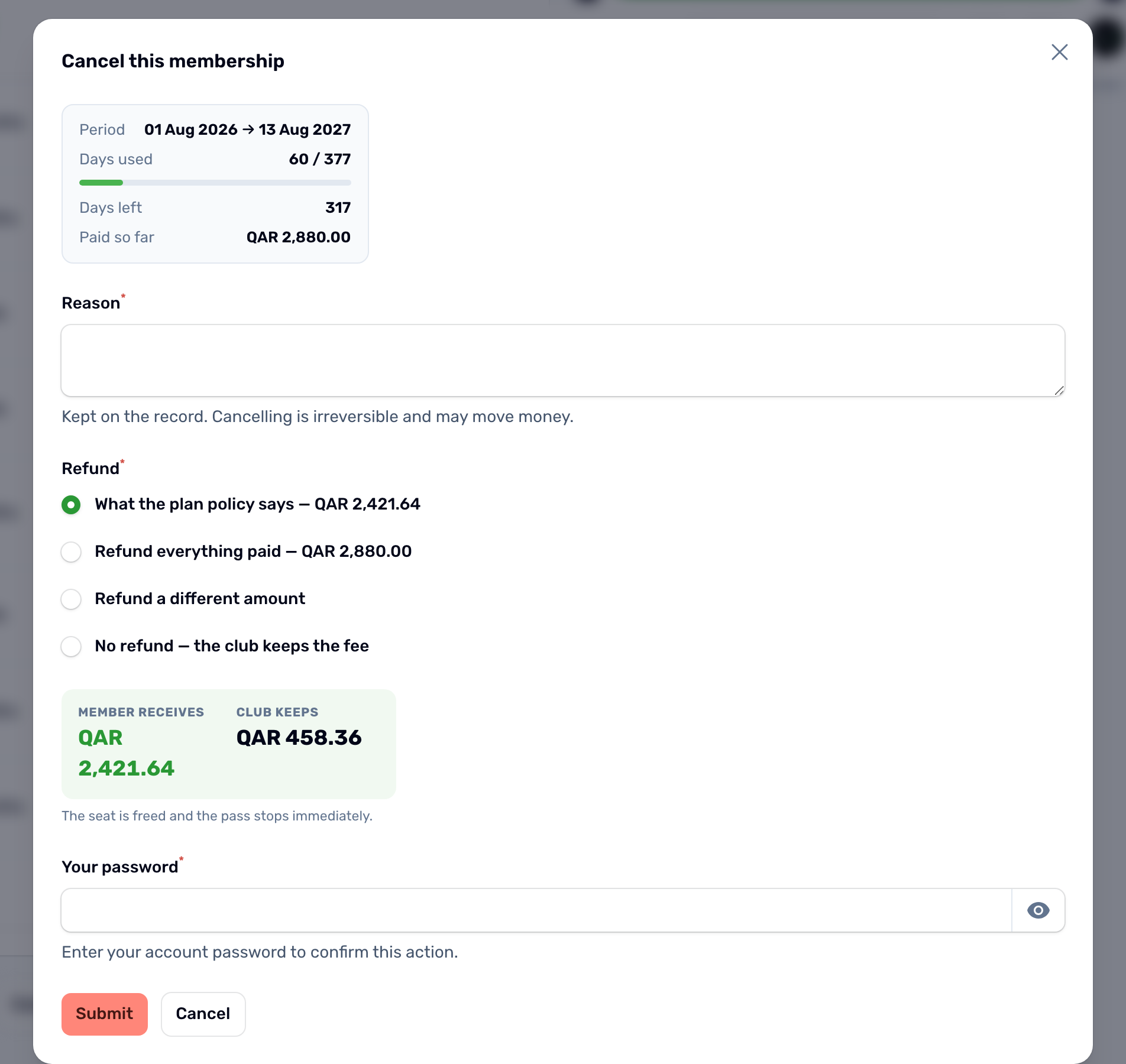
Read the period
The box at the top shows the period, the days used, the days left and everything paid so far, extensions included. -
Give a reason
Required. It is kept on the record and shown at the door if the pass is scanned again. -
Choose the refund
Pick one of the four choices below. The box under them shows what the member receives and what the club keeps. -
Confirm
Enter your password or PIN and click Submit.
| Refund choice | What is returned |
|---|---|
| What the plan policy says | The amount the plan's cancellation rule gives right now. This is the default. |
| Refund everything paid | The purchase and every paid extension. |
| Refund a different amount | An amount you type, up to everything paid. |
| No refund | Nothing. The club keeps the fee. |
What happens next#
- The membership becomes Cancelled, the seat is freed and the pass stops at once.
- Any refund is credited to the member's wallet and they get a Refund received notification. Payment then shows refunded. With no refund it stays paid, because the club kept the money.
- A reservation that was never paid is simply cancelled.
When a member cancels in the app, the plan's rule decides alone, see Cancel and refunds.