

Esta página aún no está traducida al español, así que estás leyendo la versión en inglés.
Payments and exports
Where membership money shows in the portal, how vouchers work at membership checkout, and how to export your plans.
Where the money shows#
- Card and other gateway payments for memberships and extensions are listed with your other payments in Payments.
- Payments from the wallet, and refunds to it, are in the wallet ledger of each player.
- In a Members list, Paid is what the membership itself collected, not counting extensions.
How payments, the wallet and the reports work across the club is explained in Payments, wallet and reports.
Vouchers at membership checkout#
With Accept voucher codes at membership checkout on, the plan details in the app have a Have a code? field. A voucher works for memberships when its Valid for includes Memberships, or is left empty. The voucher comes off after any offer. A code that does not work stops the purchase with the reason, rather than charging the full price.
Export your plans#
On the Membership plans page click Export.
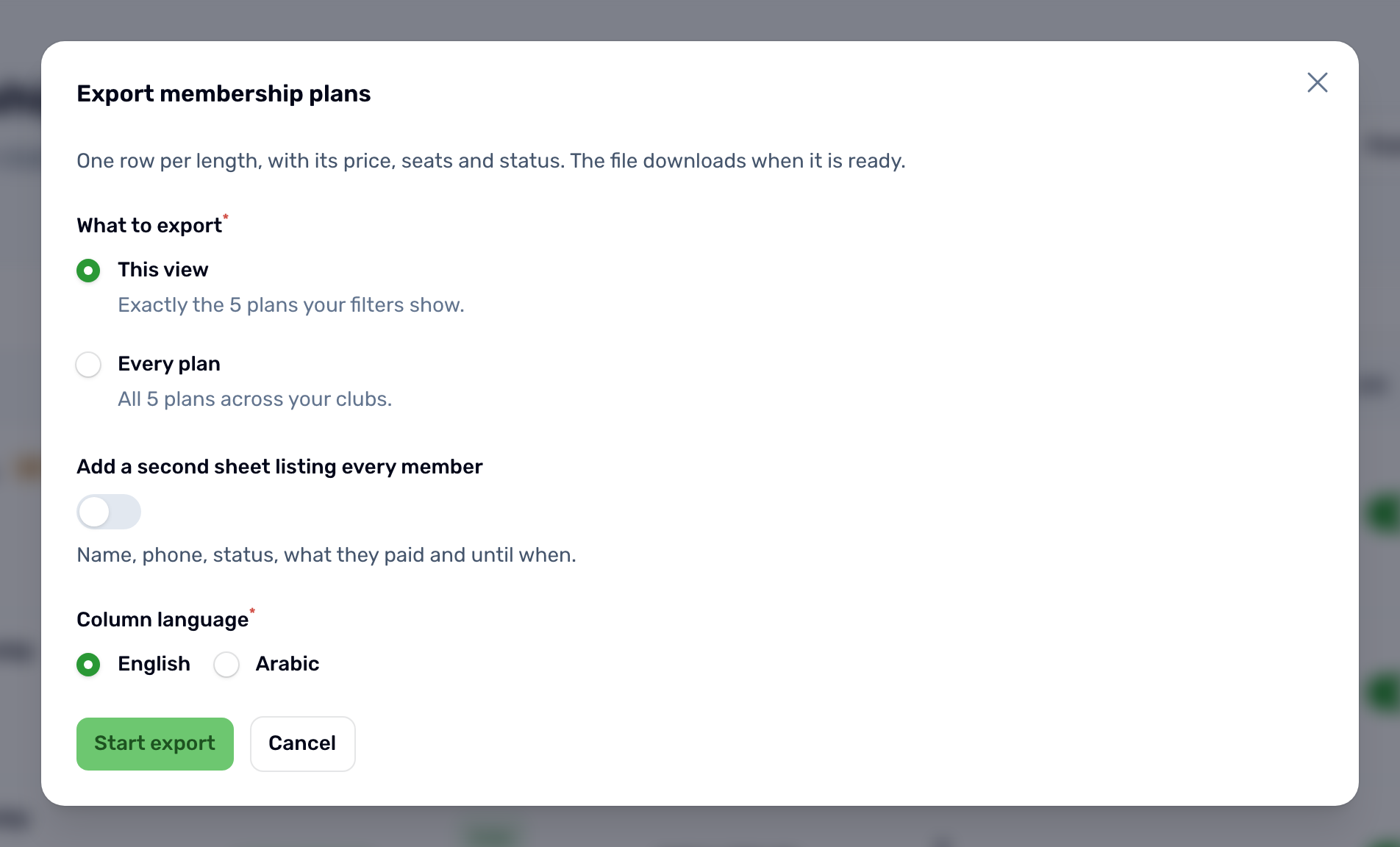
- What to export: this view, the plans your filters show, or every plan.
- Add a second sheet listing every member: name, phone, status, what they paid and until when.
- Column language: English or Arabic.
The file has one row per length, with its price, seats and status. It downloads when it is ready.