

Esta página aún no está traducida al español, así que estás leyendo la versión en inglés.
Turn on memberships
Switch the Membership service on in Project settings and choose whether members can type a voucher code at checkout.
Memberships is a service of its own. While it is off, the Membership menu is hidden in the portal, the Membership card does not show on the app's Home screen, and the app cannot load clubs, plans or memberships.
-
Open Project settings
In the club portal open Project settings and go to the Services tab. -
Switch it on
Find the Membership card and turn on Switched on. The card then says Live in the app. -
Choose the checkout options
Under Service settings, turn on Accept voucher codes at membership checkout if members may use a voucher code when they subscribe.
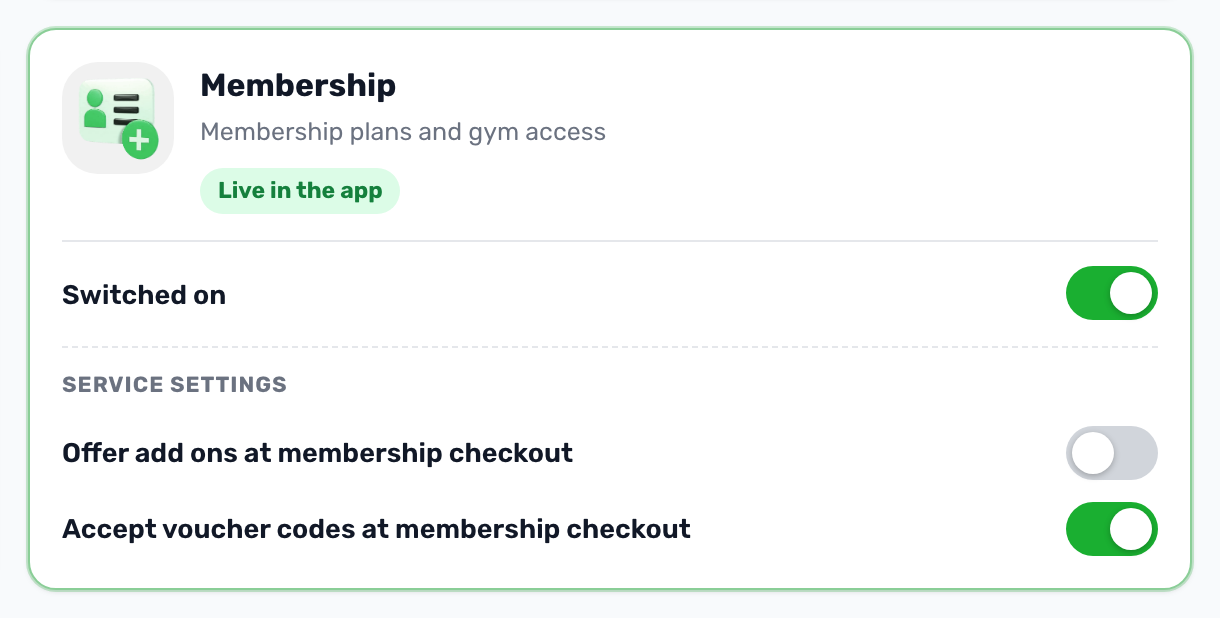
The Offer add ons at membership checkout switch is there too, but the apps do not use it yet, so it changes nothing for your members today.
After switching it on#
A new Membership group appears in the portal menu with three pages: Membership plans, Offers and Check in. Your venue's page also gets three new tabs: Membership plans, Members and Available activities.
A club only appears in the app once it sells at least one plan that is live, so the next step is Set up your club and then Create a plan.