

Cette page n’est pas encore traduite en français. Vous lisez la version anglaise.
What the courts service does
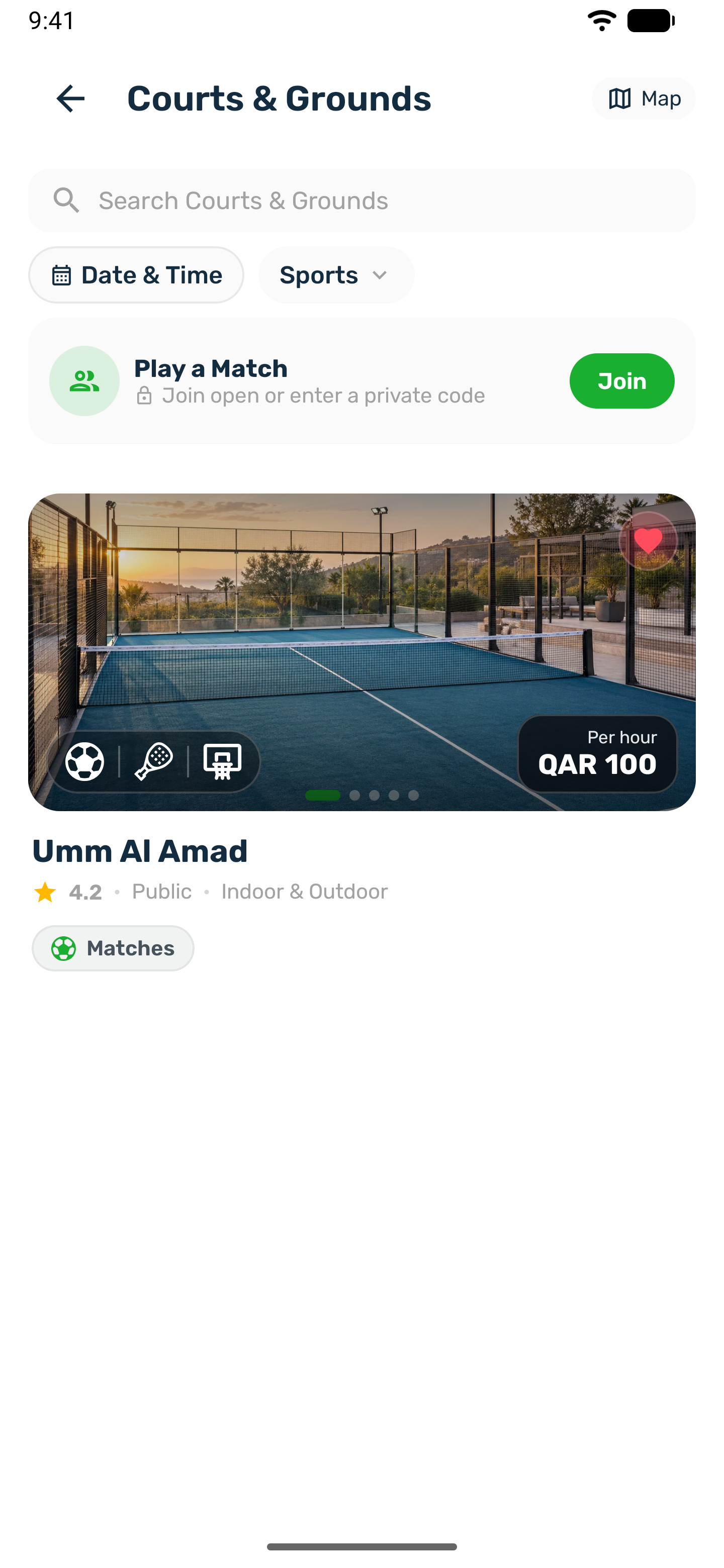
Players book and pay for your courts in your club's app. You run the courts, the prices and the bookings from the club portal.
The courts service puts your courts in your club's app. Players pick a court, a day and a time, pay in the app and get reminders before they play. You set up the venues, courts, prices and opening hours in the club portal, and every booking lands in your calendar next to the walk in bookings your staff take at the desk.
Players can also book a court as a match. The player who books it becomes the organizer, decides who pays for the court and invites others to take the free places.
Who does what#
| Who | Where | What they do |
|---|---|---|
| Your club | Club portal | Adds the organization, venues and courts. Sets prices, opening hours, add ons and booking rules. Takes walk in bookings, cancels bookings, refunds payments and exports reports. |
| Players | Your app | Find a court, book one or more times, pay, get reminders, cancel within your rules and rate the venue. |
| Match organizers | Your app | Players who book a court as a match. They choose the format, whether they pay for everyone or share the cost, invite players and record the score. |
How the pieces fit#
- Organization is your club as a business. Bsporty approves it before it shows in the app.
- Venue is a place players travel to, with an address and a pin on the map. The portal also calls it a branch.
- Court is what players actually book. Each court has its own sports, price, opening hours and booking rules.
- Booking is one player on one court for one time. A player who books several times at once gets one order and pays once.
- Match is a booking that other players can join.
Where it lives in the portal#
Once the service is on, the sidebar shows a Courts & Bookings group with five pages.
| Page | Use it to |
|---|---|
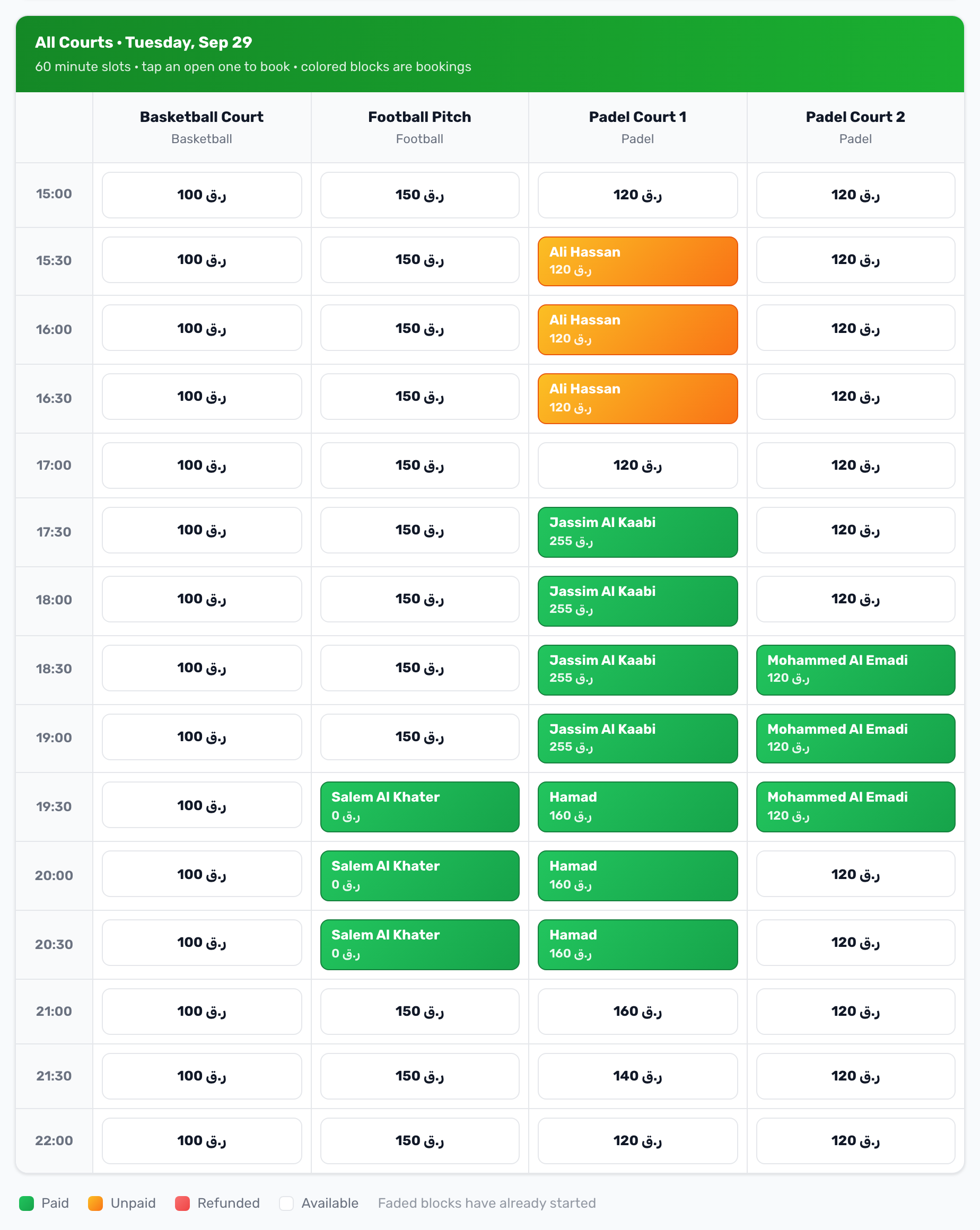
| Calendar | See one day of one venue, take a walk in booking or cancel a booking. |
| Courts & Grounds | Add and edit courts, their prices, hours, add ons and rules. |
| Slot Bookings | Search every booking, filter it, edit it and export a report. |
| Venue Matches | Follow the matches players organize on your courts, cancel one or record a result. |
| Schedule Overrides | Close a court for maintenance or a holiday, or set a special price for a period. |
The venues themselves are in the Organizations & Venues group above it, and money is under Finance.
Not covered here#
- Classes, courses and training sessions on a court have their own space.
- Official matches, run by approved organizers, are explained in Official matches.