Cette page n’est pas encore traduite en français. Vous lisez la version anglaise.
Find a court
Search and filter the courts list, filter by date and time, use the map, and read a venue's page before you book.
Open Courts from the home screen of the app. You see the club's venues as cards, or each court as its own card, depending on how the club lists them.
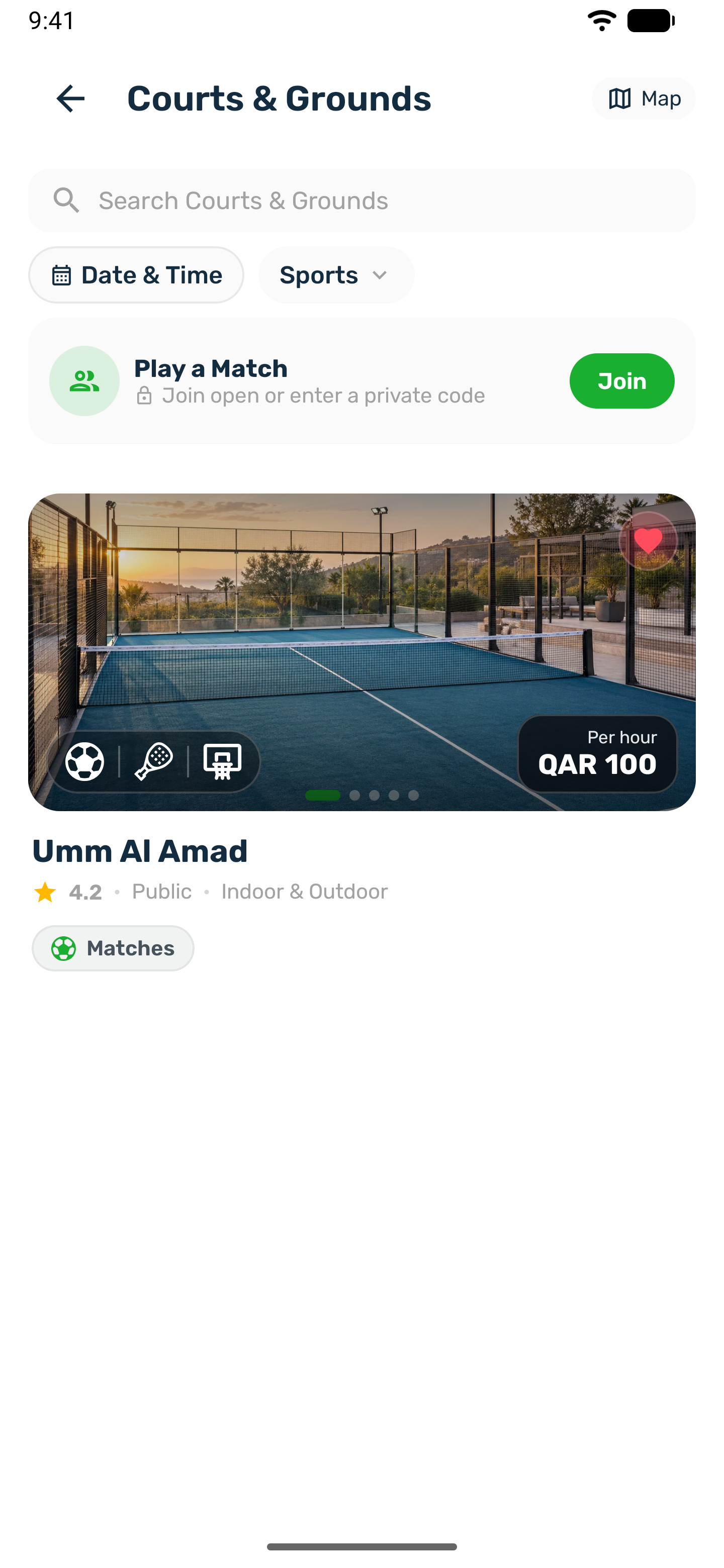
What a card shows#
- The photos, which slide by on their own.
- The sports played there, as small icons.
- The price per hour.
- Men, Ladies or Mixed when the venue is for one audience.
- The rating, whether it is indoor or outdoor, and chips for Matches or Sessions when the venue has them.
- A heart to save it to your favourites.
Search and filters#
- Search by name at the top of the list.
- Sports narrows the list to the sports you pick. On iPhone the same sheet also has Top rated only and a gender filter.
- If you search while filters are on, the app reminds you that Filters may hide results, with a button to Clear filters.
Date & Time#
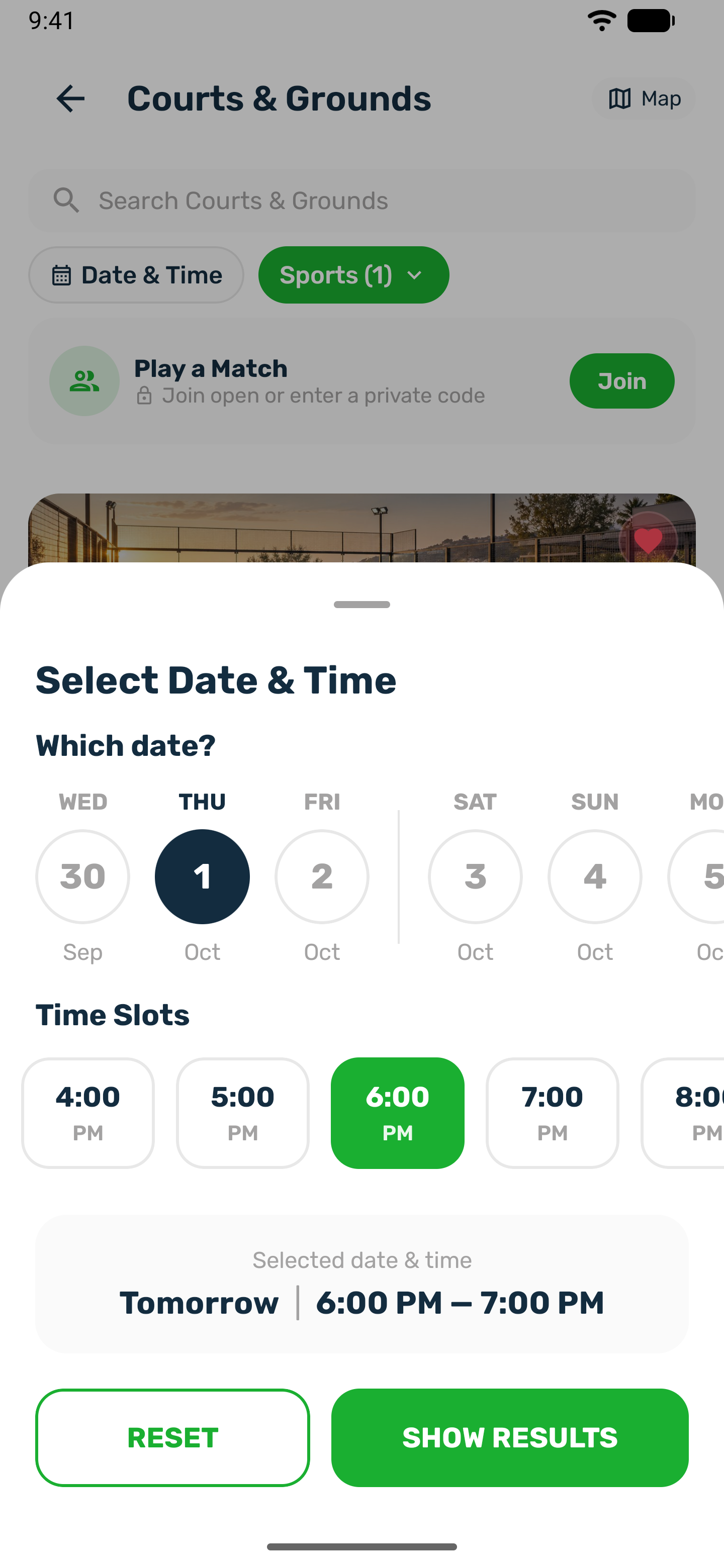
The Date & Time filter shows only courts with a free hour when you want to play.
-
Choose one sport
If the club has more than one sport, the app first asks you to pick one. After you apply it, the date and time sheet opens again by itself. -
Pick a day
Which date? shows the next seven days. -
Pick an hour
Time Slots shows the hours that still have a free court for your sport that day, for a one hour booking. Tap an hour again to clear it. No open times means that day is full. -
Show results
SHOW RESULTS filters the list. RESET clears the filter.
Map#
Map opens a map of the courts around you. Tap a marker to see the court and open it. Courts at the same venue are spread a little apart so you can tap each one.
Play a Match#
When the club's courts have matches, a Play a Match card sits above the list. Join opens the open matches you can join, with a place to type a private match code. See Join a match.
The venue page#
Tap a card to open it. The page has a photo gallery, the name and address, a call button when the venue has a phone number, a share button and the heart. Below are the tabs:
| Tab | What is in it |
|---|---|
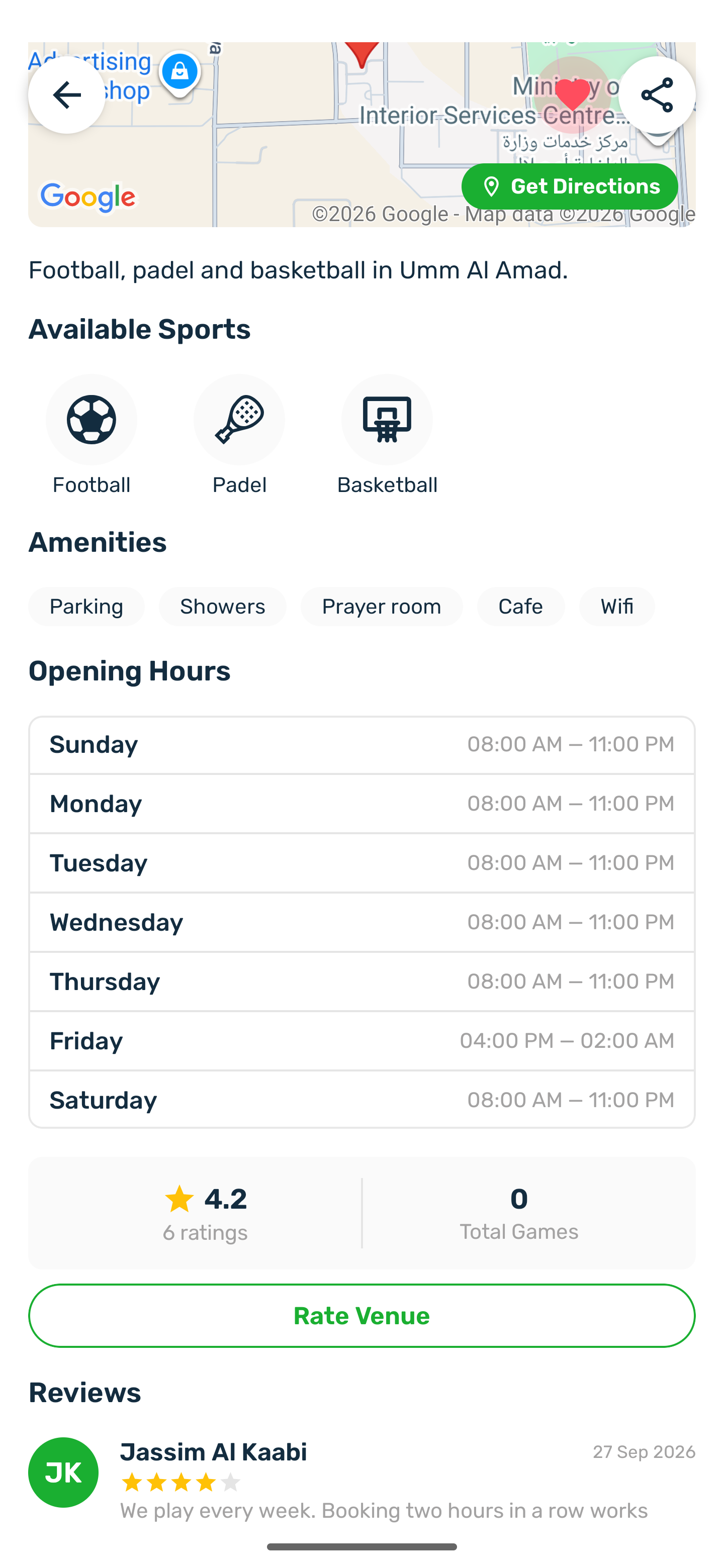
| Home | The address with Get Directions, the description, Available Sports, Amenities, Opening Hours, the rating and reviews, and Policies & Terms. |
| Book | Days, lengths and open times. See Book a slot. |
| Matches | Open matches on this venue, when it allows matches. |
| Sessions | Classes and courses, when the venue runs them. |