

Cette page n’est pas encore traduite en français. Vous lisez la version anglaise.
Payments, wallet and reports
Follow every card payment, refund one to the player's wallet, credit or deduct wallet balance, and export finance reports.
Money for court bookings and matches reaches your club two ways: card payments through your gateway, and wallet payments from the balance players hold in your app. Both are in the Finance group of the sidebar.
Payments#
Payments lists every gateway charge: bookings, match places, wallet top ups and the other services. At the top, four cards sum up the last 30 days: Net collected, Refunded to wallets, Failed attempts and In progress. Click one to filter the list.
- Quick views: All payments, Needs attention (failed, stuck at the gateway or never started), Refunds, Wallet top ups and Today.
- Search by payment reference, gateway reference, customer or phone. A number alone finds that payment reference exactly.
- Filters: status, Paid for (Court booking, Match entry, Wallet top up and others), a date range of up to 31 days, provider, amount and refund state.
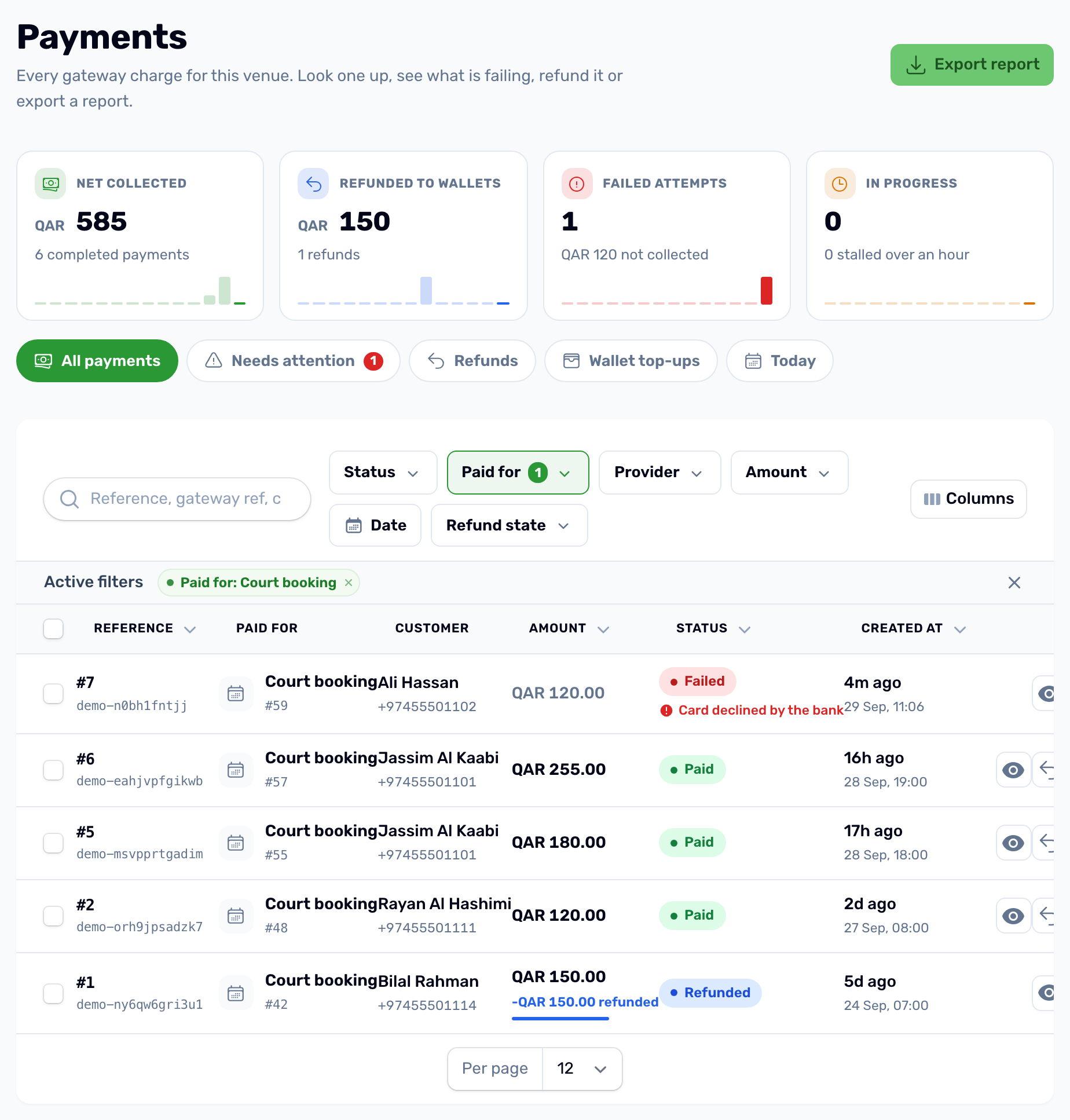
| Status | Meaning |
|---|---|
| Created | Started in the app, not sent to the gateway yet. |
| At gateway | The player is paying or the gateway has not answered yet. |
| Paid | The money arrived. |
| Failed | The card was declined or the attempt broke off. |
| Cancelled | The attempt was abandoned. |
| Refunded | All of it went back to the wallet. A payment refunded in part stays Paid and shows the refunded amount. |
A multi slot order is one payment, for the whole order. Click a payment to see its timeline, the receipt and the gateway's own response. Click the customer to see all their payments, wallet balance and saved cards on one page.
Refund a payment#
-
Open Refund
On a Paid payment, use Refund in the row or on the payment page. You may be asked for your login PIN. -
Set the amount
What is left to refund is filled in. Lower it to refund part. You can refund again later, as long as the total stays within what was paid. -
Choose what happens to the booking
For a court booking that is still on, Refund and cancel the booking is picked for you. It frees the slot and tells the customer. Choose Refund only for a goodwill refund that keeps the booking. -
Give the reason
Why is this being refunded? The customer sees it on their receipt. -
Confirm
The amount goes to the customer's wallet and they are notified.
Refunds never go back to the card. The money lands in the player's wallet in your app, where they can spend it on the next booking.
Wallet Ledger#
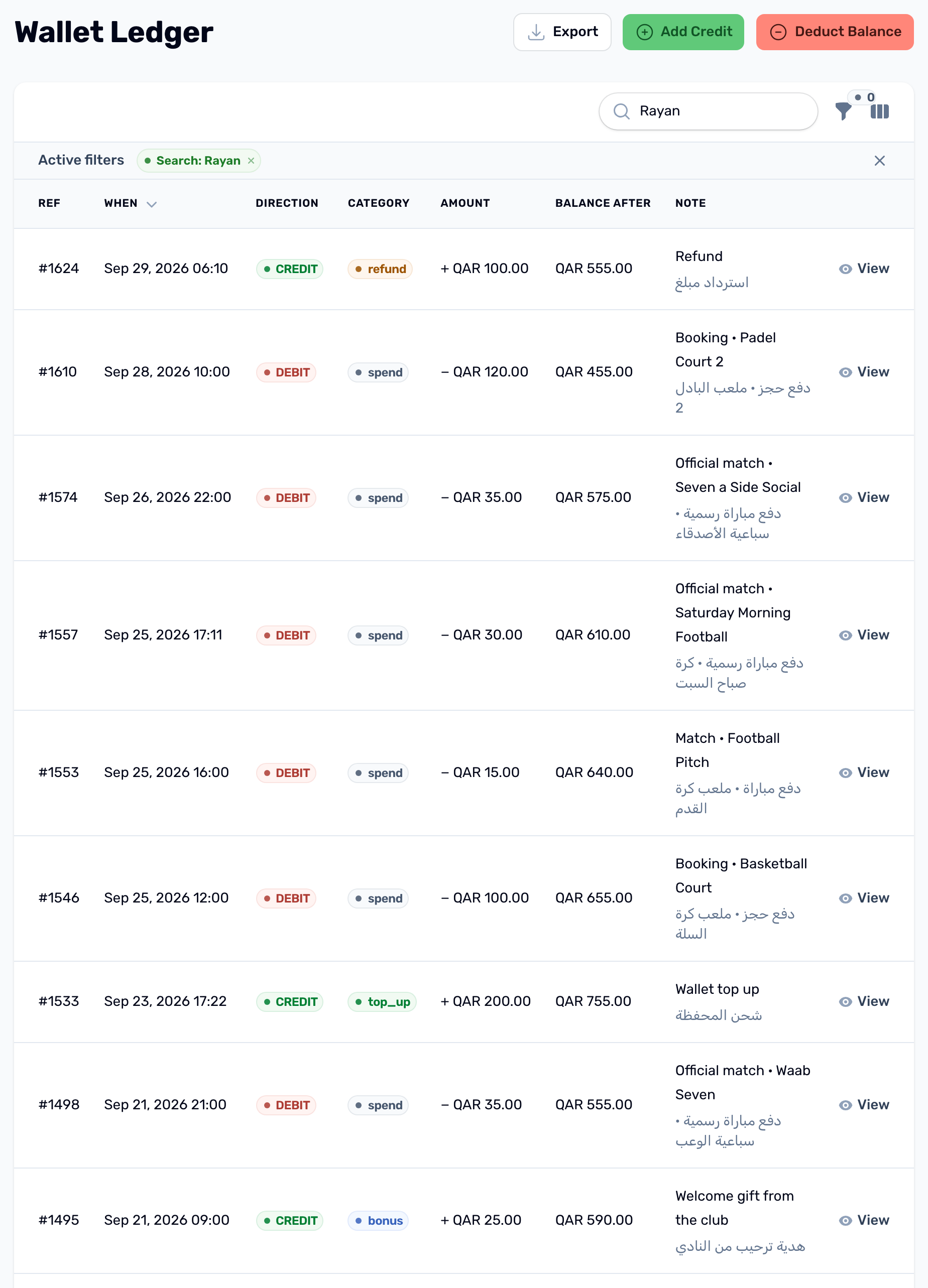
Wallet Ledger is every movement in and out of player wallets: top ups, payments, refunds, gifts, expiries and adjustments, with the balance after each one. Filter by credit or debit, category and a date range of up to 31 days.
- Add Credit puts money in a player's wallet. Choose the user, the amount and the reason: Bonus or promo gift, Manual adjustment or Refund. You can set an expiry date and a note in English and Arabic. A Refund also sends the player a Refund received notification.
- Deduct Balance takes money out, with a required note.
Reports#
| Report | Where | What it holds |
|---|---|---|
| The day's bookings | Calendar, Report | One venue for one day, as Excel or CSV. |
| Bookings report | Slot Bookings, Export report | Up to 31 days of bookings, by status and payment status. |
| Payments report | Payments, Export report | Up to 31 days of payments. Choose All payments, because the report starts on Wallet top ups only. |
| Wallet ledger | Wallet Ledger, Export | Up to 31 days of wallet movements, by direction and category. |
Every report is limited to 31 days, so export a month at a time. Exports may ask for your login PIN.
Payment credentials#
Your gateway keys are under Finance, Payment credentials: SkipCash, MyFatoorah or Tap, in Test or Live mode. Only one credential is active at a time. Until a live one is active, card payments in the app cannot work.