Cette page n’est pas encore traduite en français. Vous lisez la version anglaise.
Matches on your courts
What a club controls about the matches players organize: which courts allow them, fee sharing, unpaid matches, Venue Matches and vouchers.
Any player can book one of your courts as a match and let others join. The player who creates it is the organizer. How it works for players is in Create a match and the pages after it. This page covers what your club decides and what you see in the portal. Official matches, run by approved organizers, are a separate service: see Official matches.
On each court#
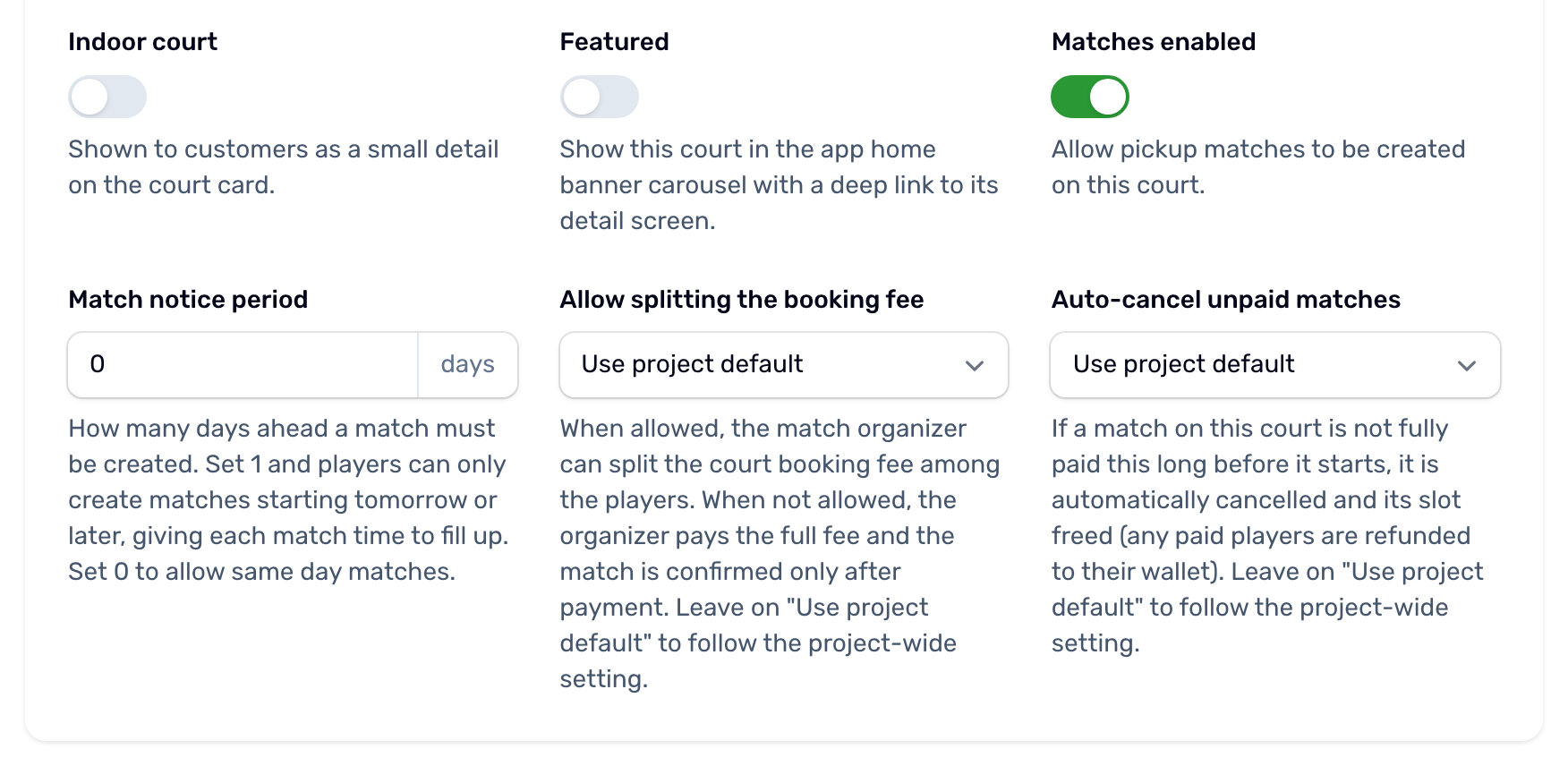
On the court's Details tab, Matches enabled lets players create matches on the court. It is on for new courts. The court also needs a linked Sport program, which supplies the formats and levels. While matches are enabled, three settings appear under it.
| Setting | Options | What it does |
|---|---|---|
| Match notice period | 0 to 30 days, default 0 | How many days ahead a match must be created. With 3, a player can only create a match from three days out. 0 means any day. |
| Allow splitting the booking fee | Use project default, Allowed, Not allowed | Whether the organizer may share the court fee with the players who join. When it is not allowed, the organizer pays the whole court. |
| Auto cancel unpaid matches | Use project default, 2 days, 1 day, 12 hours or 6 hours before start, Never auto cancel | How long before kickoff a match whose organizer has not paid is cancelled. Never auto cancel also turns off the hold on new matches for this court. |
The court's Audience also applies: on a court set to Male or Female, only matches for that audience can be created.
The Match Rules tab holds the rules players agree to before creating a match on this court, one per line in each language. Left blank, the app shows its own five default rules.
For the whole club#
Settings, Bookings and holds, card Unpaid matches. A court's own settings above win over these.
| Setting | Default | What it does |
|---|---|---|
| Hold a new match slot for | 30 minutes | How long a brand new match keeps the court before its organizer pays. Off turns this hold off. |
| Time a player has to pay for a place | 30 minutes | How long a player who joins a match with a shared fee has to pay, never later than kickoff. An unpaid place then goes back to other players and the player is told. Off gives no deadline. |
| Cancel an unpaid match | 24 hours before kickoff | A match still unpaid by then is cancelled. Never turns it off. |
| Let organisers split the fee by default | Off | Used by courts left on Use project default. |
When a match counts as confirmed#
A match is confirmed once its organizer has paid their part, or straight away when the organizer owes nothing. Until then it is at risk:
- With the hold on, it is cancelled when the organizer has not paid within the hold time of creating it.
- It is cancelled when it is still unpaid at the court's auto cancel time before kickoff.
- A match still unconfirmed an hour after its start time is cancelled.
Never auto cancel on a court turns off both rules for that court, the hold on new matches and the cancel before kickoff. When a match is cancelled, everyone who paid gets it back in full, in their wallet, and every player is told.
Venue Matches#
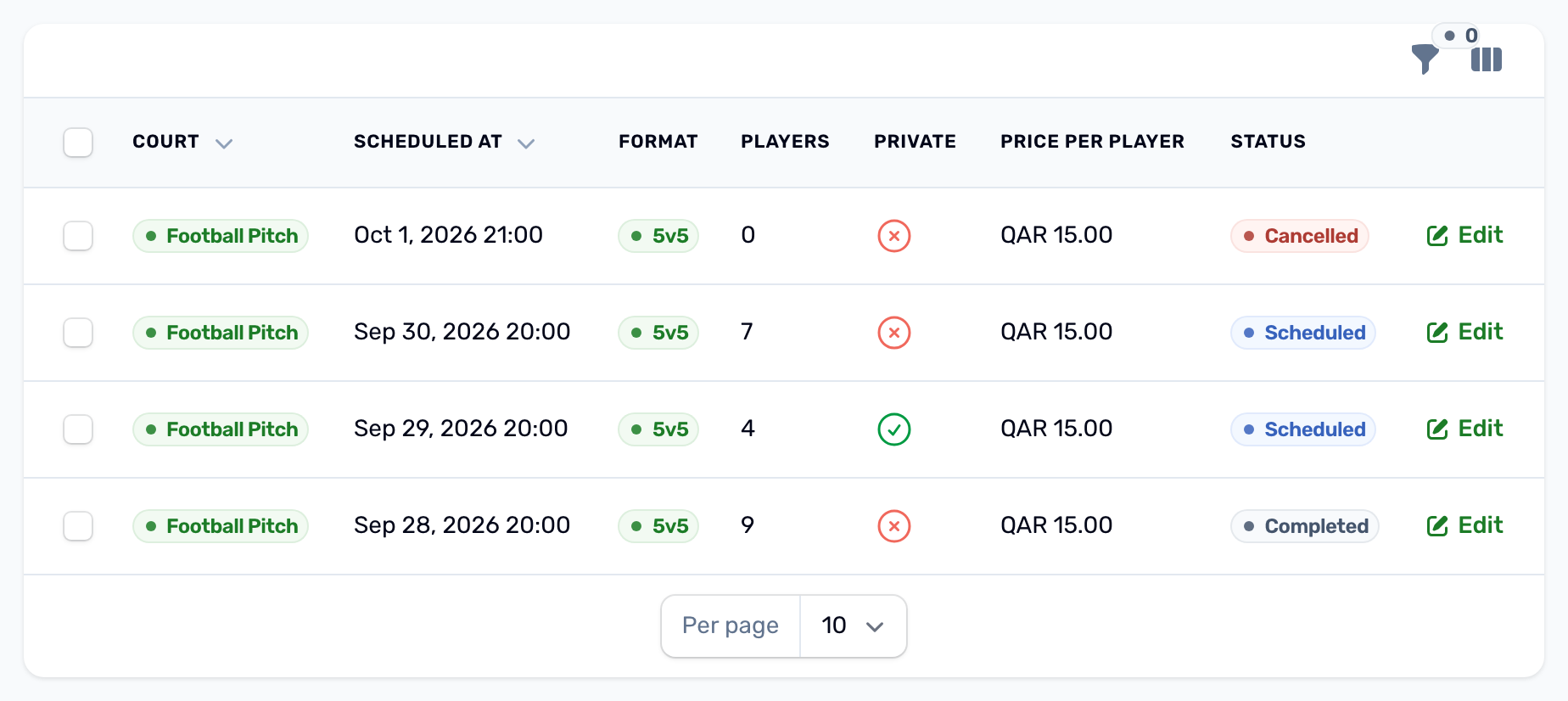
Venue Matches in the sidebar lists every match on your courts: court, date, format, number of players, private or public, price per player and status.
| Status | Meaning |
|---|---|
| Draft | Made in the portal and not published yet. The app does not show it. Publish makes it Scheduled. |
| Scheduled | Upcoming. Players can join. |
| In progress | Being played. |
| Completed | Finished, or its result was recorded. |
| Cancelled | Cancelled by the organizer, by you or automatically. |
Filter by court, status or private. Open a match with Edit to see its details, its two sides and its players.
What you can do on a match#
- Record result: enter the home and away score. The match becomes Completed with the winner, or a draw.
- Cancel match: cancels the match and its court booking, cancels every player, returns the organizer's voucher and refunds everyone who paid, in full, to their wallet. Players are notified.
- Participants tab: every player with their side, status and payment. Refund on a paid player sends part or all of what they paid to their wallet. Deleting a player refunds them in full first.
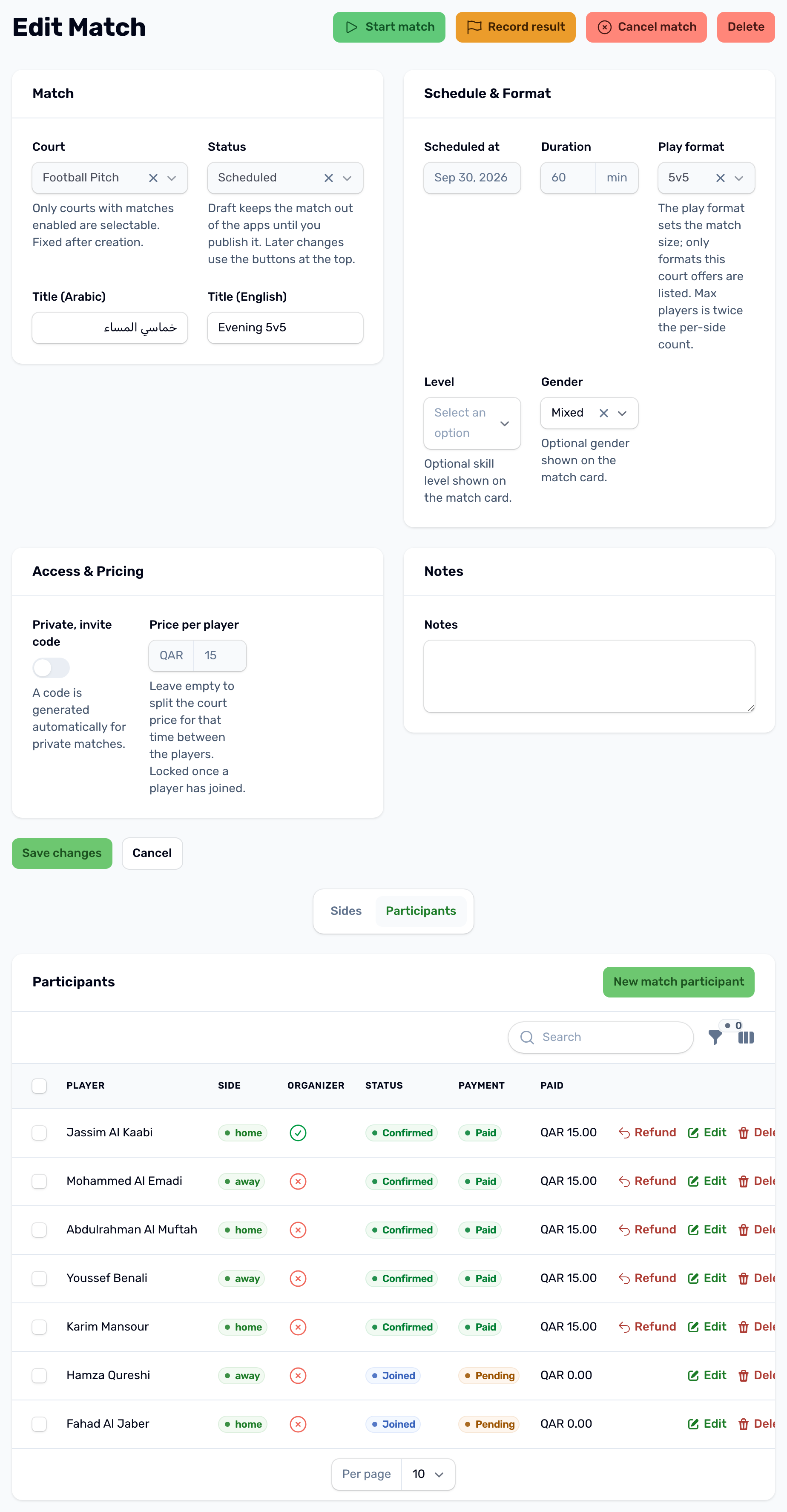
You can also add a match yourself with New. Pick a court with matches enabled, the time, the format, whether it is private, and Draft or Scheduled. Leave the price per player empty to split the court's price for that time between the players, or type your own. A Draft stays out of the app until you press Publish. A match made in the portal has no organizer and counts as confirmed at once. Players join and pay for it in the app.
Vouchers#
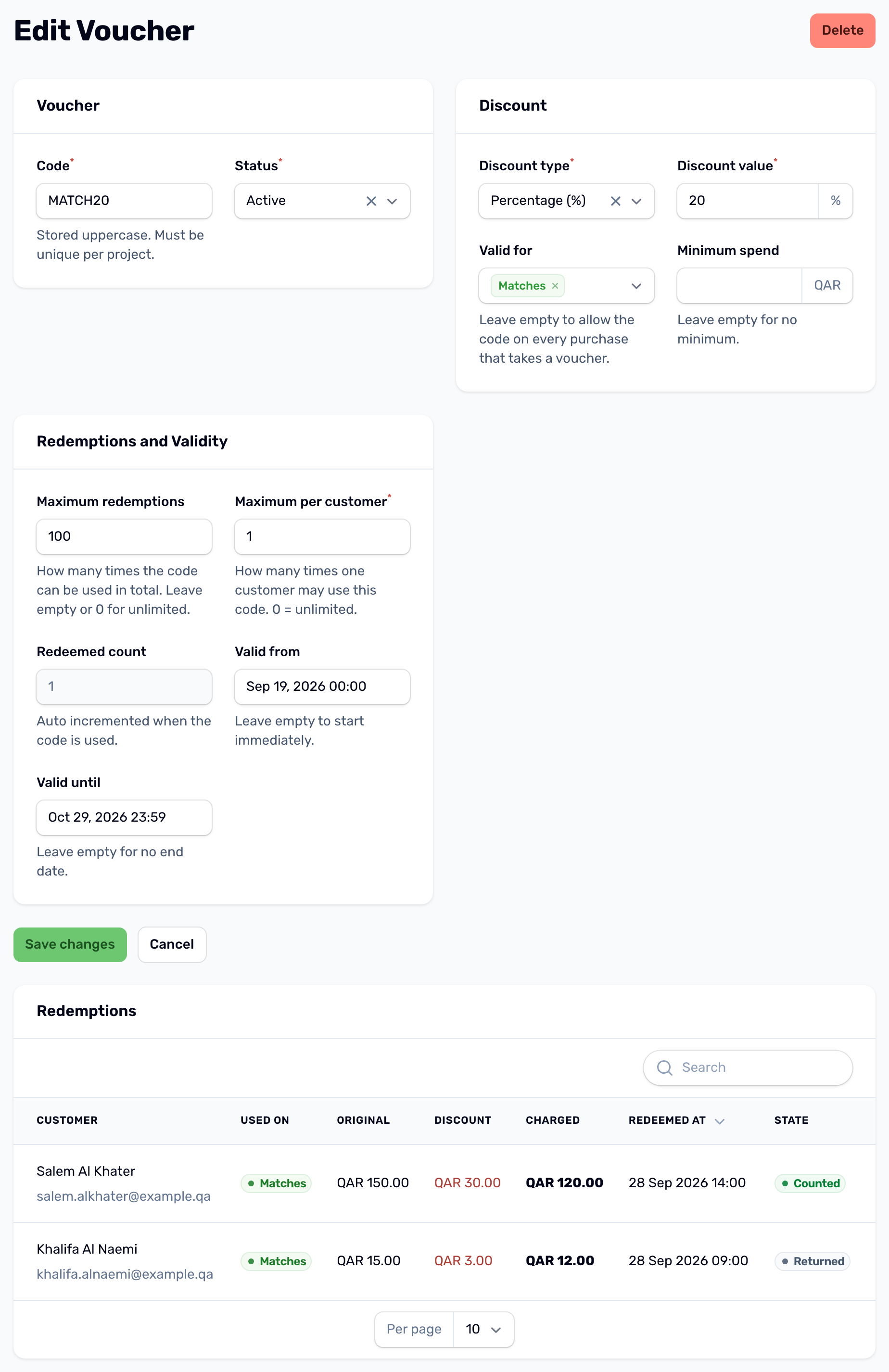
Vouchers are discount codes, under Promotions, Vouchers. For courts they work on court bookings, where the code comes off the whole order, add ons included, and on matches, where the organizer types it on the match confirmation screen and it comes off their own fee.
| Field | What it does |
|---|---|
| Code | What players type, such as SUMMER25. Saved in capitals and unique in your club. A code another voucher already uses is refused when you save. |
| Status | Only Active codes can be used. |
| Discount type and value | A percentage, up to 100, or a fixed amount in QAR. The discount is never more than the fee. |
| Valid for | The services the code works on: Court bookings, Matches, Classes and Memberships. Leave it empty for all. |
| Minimum spend | The smallest fee the code applies to. Empty means no minimum. |
| Maximum redemptions | How many times it can be used in total. Leave it empty or 0 for unlimited. |
| Maximum per customer | How many times one player can use it. Default 1, and 0 means unlimited. |
| Valid from and Valid until | Empty means it starts now and never ends. |
The Redemptions tab lists each use with the customer, the original amount, the discount and what they paid. When the match, or every booking of the order, is cancelled, its code is Returned and no longer counts against the limits.