

Cette page n’est pas encore traduite en français. Vous lisez la version anglaise.
Pay for your booking
The payment methods, paying from your wallet, how long your times are held, paying a held booking later, and what happens if a payment fails.
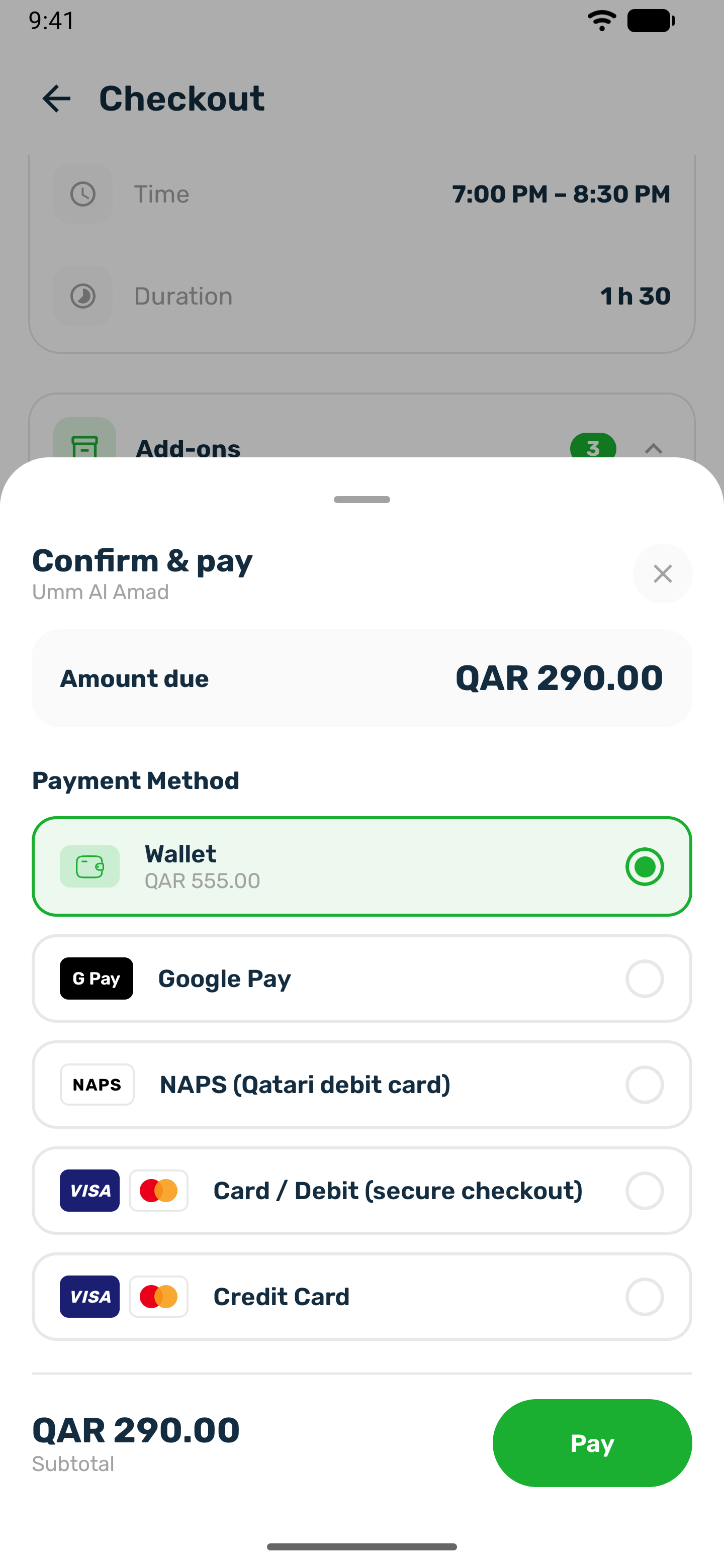
After you confirm at checkout, the Confirm & pay sheet opens with the amount due. When you used a voucher, the amount is what is left after the discount. A booking that costs nothing skips this sheet and is confirmed straight away.
Ways to pay#
You see the methods your club has switched on.
| Method | How it works |
|---|---|
| Wallet | Pays from your balance in the app. It shows your balance and is greyed out when the balance does not cover the amount. |
| Apple Pay | On iPhone. |
| Google Pay | On Android. |
| NAPS (Qatari debit card) | Opens the secure payment page for Qatari debit cards. |
| Card / Debit (secure checkout) | Opens the secure payment page for any card. |
| Credit card | Opens a card form inside the sheet. Your bank may ask you to confirm with a code. |
Cash is not offered for court bookings in the app. If you want to pay at the venue, ask the club to book you from its desk.
Paying#
-
Choose a method
Tap the row. For a card, fill in the card form in the sheet. -
Pay
Tap Pay, or the wallet button. While the payment is going through you cannot close the sheet, so the charge is never lost. -
Wait for Confirming payment
The app checks with the payment provider for a few seconds. -
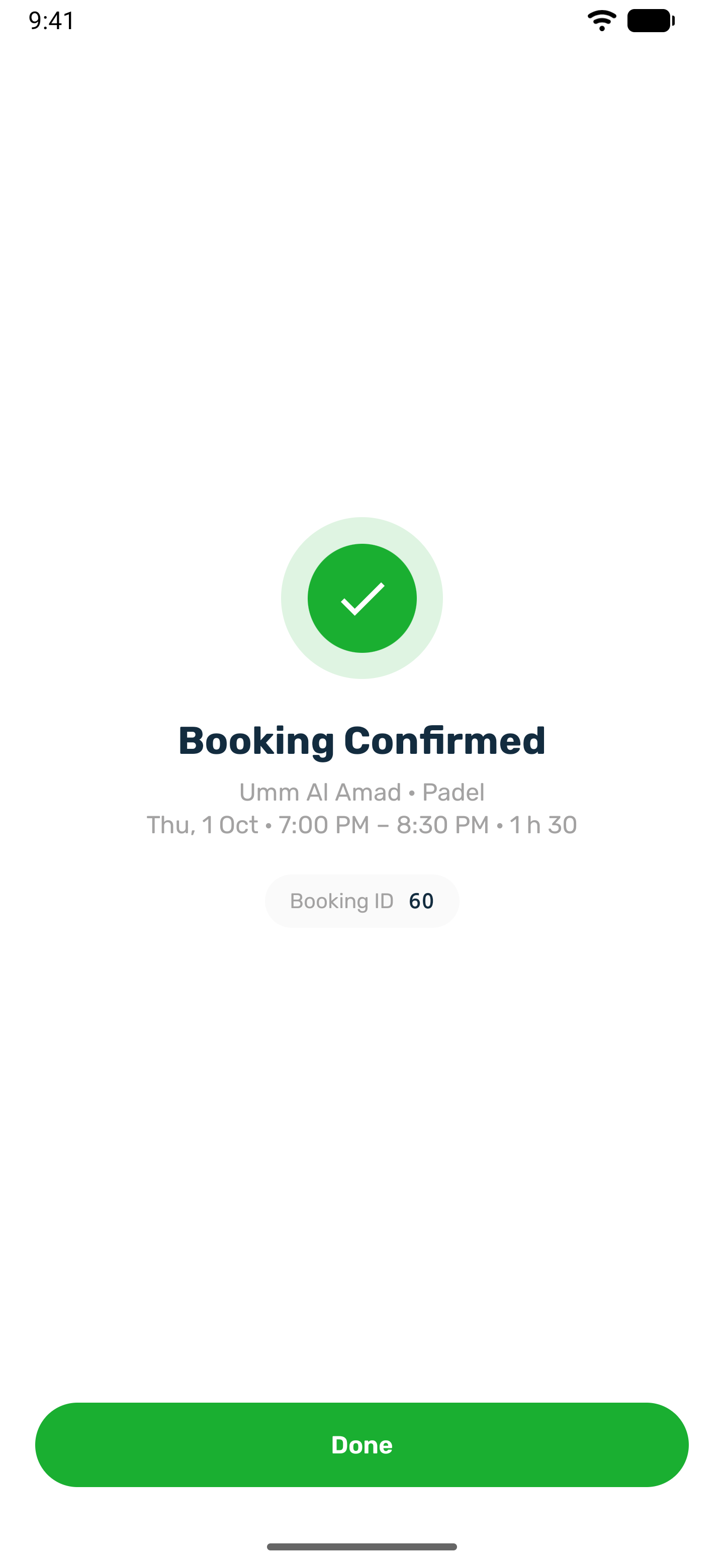
Booking Confirmed
You see the venue, the sport, the date, the time, the length and your Booking ID. Tap Done.
When your account has an email you also get a confirmation email with your booking code and the cancellation terms. Several times booked together are one payment for the whole order.
Your times are held while you pay#
Your times are yours from the moment you confirm at checkout. If you do not finish paying:
- Leaving checkout gives the times back at once, unless the club keeps them held for you.
- Closing the payment sheet keeps them, and tapping Confirm again opens payment for the same booking. On iPhone, closing the sheet gives them back the same way as leaving checkout.
- An unpaid booking is released when the club's hold time runs out, 30 minutes from when you confirmed unless the club changed it. The times go back on sale and you get a Booking released notification that says nothing was charged.
Pay a booking later#
A booking whose times are still held shows Awaiting payment in My Bookings. You can pay it from there until the hold runs out.
-
Open the booking
In your profile, under My Bookings, Courts, tap the booking. Booking details opens with a card that reads This booking is not paid yet. -
Check the time left
The card counts down, for example Time left to pay: 12:40. -
Pay
Tap Pay with the amount, such as Pay QAR 120. The same payment sheet opens with the same methods as at checkout. The amount is the whole order, after any voucher. -
Booking paid
The app says the booking is paid, and it moves to Upcoming.
If the time runs out while the booking is open, the app says The time to pay ran out, so the booking was released. Book the time again if it is still free.
A booking the club took for you at the desk and marked unpaid shows the same card with no countdown. You can pay it in the app or at the venue.
If a payment fails#
- A declined card shows that the payment was not completed and that your card was not charged. Try again or pick another method.
- Depending on the club, a failed payment either gives your times back at once or keeps them for the rest of the hold time so you can try again.
- If the app cannot confirm a payment, it says so. If you were charged, it appears shortly. Contact the club if it does not.
- If a card payment goes through after your booking was already released, the money goes straight back to your wallet.
Topping up your wallet#
You can top up your wallet from Wallet in the app, then pay for bookings from it. The club sets the smallest top up and may set a largest one. Refunds for cancelled bookings also land in your wallet.