

Cette page n’est pas encore traduite en français. Vous lisez la version anglaise.
Invite players
Invite someone into a free spot, who you can invite, accepting or declining an invitation, and the invitation settings.
The organizer can invite players into the free spots of a match. When the organizer turned on Allow players to invite others, the players who joined can invite too.
Send an invitation#
-
Pick a spot
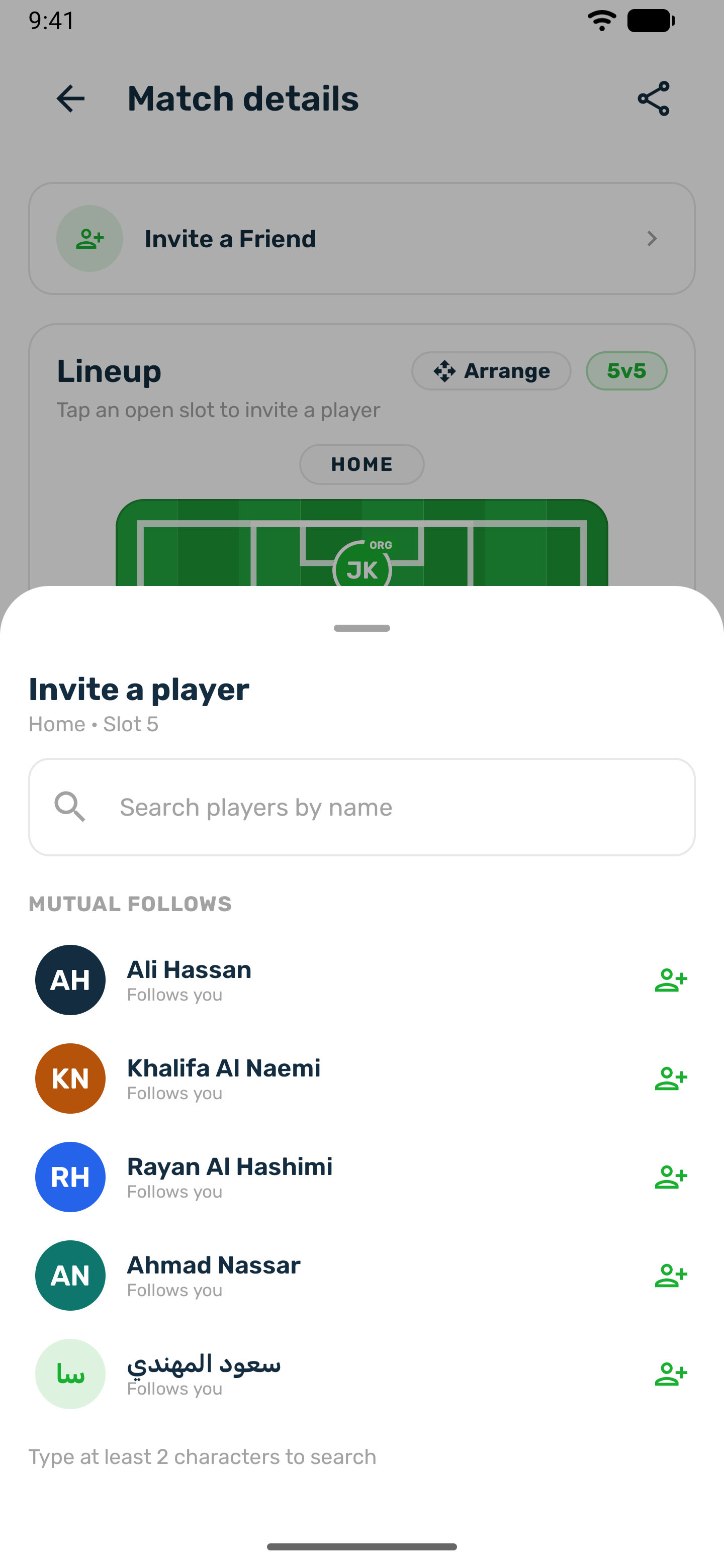
On the match page, tap a free spot on the pitch, marked with a plus, or tap Invite a Friend. If you could also take the spot yourself, choose Invite a player. -
Find the player
People you know are listed first. Search by name for anyone else in the club's app. -
Send
Tap the player. The spot shows Invited and is kept for them until they answer.
Who you can invite#
- Players you follow who follow you back.
- Anyone else only if they turned on Allow invitations from strangers in their settings. Players who did not are shown with Only accepts invites from people they follow, and cannot be picked.
- Not someone already in the match or already invited to it.
Receiving an invitation#
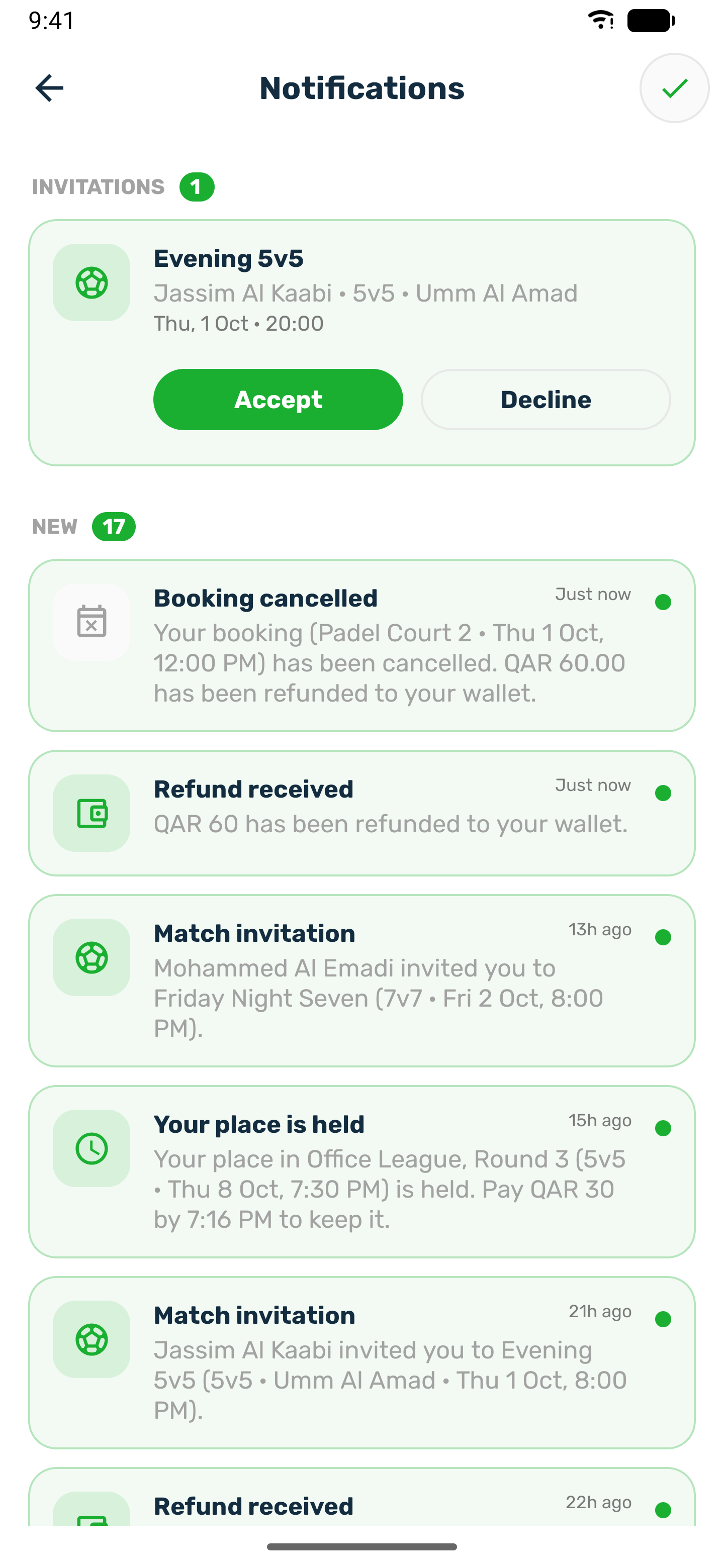
The invited player gets a Match invitation notification. In Notifications, invitations are pinned at the top with Accept and Decline. Tap the card to open the match first.
- Accept puts you in the spot that was kept for you. If the match is shared, the match page then shows Pay to confirm for your share.
- Decline frees the spot.
The player who invited you is told Invitation accepted or Invitation declined. An invitation can no longer be answered once the match has started or been cancelled.
Withdraw an invitation#
The organizer can take an invitation back before it is answered: tap the Invited spot and confirm Withdraw invitation. The player can no longer accept it and the spot is free again.
Invitation settings#
Each player controls invitations in Settings, Match Invitations:
| Setting | Default | What it does |
|---|---|---|
| Auto accept match invitations | Off | An invitation from someone you follow and who follows you back, to a place that is free for you, puts you straight in. You get Added to a match instead of an invitation. |
| Allow invitations from strangers | Off | People you do not follow back can invite you too. |
Invitations from strangers, and to places you would pay for, always wait for you to accept.