

Esta página aún no está traducida al español, así que estás leyendo la versión en inglés.
Prices and lengths
Sell one plan at several lengths, each with its own price and struck price, and choose the length the app suggests first.
Every price a plan sells at lives in the Price and lengths tab. The member picks a length, pays that length's price, and the plan card quotes the default one.
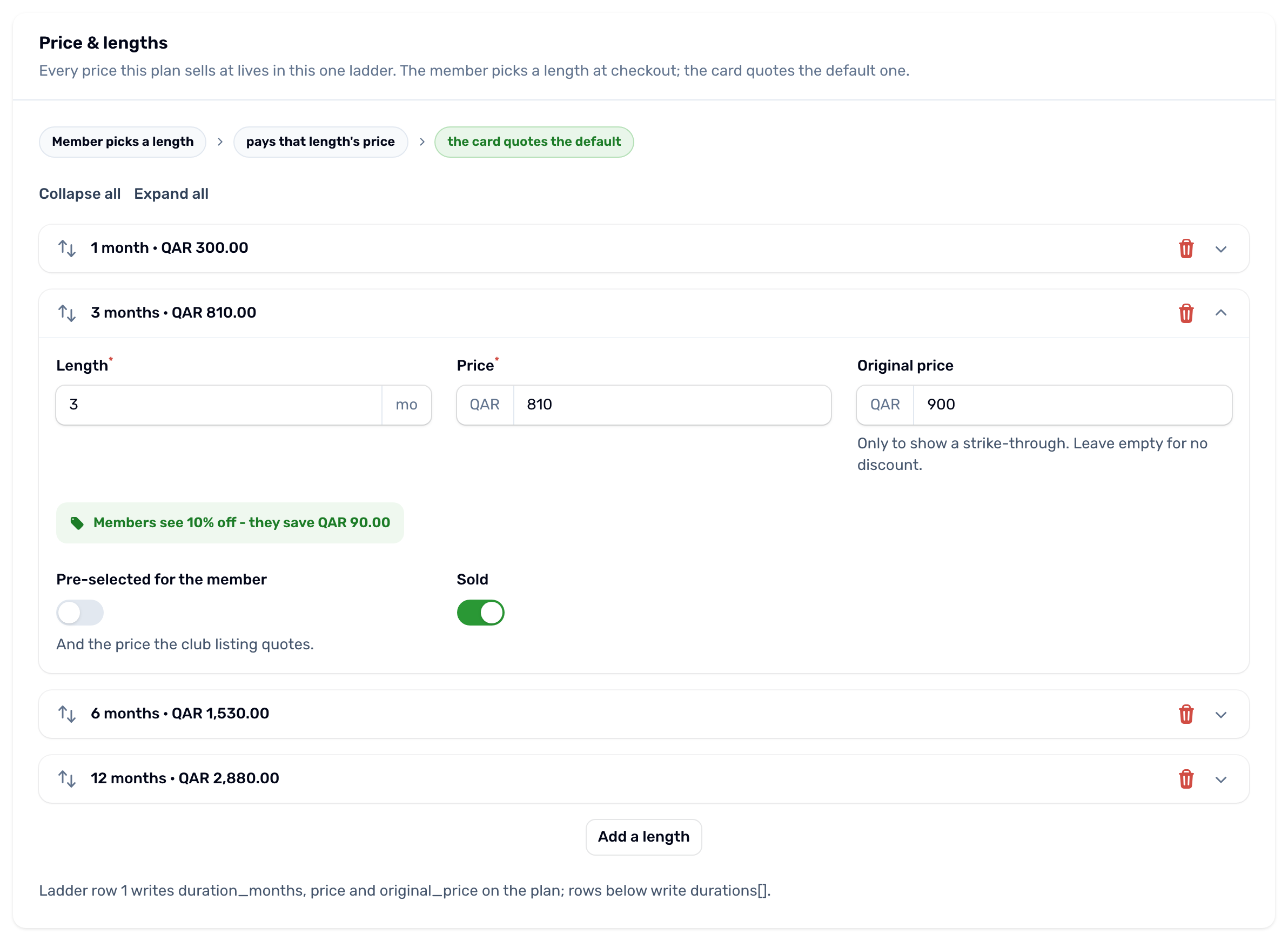
Each length has:
- Length in months, from 1 to 60. A plan cannot have the same length twice.
- Price in QAR, what the member pays for that length before any offer.
- Original price, only to show a struck price. The line under it says the saving members will see, worked out from the two prices. Leave it empty to claim no saving.
- Pre selected for the member. One length is the default: it is chosen first in the app, it carries the Most popular badge, and it is the price the club listing quotes. Turning it on for one length turns it off for the others. If none is chosen, the cheapest length becomes the default when you save.
- Sold. Turn it off to stop selling a length without deleting it.
Use Add a length for more, the arrows to reorder them, and the bin to remove one. A plan needs at least one length.
How the final price is worked out#
-
The length
The price of the length the member picked. -
One offer
The running offer that takes the most money off that price, if any. See Offers. -
A voucher
If vouchers are on and the member typed a code, the voucher comes off what is left.
The price never goes below zero. The same rules price an extension, so a member who extends pays what a newcomer would pay for that length.