

Esta página aún no está traducida al español, así que estás leyendo la versión en inglés.
Extend your membership
Buy more months on top of your current end date, at the club lengths and prices.
-
Extend
On your active membership tap Extend. -
Choose
Pick how many months to add. Each choice shows its price, with any running offer taken off, and the price per month. -
Pay
Tap Continue to payment and pay as when you subscribed.
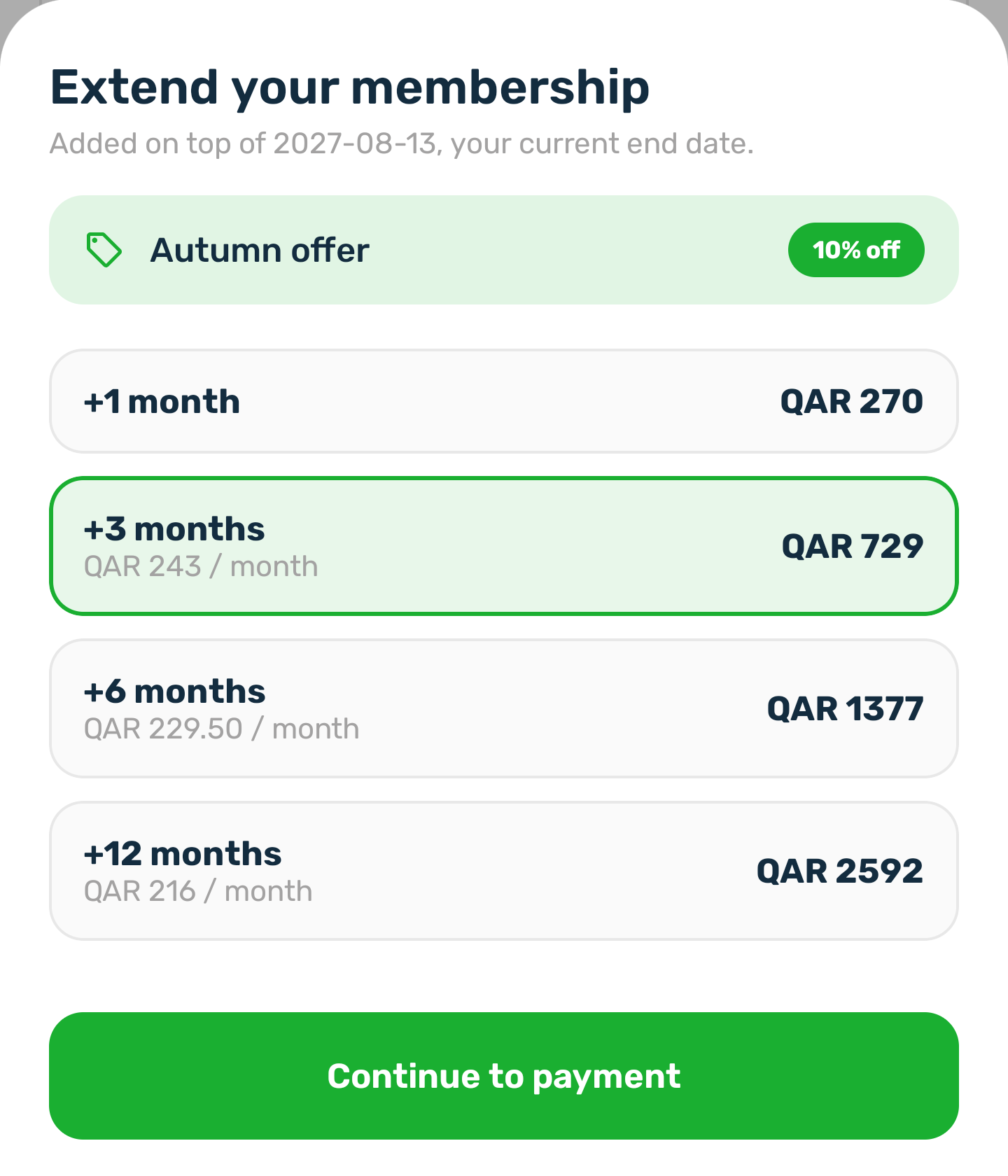
- The months are added to your current end date, shown at the top of the sheet, once the payment goes through.
- If you close the payment, nothing changes. Tapping Extend again reuses the same request.
- You cannot extend a membership that is frozen, cancelled or not paid yet. If the club has set no lengths, the sheet says so.