Cette page n’est pas encore traduite en français. Vous lisez la version anglaise.
Follow matches in the portal
See every published match, who is in, what was collected in the app and in cash, what went back, and cancel one before kick off.
Official matches, Matches is your read only view of every official match in your club, whichever organizer runs it and wherever it is played. Organizers create and run matches from the app. Drafts stay private to the organizer and are not listed.
The list#
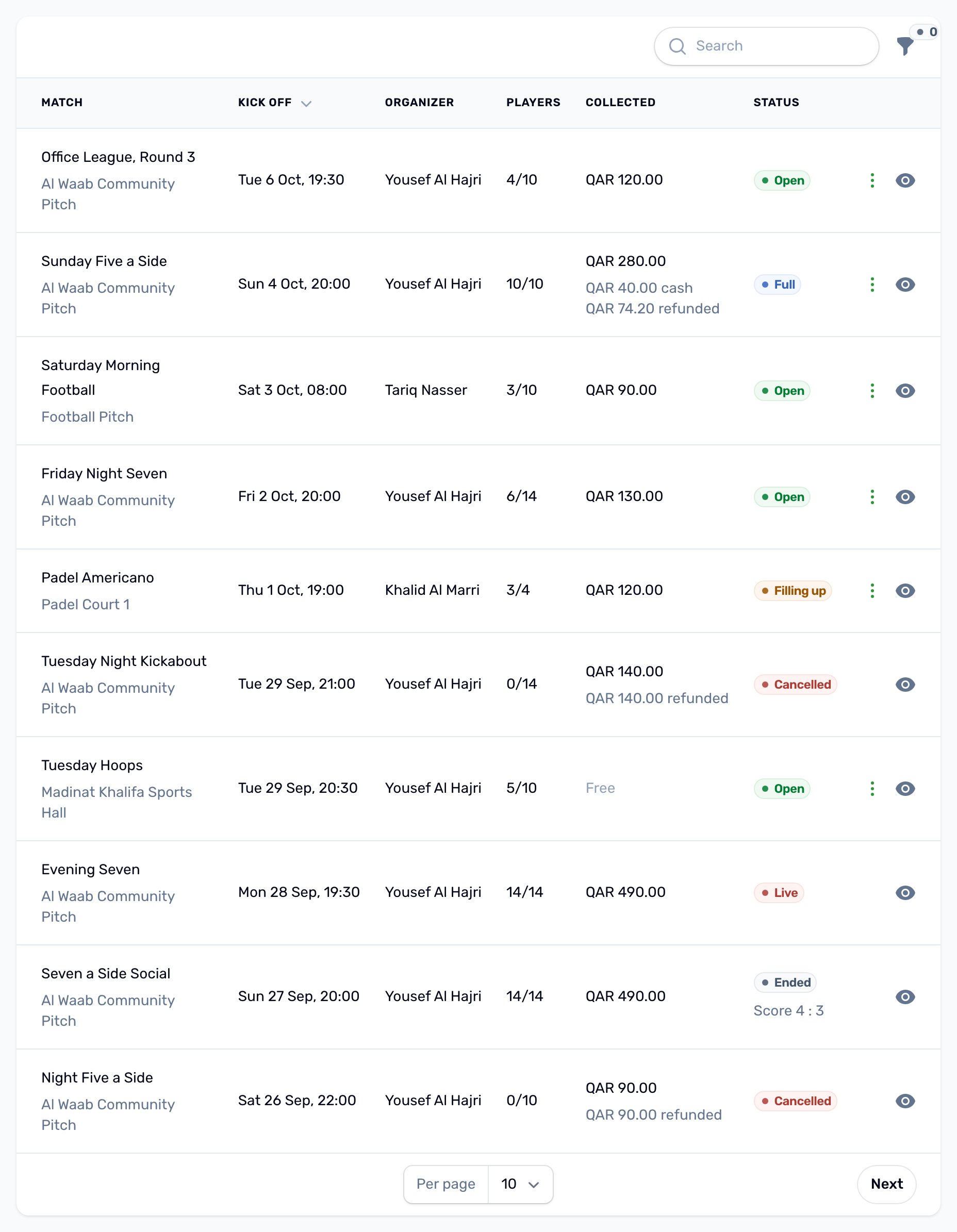
| Column | What it shows |
|---|---|
| Match | The match name, with the venue under it. |
| Kick off | Date and time on the venue clock. |
| Organizer | Who runs it. |
| Players | Players with a place, out of the places available. |
| Collected | What players paid in the app by wallet or card, before refunds. Cash is never included. Under it, the cash the organizer recorded and what was refunded, when there is any. A free match reads Free. |
| Status | Open, Filling up, Full, Live, Ended or Cancelled. See Match statuses. Under it, the score once the organizer has saved a result. |
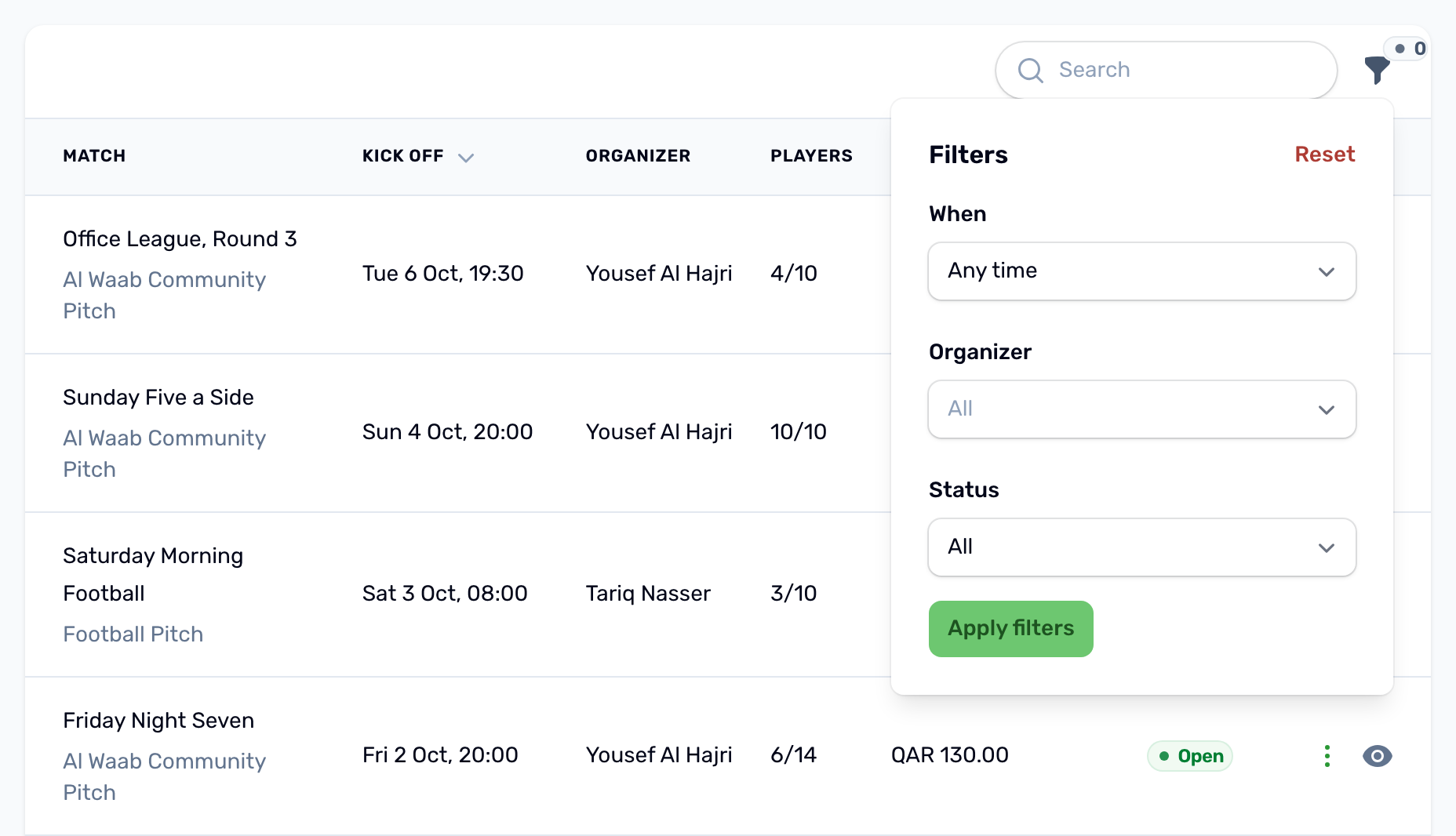
Filter by When (Upcoming or Past), by Organizer, and by Status (Not cancelled or Cancelled). The list is newest first.
A match's page#
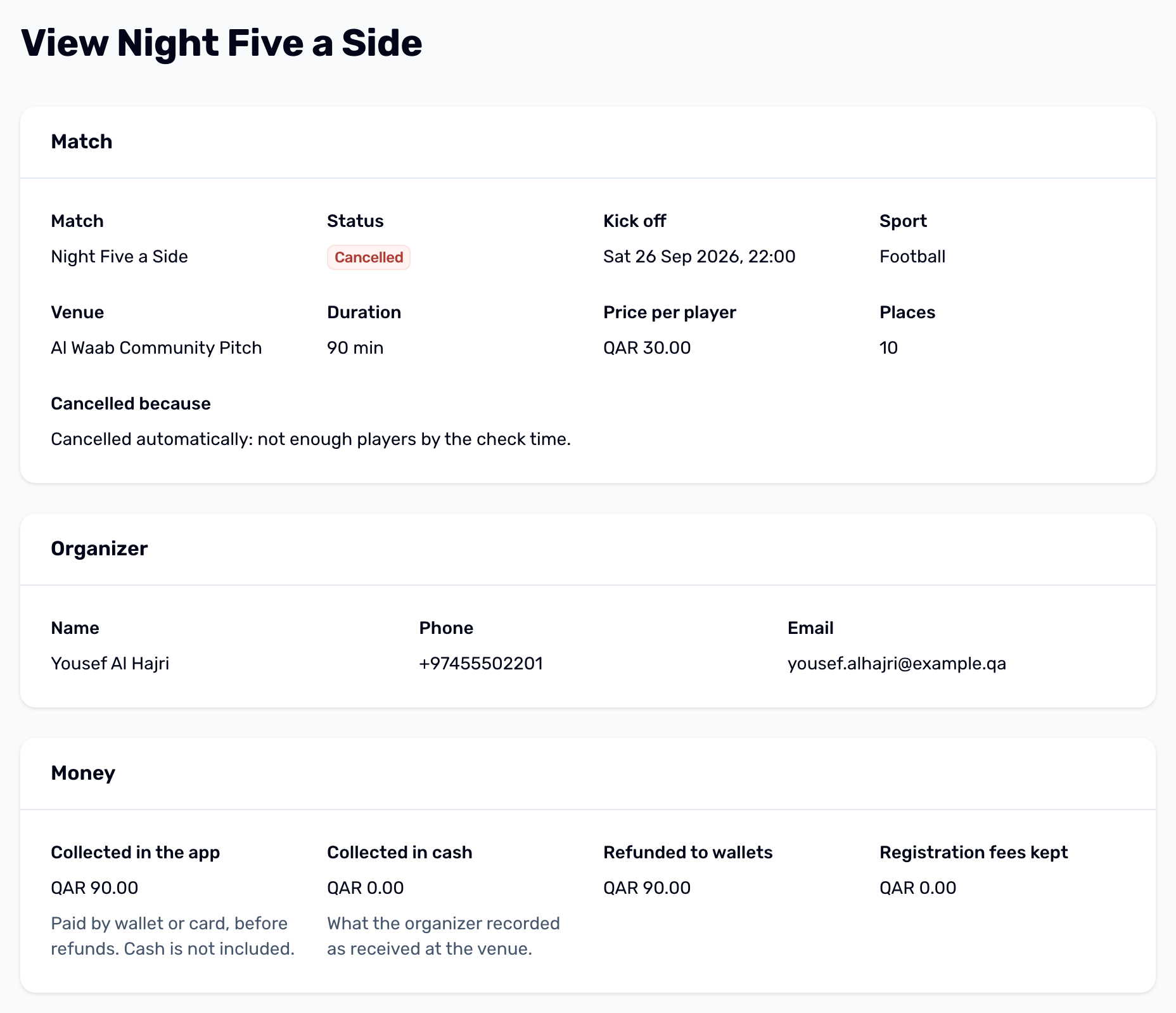
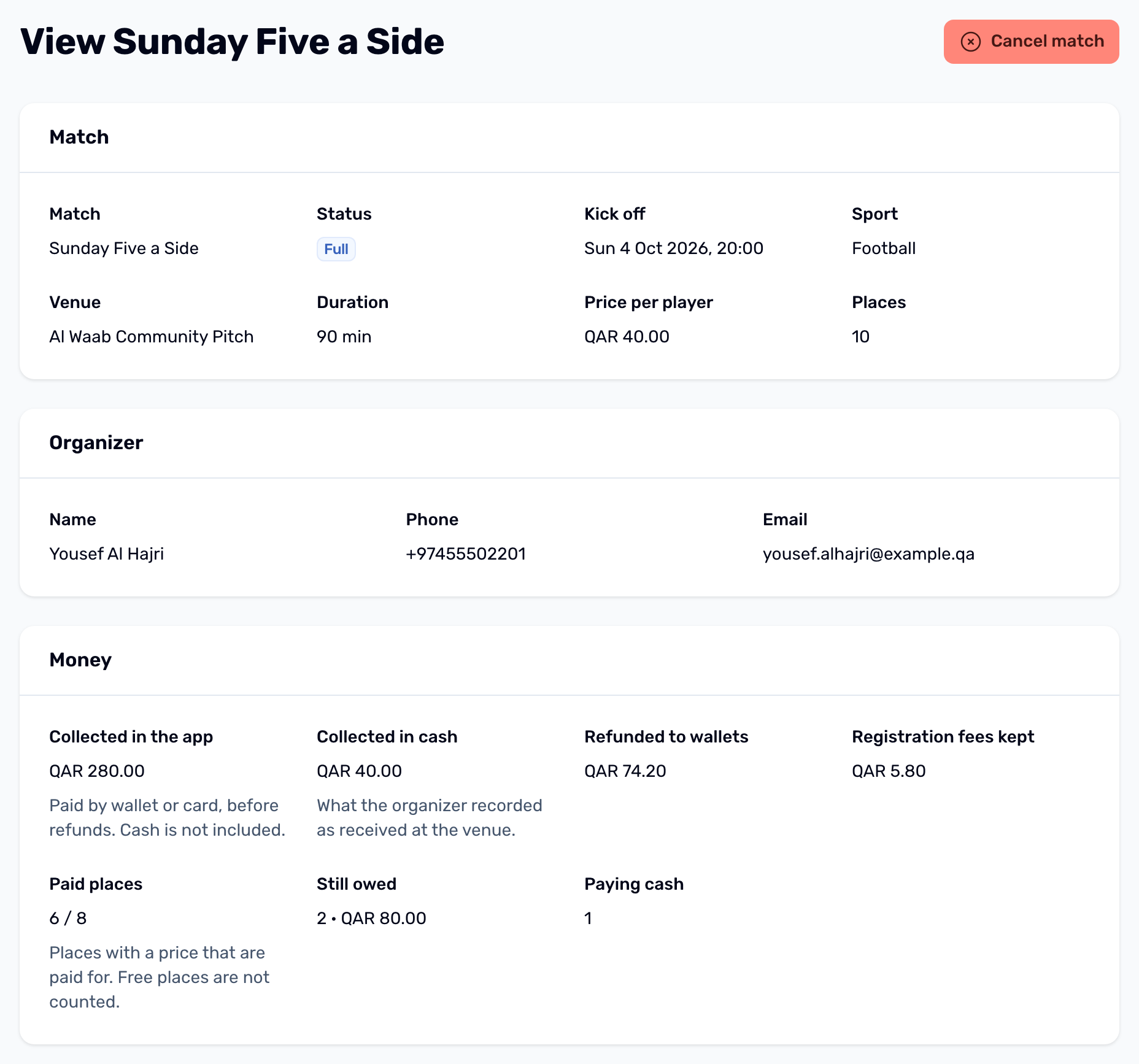
- Match: status, kick off, sport, venue, duration, price per player, places, what happens to waiting list players who do not play and, for a private match, the private code. A cancelled match shows the reason.
- Organizer: name, phone and email.
- Money: Collected in the app (wallet and card, before refunds), Collected in cash (what the organizer recorded at the venue), Refunded to wallets, Registration fees kept, Paid places (places with a price that are paid, out of the places with a price, free places not counted), Still owed (how many players and how much) and Paying cash. It counts players who left too. A cancelled match still shows what came in and what went back. Hidden on a free match.
- Result: the score, when it was saved and when it was finalized.
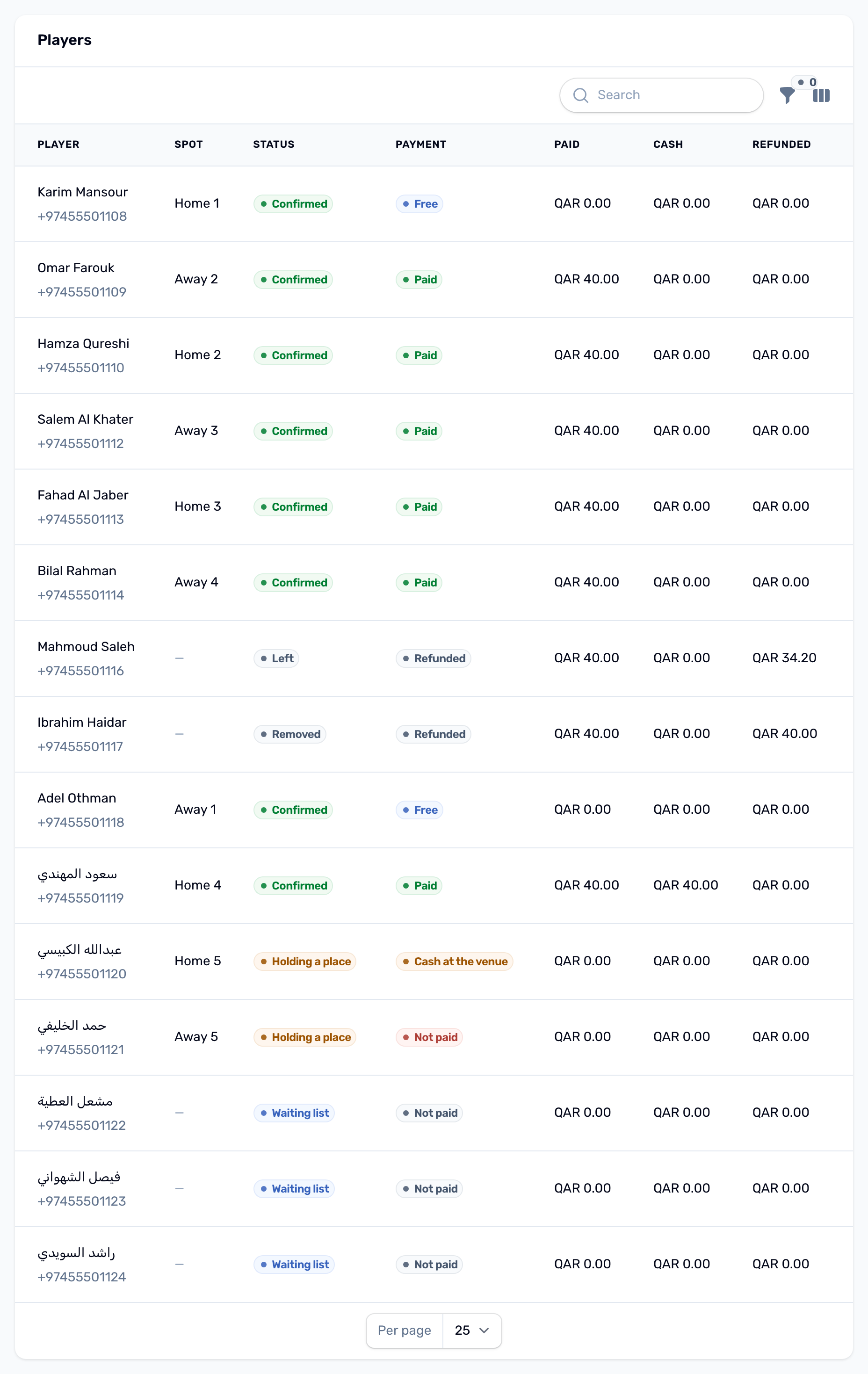
- Players: each player with phone, spot, status, payment, paid, cash and refunded. Players who left or were removed stay in the list with that status. Waiting list players show what they paid, and a player taken off during the match reads Taken off during the match.

Cancel a match#
Use Cancel match when a match cannot go ahead, for example a flooded pitch an hour before kick off. You do not need the organizer to do it.
-
Choose Cancel match
It is in the row menu (three dots) and at the top of the match page. It appears only before kick off, and never on a match whose result is finalized. A page left open past kick off is refused with This match has already started. -
Read the dialog
It says exactly what will happen to the money under your current refund policy. -
Write the reason
The reason is required. Players see it in their notification and the organizer sees it on the match.
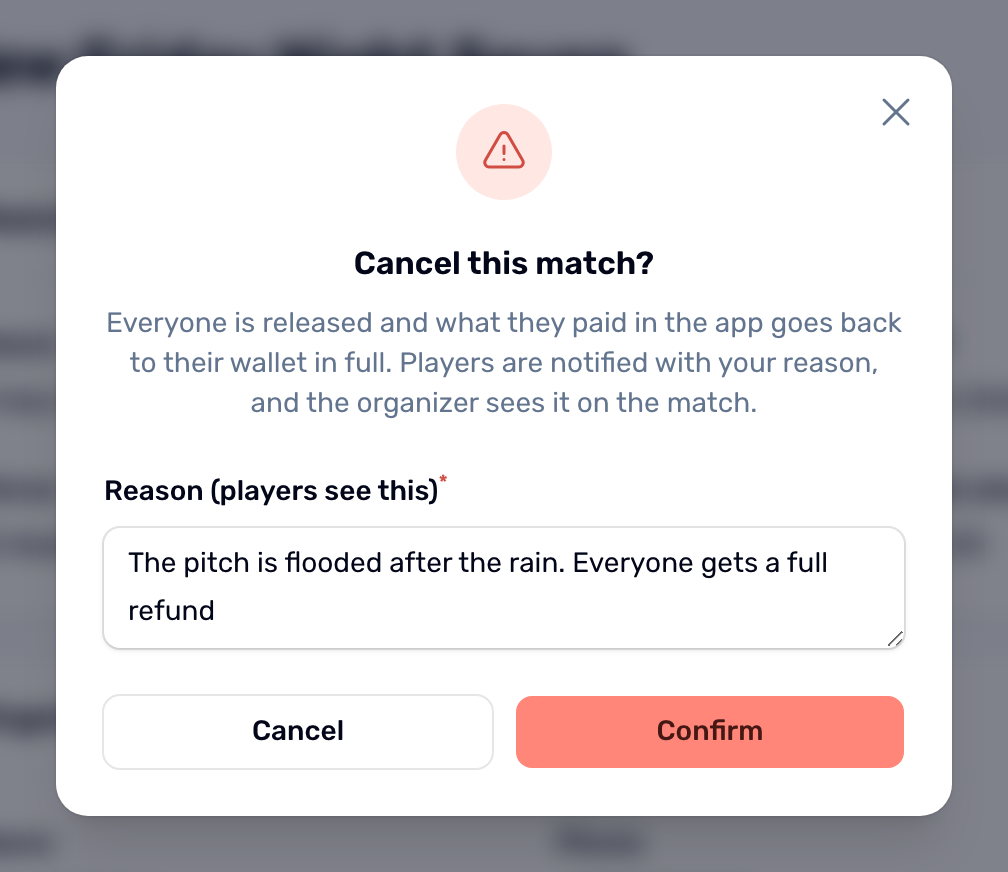
Everyone is released. What they paid in the app goes back to their wallet in full, unless your club keeps its registration fee on called off matches. Pending invitations close, and a club court booked for the match is freed.