Cette page n’est pas encore traduite en français. Vous lisez la version anglaise.
Your stats, the leaderboard and teams
Where your official match statistics appear, how the monthly leaderboard ranks players, and how to create a team.
Your stats#
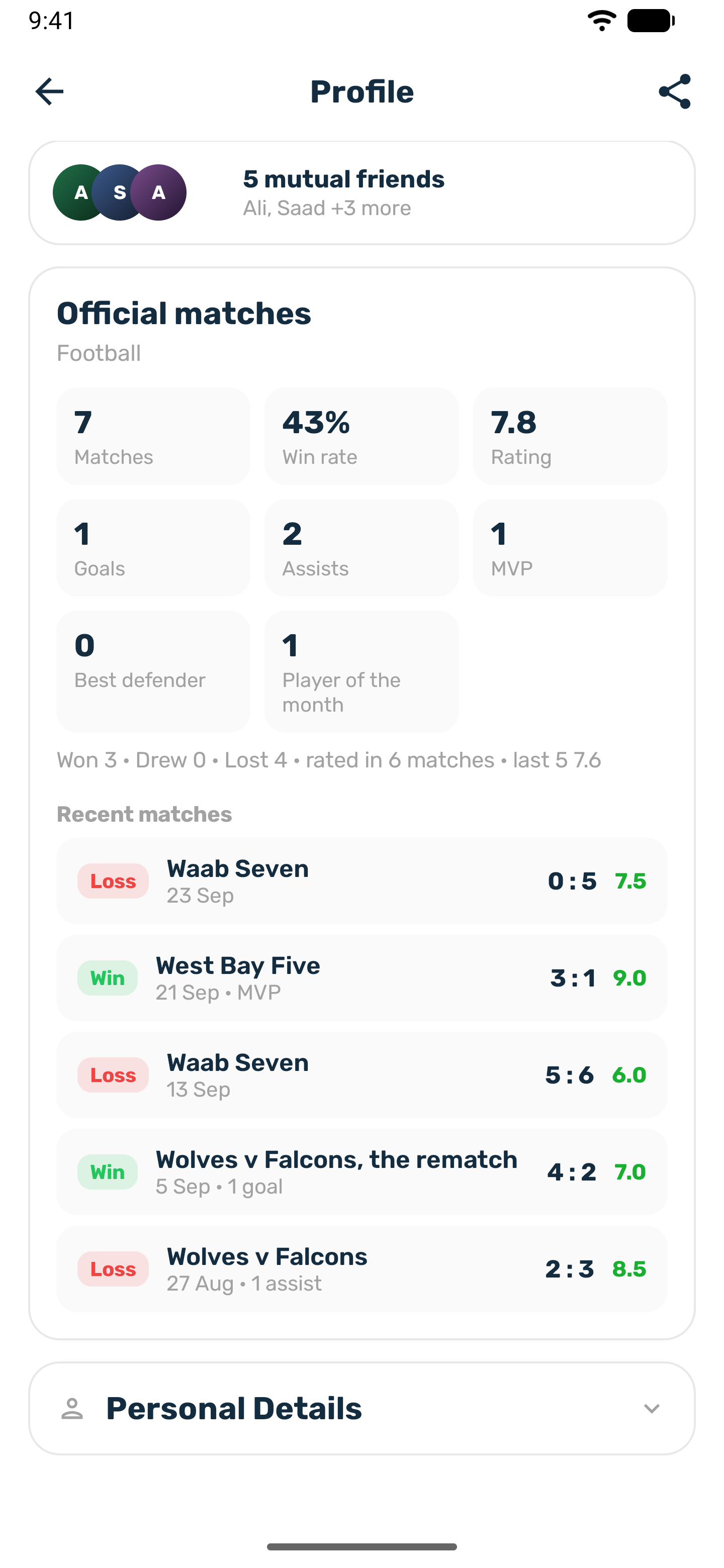
Your public profile, the page other players open when they tap your name, has an Official matches card for the sports you play.
- Matches, Win rate and your record of wins, draws and losses.
- Rating: the average of the ratings organizers gave you, with your last 5 ratings as your recent form. It stays empty until an organizer rates you. Nobody fills in a number for you.
- The stats your sport records, such as goals and assists, or points.
- MVP awards, the matches you played In goal, and any Player of the month awards.
- Recent matches: your last 10, newest first, with the score and your own numbers.
A match counts once the organizer finalizes it, when you had a place on a side and were not marked absent. Private matches count in your totals, and only you see them in your recent matches.
The monthly leaderboard#
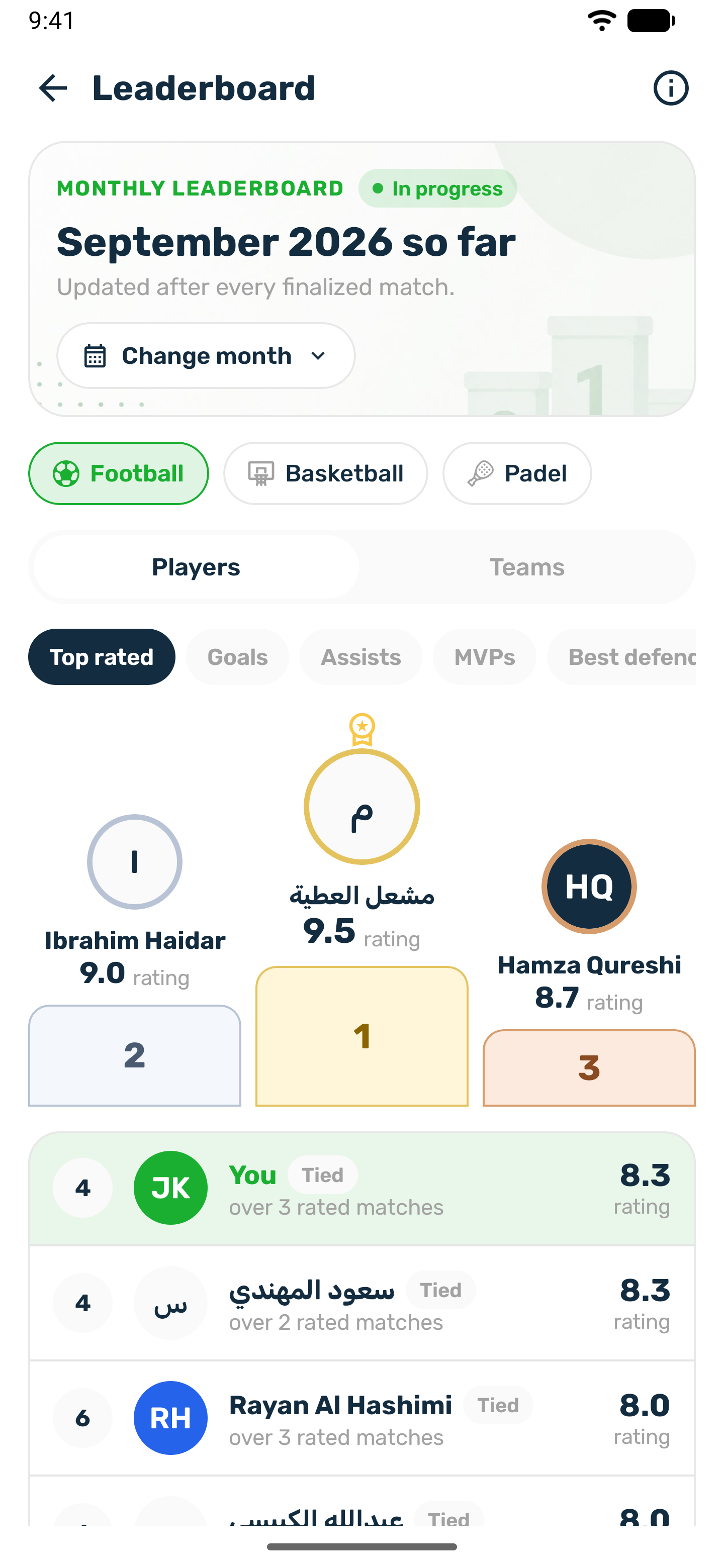
Open it from the leaderboard slide on Home. Each sport has its own board.
- Switch between Players and Teams, and between metrics such as Top rated, Goals, Assists, MVPs and Wins, depending on the sport.
- Use Change month to see earlier months.
- The running month shows everyone who played. Once a month closes, players need a minimum number of matches to stay ranked, 3 unless your club changed it.
- Equal scores share a place, and the next place is skipped.
- Your own line shows where you stand, or how many more matches you need.
Each month, the top rated player with enough matches becomes Player of the month for their sport. The award is decided early in the next month, and the winner gets a notification.
Teams#
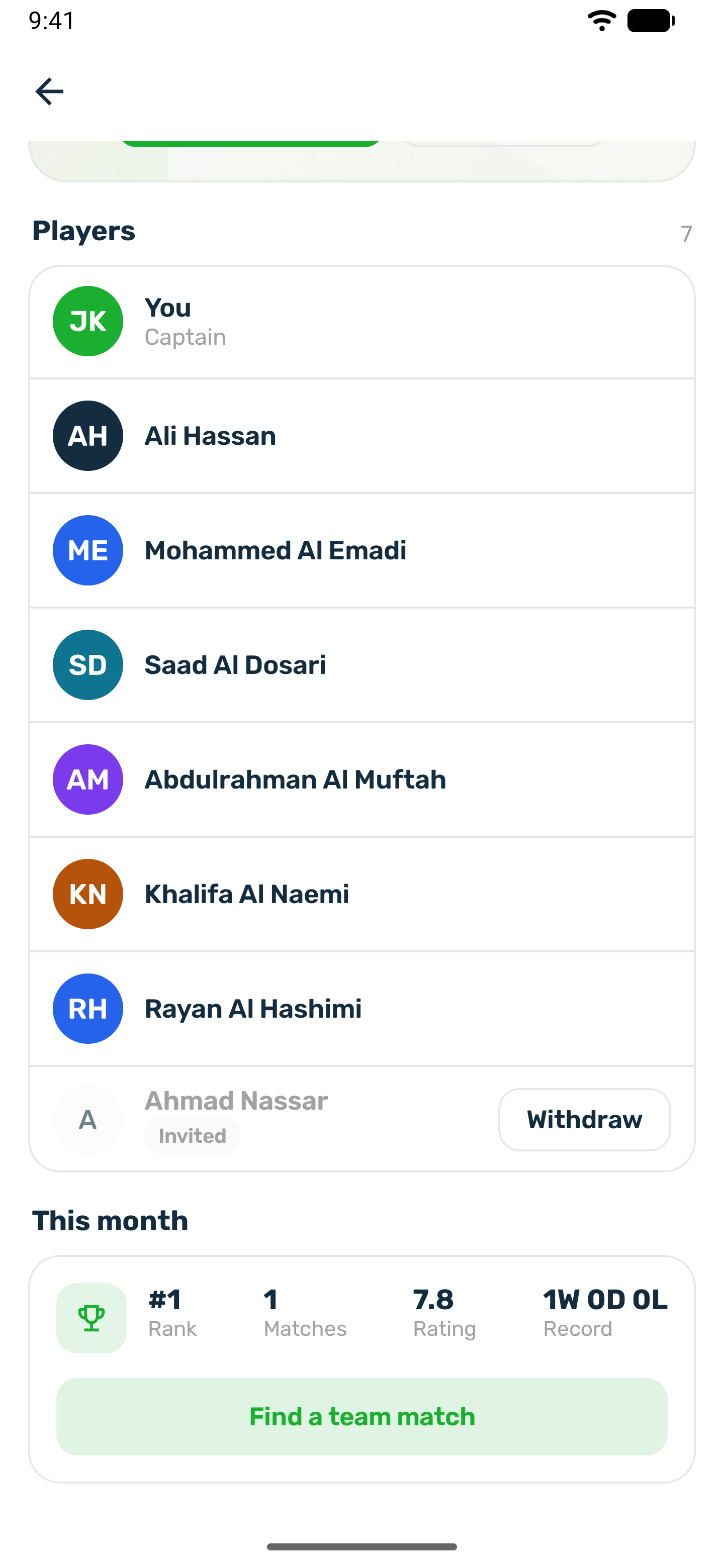
Use the Create a team row on Home.
-
Create team
Give it a name, pick the sport and a logo. Pick one of the club's logos or upload your own. You become the captain. -
Invite players
Friends who follow you back appear first. Search to find others. The same invitation rules apply as for matches. -
Players join
An invited player gets a Team invitation notification and taps Join team or Decline. You are told when someone joins.
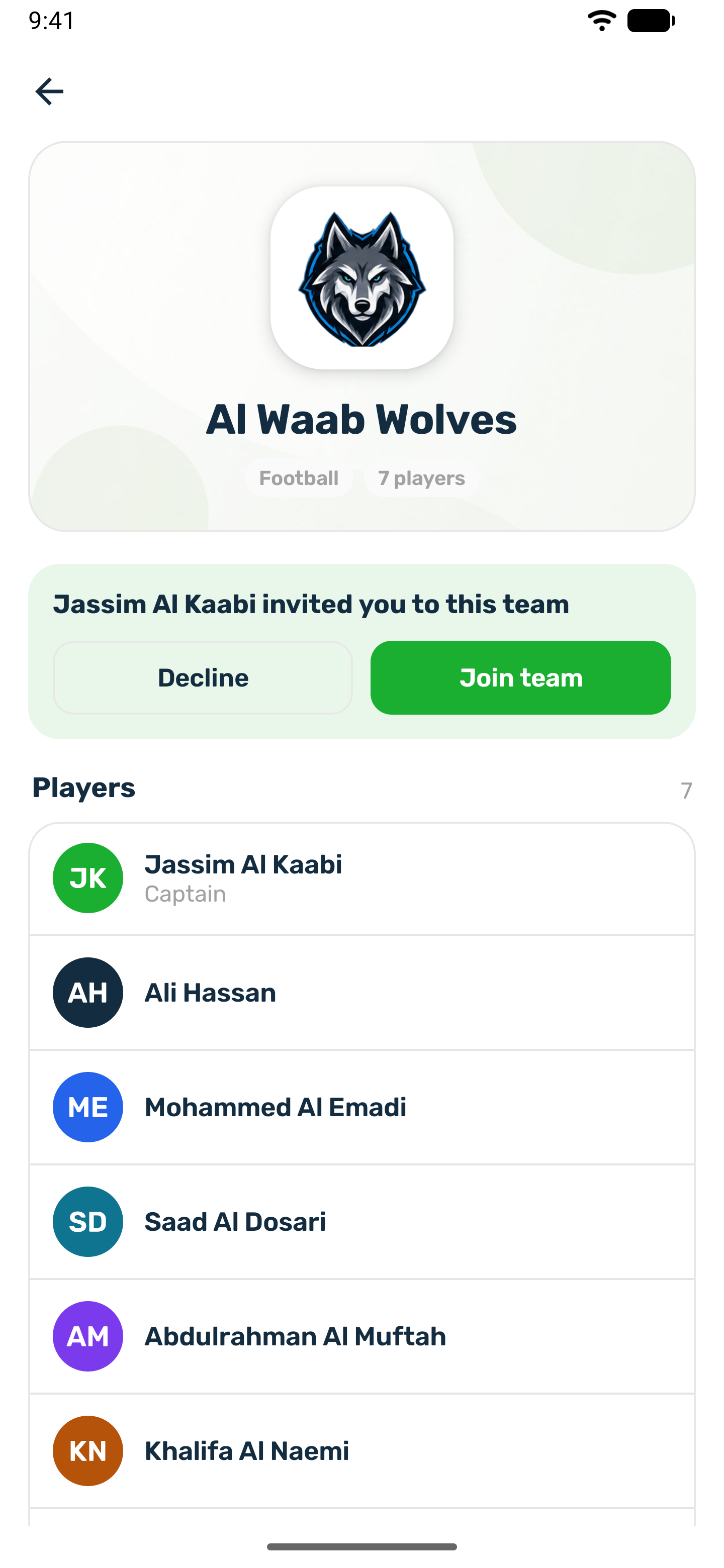
The team page shows the players and the team's month: rank, matches, rating and record. The captain can change the logo and remove players. A member can leave the team. The captain cannot leave the team they lead.