Cette page n’est pas encore traduite en français. Vous lisez la version anglaise.
Teams and rosters
How a team registers and fills its roster through invitations, the seat limits, and what you can change from the portal.
In a team tournament the captain registers the team from the app, either a team they already belong to or a new one. Players join a new team's roster by invitation: nobody is added without saying yes.
Invitations#
- The captain can invite a player they follow and who follows them back, or any player who allows invitations from people they do not follow.
- The invited player gets a Team invitation notification and accepts or declines it in the app.
- A mutual follower who turned on automatic acceptance is added straight away and gets Added to a team.
- A player can hold only one place in a tournament, directly or through a team, and a men only or women only tournament refuses players of the other gender.
- An invitation still waiting when the tournament starts, or when the registration is withdrawn, expires.
Seats#
The most players a roster can hold is the category's players per team when it is more than one, otherwise the tournament's Maximum team size. Pending invitations hold a seat. The roster is complete when it reaches the same category number or the Minimum team size. A short team can still play: the portal only warns you when you generate the bracket.
Changes after registering#
- The captain can invite more players while there is a free seat, withdraw an invitation and remove a player.
- A player can leave the team. The captain hears about it and can invite someone else.
- When the captain leaves, captaincy passes to another player on the roster. A captain who is the last player cancels the whole registration.
- Roster changes stop when the tournament starts. Leaving and removing also stop when registration ends.
If a player who leaves or is removed had paid a share, what happens to the money depends on Auto refund on member withdrawal, see Unpaid registrations and refunds.
In the portal#
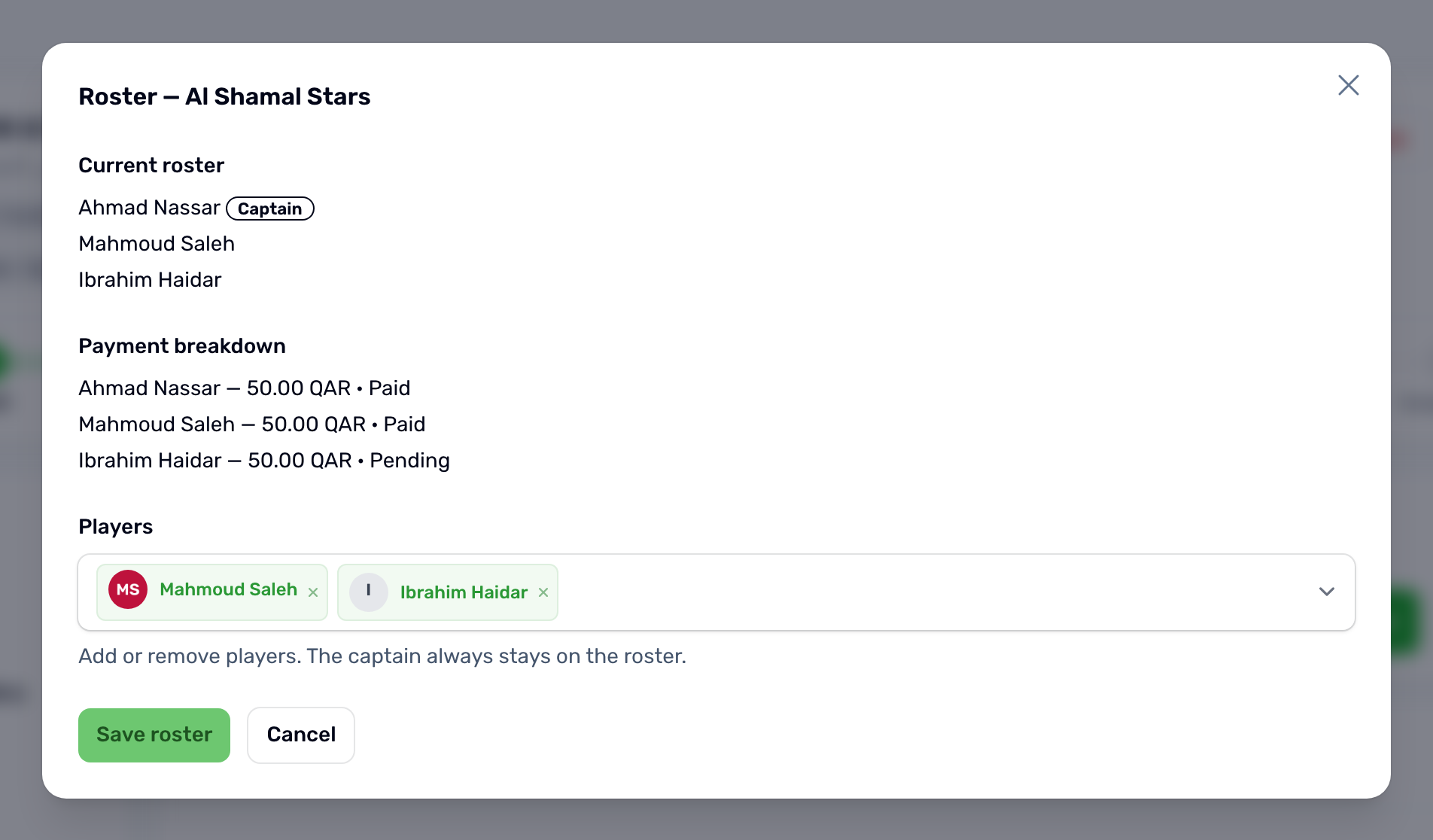
The Roster column shows players against the required size, amber while the team is short. Filter by Incomplete rosters to see only those teams. The Roster button shows the current players with the captain marked, each player's share, and a list where you add or remove players. The captain always stays. Save roster applies the change.