

Cette page n’est pas encore traduite en français. Vous lisez la version anglaise.
From draft to results
The seven statuses of a tournament, which ones move by themselves and what each step needs.
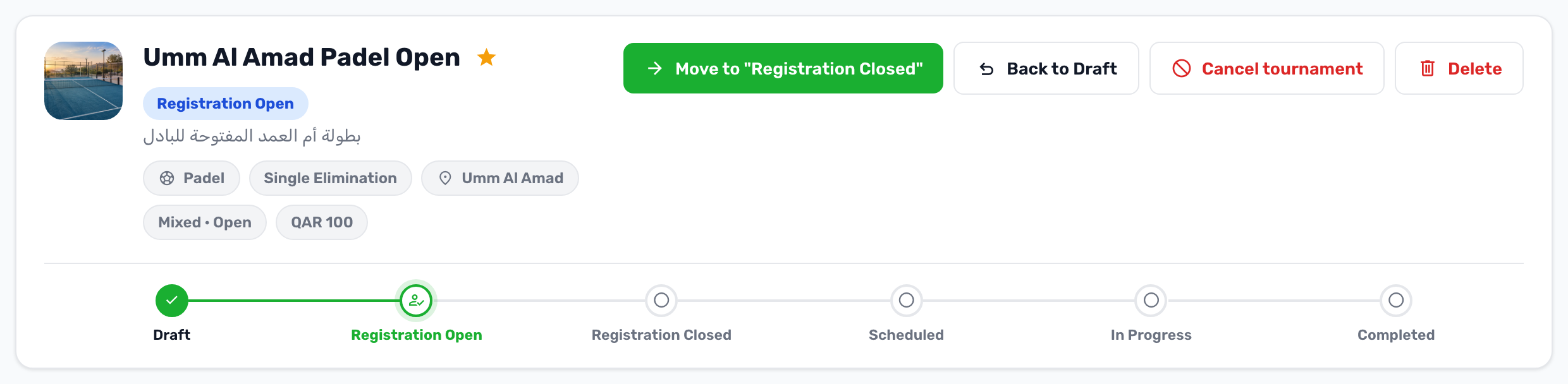
Every tournament moves along one line of statuses. You see it as a rail at the top of the tournament's workspace in the portal, with a button for the next step.
-
Draft
The tournament exists only in the portal. Players cannot see it. Every new tournament starts here. -
Registration Open
The tournament shows in the app and players can register. To open registration the tournament needs a host branch, a sport, a format, a maximum number of participants and a registration end date. -
Registration Closed
No new registrations. This is when you generate the bracket and set the match times. -
Scheduled
The matches are set. Moving here needs at least the minimum number of confirmed participants and a generated bracket. -
In Progress
The tournament is being played. You start matches and record scores from the Scoreboard. -
Completed
All matches are played and the winners are known.
Cancelled can be reached from any status except Completed. It is covered in Cancel, revert and delete.
What moves on its own#
Every five minutes the system checks the dates and moves tournaments along:
- Registration Open becomes Registration Closed once the registration end date has passed.
- Scheduled becomes In Progress once the start date has passed.
- In Progress becomes Completed once the end date has passed and no match is still waiting or being played.
Two steps are always yours: opening registration, and moving from Registration Closed to Scheduled, because that needs a bracket. You can also press the next step button at any time to move sooner.
Going back a step#
If a status was moved by mistake, the Back to button moves it one step back. It only corrects the status: results, refunds and messages that already happened stay. See Cancel, revert and delete.