Cette page n’est pas encore traduite en français. Vous lisez la version anglaise.
Fees and payments
Which fee a player pays, free and paid entries, the payment methods and how a team pays.
Which fee applies#
The fee for a registration is taken in this order:
- The Entry fee override of the category in this tournament.
- The category's default fee.
- The tournament's Entry fee.
So one tournament can have a free category and a paid one. The fee is per player in an individual tournament and per team in a team tournament.
Free and paid entries#
- Free: the registration is Confirmed straight away.
- Paid: the registration is Pending and holds a place until it is paid. Once paid it becomes Confirmed. A registration that stays unpaid is cancelled after the time you set, see Unpaid registrations and refunds.
How players pay#
After registering, the app opens a payment sheet with the payment methods your club switched on in Project settings, Payments, for example a card through secure checkout, the card form, NAPS, Apple Pay on iPhone or Google Pay on Android. Players can also pay from their wallet when the balance covers the amount. There is no cash option for tournaments.
Card payments show in Payments like the other payments of your club, and wallet payments in the wallet ledger. Once a registration is paid, the player gets a confirmation email with the confirmation code and a calendar file for the tournament dates.
How a team pays#
In a paid team tournament the captain chooses when registering:
- Captain pays all: the captain pays the whole fee. The others pay nothing.
- Split: the fee is divided in equal shares. The number of shares is the players per team of the category when it is more than one, otherwise the Minimum team size, otherwise the players on the roster with at least two. The captain's share takes any rounding.
With Split, a share is created at registration for the captain and for every player already on the team, and each invited teammate gets theirs when they accept. Every player pays their own share in the app, and the team becomes Confirmed when every share is paid.
In the portal#
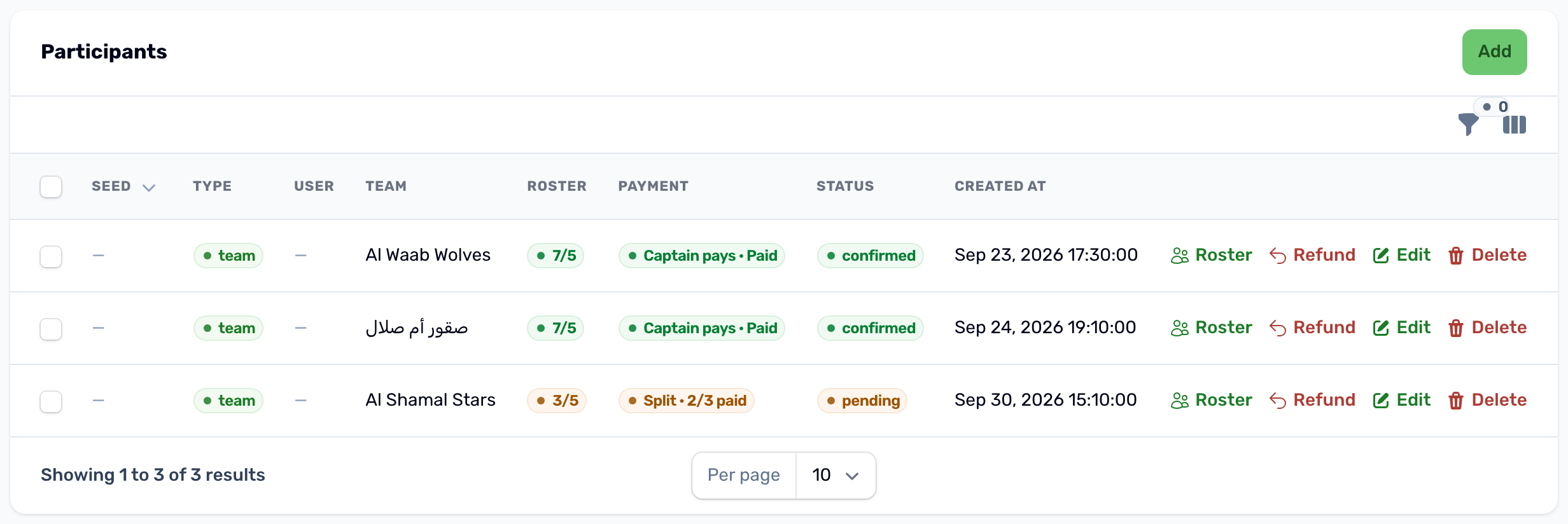
The Payment column of the Participants tab shows how a team pays and how far it got, for example Captain pays, Paid or Split, 2/3 paid. The Roster button shows each player's share and whether it is paid.