

Members
Follow who holds each plan, their status, what they paid and until when, and take the list away as a spreadsheet.
There are two members lists. Both have the same actions.
- The Members tab of a plan, in the plan editor: the people who hold that plan.
- The Members tab of your venue: everyone at the club, whatever the plan, with a Plan column and a Plan filter.
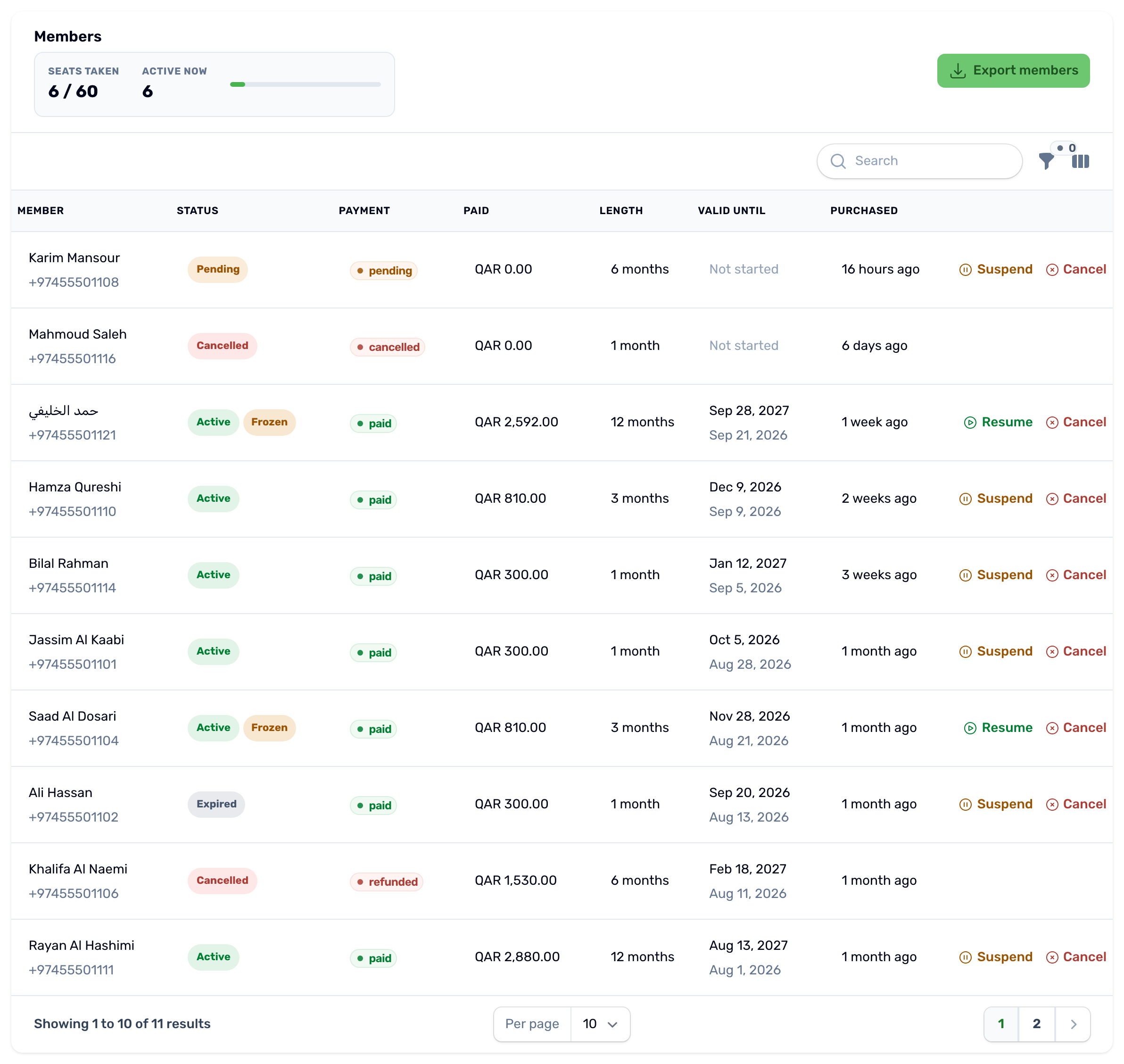
At the top, Seats taken counts the paid memberships that have not ended against the plan's cap, and Active now counts the ones running today. Each row shows:
| Column | What it shows |
|---|---|
| Member | The name and phone number of the buyer. |
| Status | Pending, Active, Expired or Cancelled. A frozen membership shows Active with a Frozen chip, because it still holds its seat and its days. |
| Payment | Pending, Paid, Cancelled or Refunded. |
| Paid | What was actually collected. A reservation that was never paid shows 0. |
| Length | The length the member bought. |
| Valid until | The end date, with the start date under it. Not started until the payment goes through. |
| Purchased | When the membership was reserved. |
Filter by status, search by name, and use the actions at the end of each row:
- Who this covers, on couple and family plans, see Family and couple members.
- Suspend or Resume, see Freeze and resume.
- Cancel, see Cancel and refund.
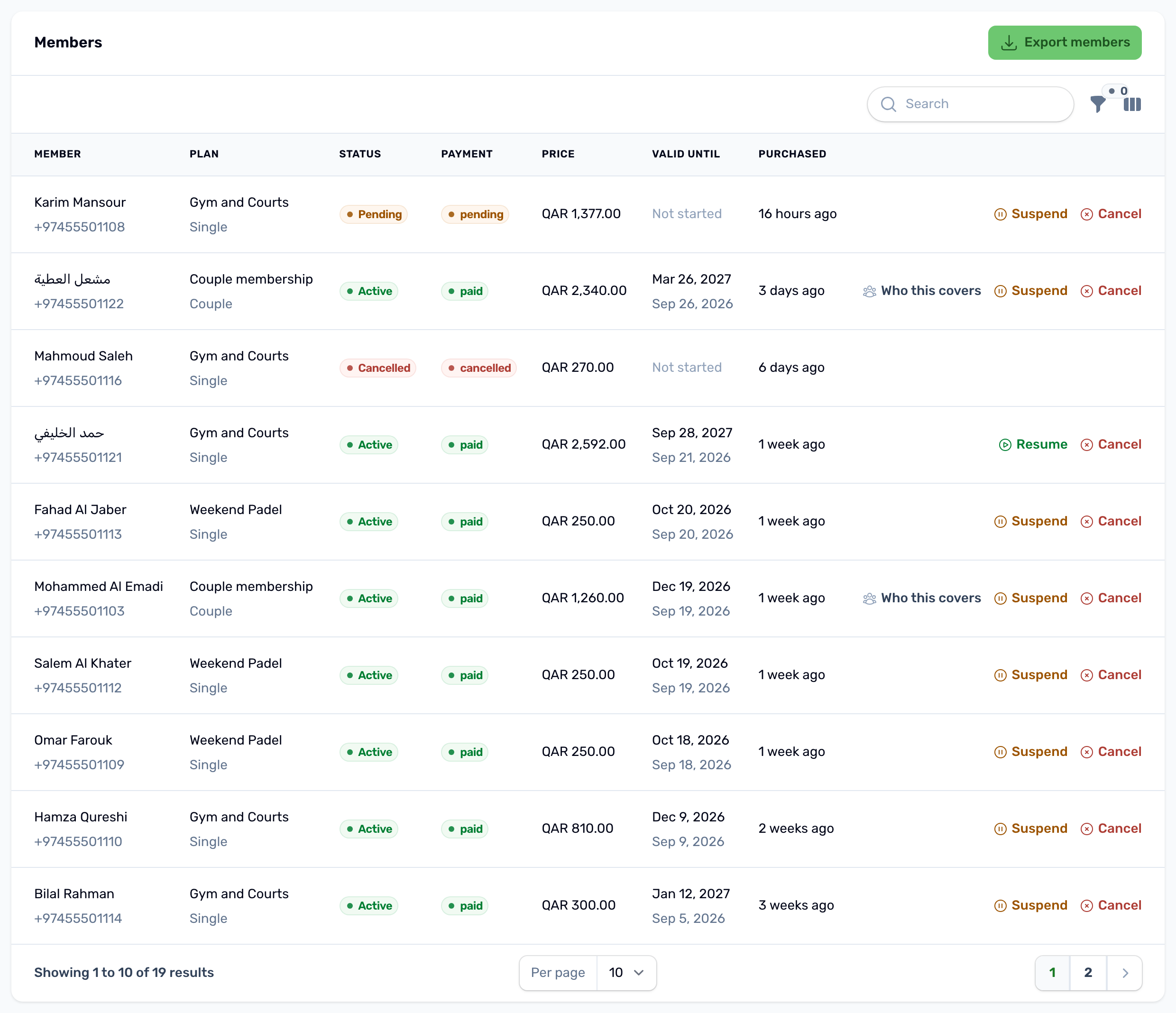
Export members#
Export members downloads a spreadsheet of the list as it is filtered on screen: member, phone, email, plan, club, who it is for, months, status, payment, method, price, paid, confirmation code, start, valid until, days left, purchased and cancelled dates. For a file of all your plans, see Payments and exports.