

Prices
The hourly price, peak hours, daypart rates, duration prices and special prices, and the order in which they apply.
Every court starts from one number, its hourly price. Everything else on this page adjusts it for certain days, times or lengths. The app shows the final price for each open time, and the price is fixed on the booking the moment it is made. Changing a price later does not change bookings that already exist.
The Pricing tab#
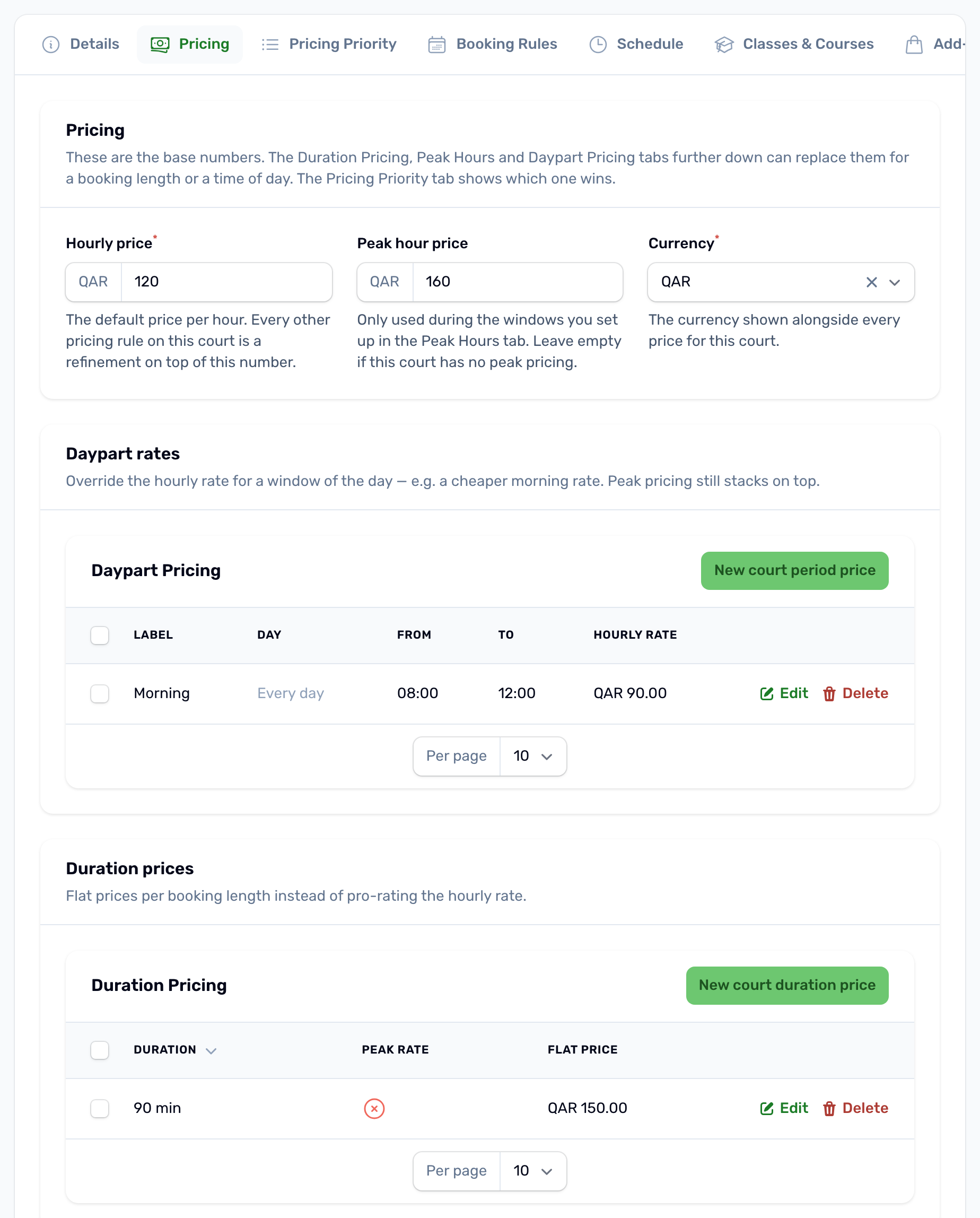
Hourly price and peak price#
- Hourly price is required. It is the default price per hour, in QAR.
- Peak hour price is optional. It is only used inside the peak windows you set on the Schedule tab. Leave it empty if the court has no peak pricing.
- Currency is QAR.
Prices are charged by the minute. A 90 minute booking at 120 QAR an hour costs 180 QAR.
Daypart rates#
A daypart rate replaces the hourly price for part of the day, for example a cheaper morning. Each row has a Label such as Morning or Evening, a Day of week (leave it on Every day, or pick one day), Starts at, Ends at and an Hourly rate. An end of 00:00 means midnight. Windows for the same day cannot overlap. A rate for a single day wins over an every day rate at the same time, which is how you give weekends their own price.
Duration prices#
A duration price is a flat price for one exact length, for example 90 minutes for 150 QAR instead of the hourly sum. Pick the Duration, set the Flat price and choose whether it Applies during peak hours. You can have one off peak row and one peak row for each length.
A flat price is used only when the whole booking is off peak, or the whole booking is inside peak hours with a peak row set. A booking that crosses into or out of peak hours is priced by the minute instead.
Special prices for a period#
To change the price for a set period, such as Ramadan evenings or a holiday week, add a Custom price in Schedule Overrides with the court, the start, the end and the hourly price during that window. See Opening hours and free slots.
Which price wins#
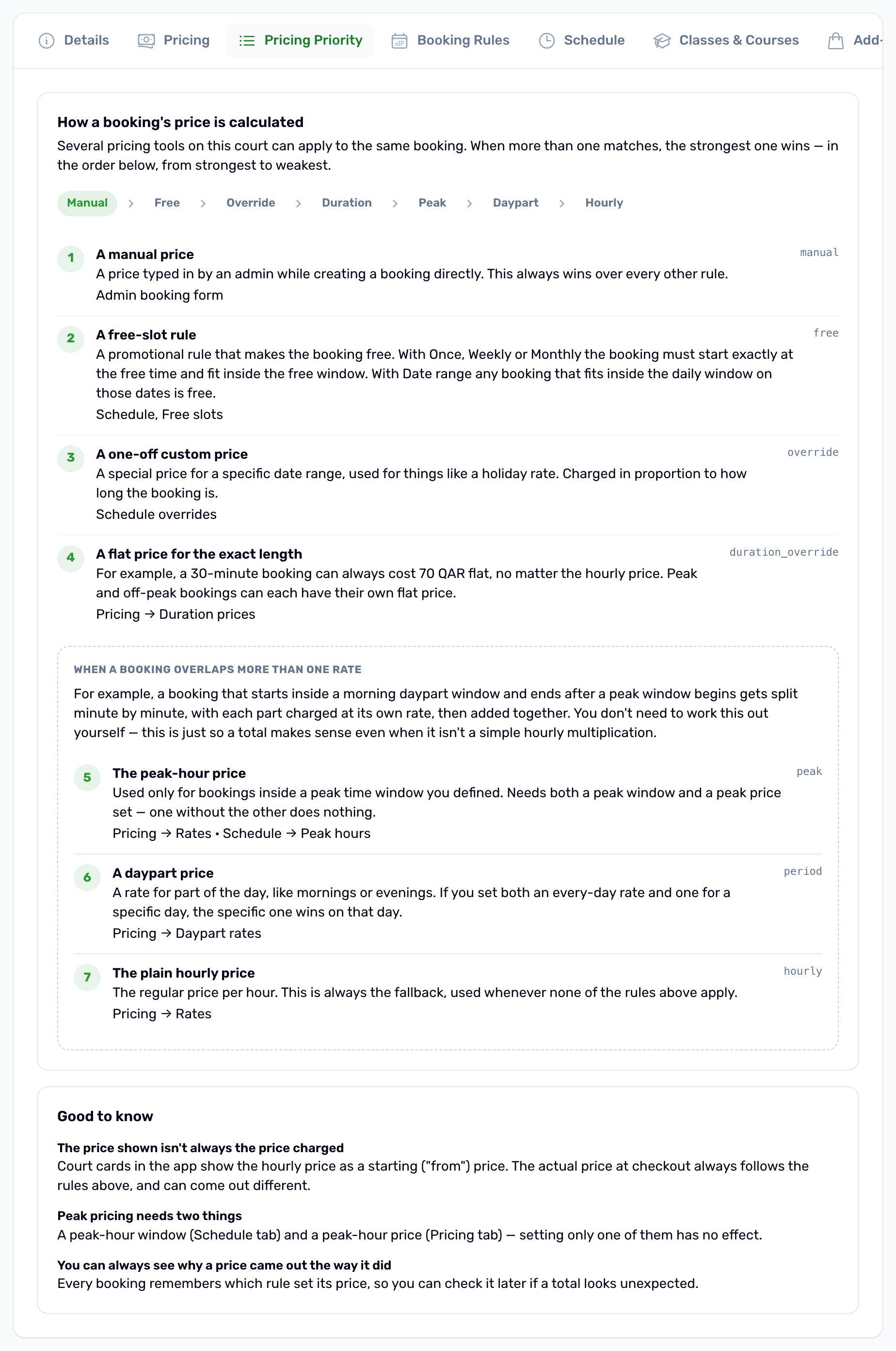
The Pricing Priority tab shows the order. The first rule that applies sets the price, and nothing below it is used.
| Order | Rule | When it applies |
|---|---|---|
| 1 | Manual | Staff typed a price on a booking in Slot Bookings. |
| 2 | Free | A free slot rule covers the booking. The price is 0. |
| 3 | Override | A custom price override overlaps the booking. |
| 4 | Duration | A duration price exists for this exact length, and the booking is wholly peak or wholly off peak. |
| 5 | Peak | Minutes inside a peak window, when a peak price is set. |
| 6 | Daypart | Minutes inside a daypart rate. |
| 7 | Hourly | Every other minute. |
Rules 5 to 7 work minute by minute and are added together, so a booking that runs across a boundary pays each part at its own rate.
An example#
A padel court costs 120 QAR an hour, with a peak price of 160 QAR from 18:00 to 22:00 every day and a 90 minute flat price of 150 QAR off peak.
- 16:00 to 17:30 is wholly off peak and 90 minutes long, so the flat price applies: 150 QAR.
- 17:00 to 18:30 crosses into peak hours, so it is priced by the minute: 60 minutes at 120 plus 30 minutes at 160, which is 200 QAR.
- 19:00 to 20:00 is wholly peak: 160 QAR.
Where prices show#
- The venue card in the app shows the hourly price as Per hour.
- The app's booking button shows the total for the times picked, and checkout lists the court and each add on.
- The portal calendar shows the price of every open time for the length you are viewing.