

Add ons
Items players rent or buy with a booking, such as rackets, balls or water: prices, limits and where players see them.
Add ons are items that go with a court booking: rackets to rent, a can of balls, bottled water, bibs. Each court has its own list on the Add ons tab of the court editor. Players pick them at checkout, and their price is added to the booking.
Add an item#
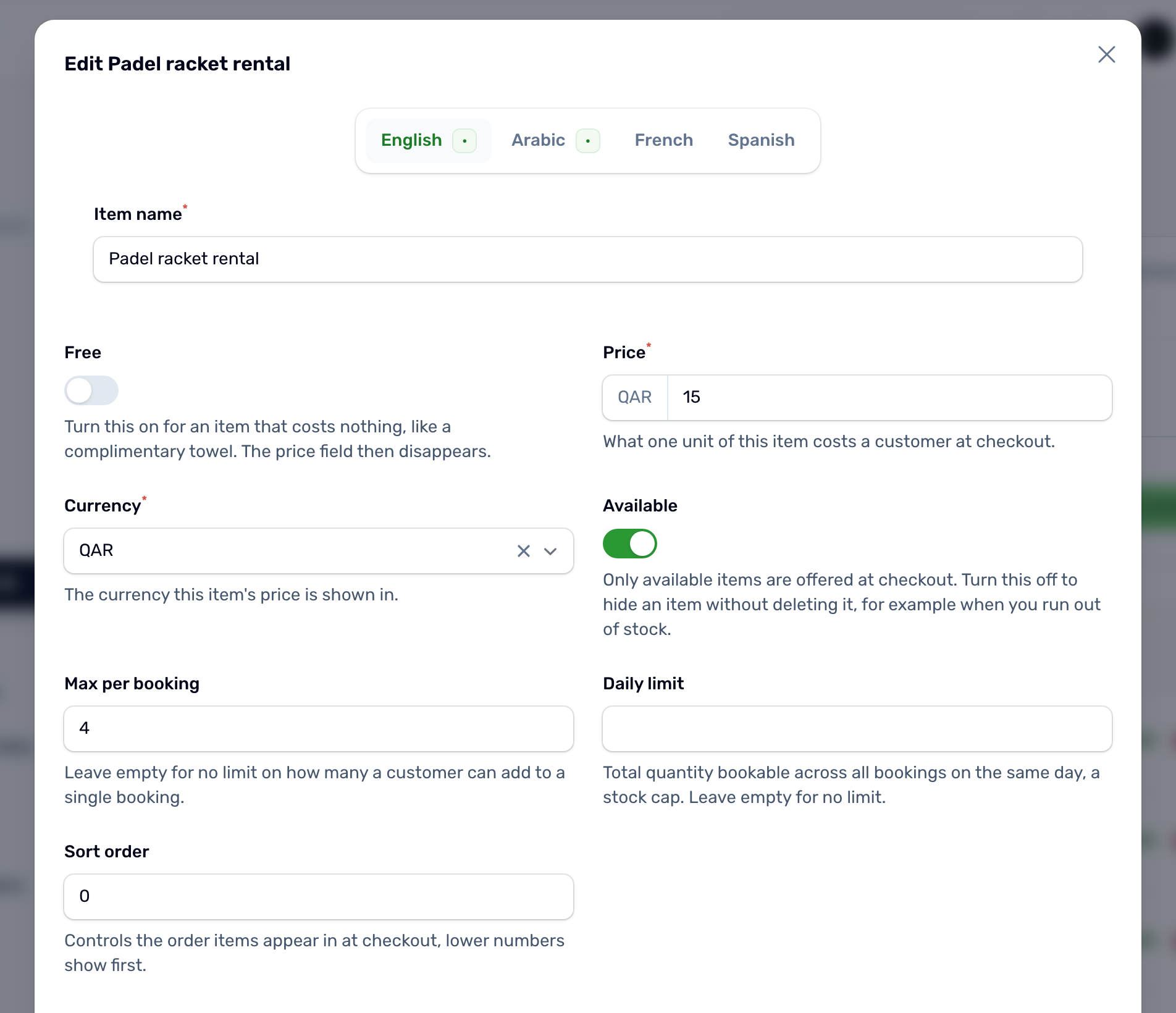
| Field | What it does |
|---|---|
| Item name | In English and Arabic, and optionally French and Spanish. |
| Sport | Only shown on a court with more than one sport. Leave it on General (all sports), or tie the item to one sport so it only appears when that sport is booked. |
| Free | The item costs nothing. The app shows it as Free. |
| Price | The price per item, in QAR, when it is not free. |
| Available | Turn it off to stop offering the item without deleting it. You can also switch it from the list. |
| Max per booking | The most a player can take in one booking. Leave it empty for no limit. |
| Daily limit | How many can be booked across the whole day, for items you only have a few of. Leave it empty for no limit. |
| Sort order | Lower numbers show first. |
| Images | Up to 5 photos, shown to players at checkout. |
What players see#
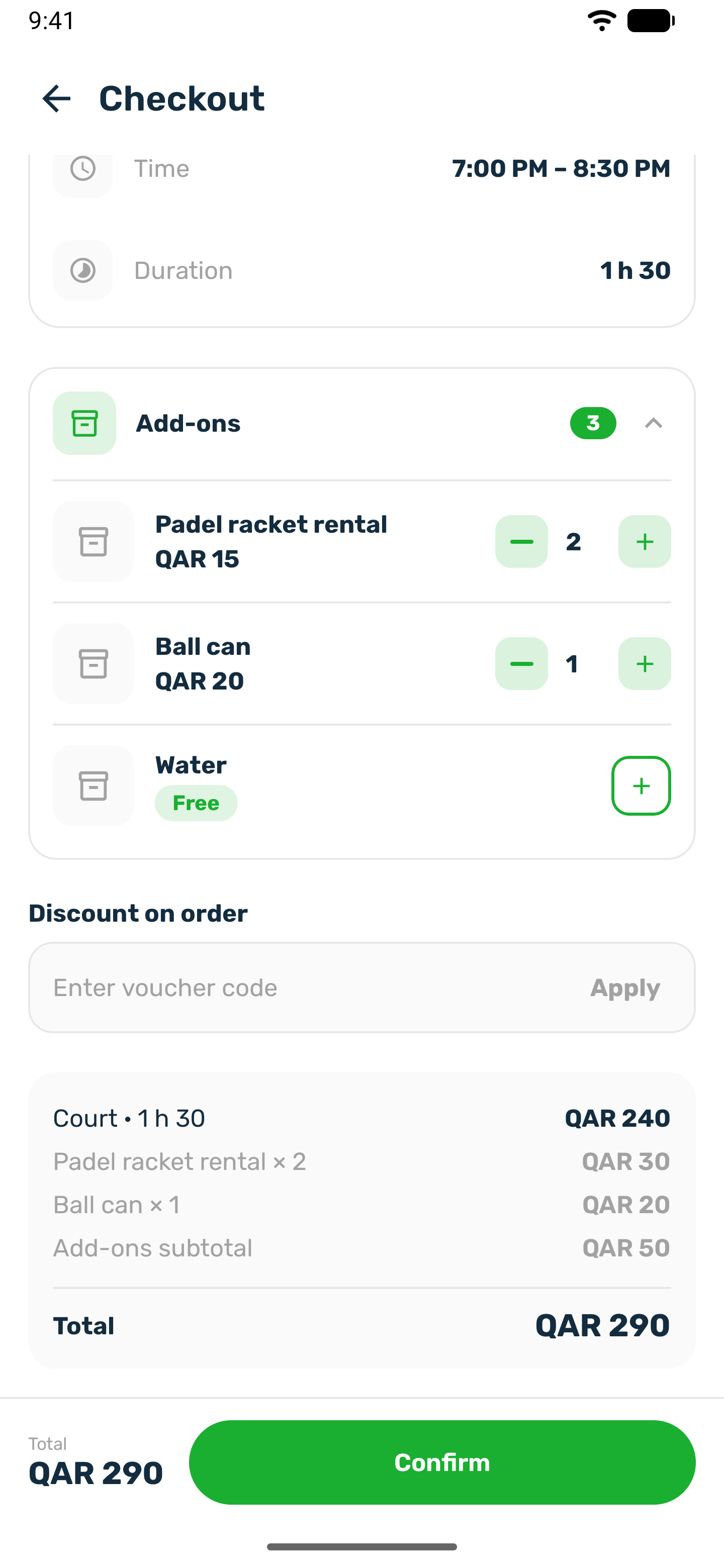
After picking a time, the player reaches checkout. The Add ons card lists the court's available items with their photo and price. The player taps plus to add one and changes the number with the stepper. The breakdown shows the court, each item with its quantity, the add ons subtotal and the total.
- When a player books several times in one order, the add ons are attached once, to the first booking.
- The price and name are saved on the booking when it is made, so later changes to the item do not change it.
- If an item has sold out for the day or the quantity is over its limit, the booking is refused and nothing is held.
- In a match, the add ons the organizer picks are added to the organizer's own fee. Players who join do not pay for them.
Refunds#
A cancellation refund is a percentage of the whole booking, add ons included. See Booking rules and settings.