

Esta página aún no está traducida al español, así que estás leyendo la versión en inglés.
Turn the service on
Switch official matches on for your club and set the payment options that go with it.
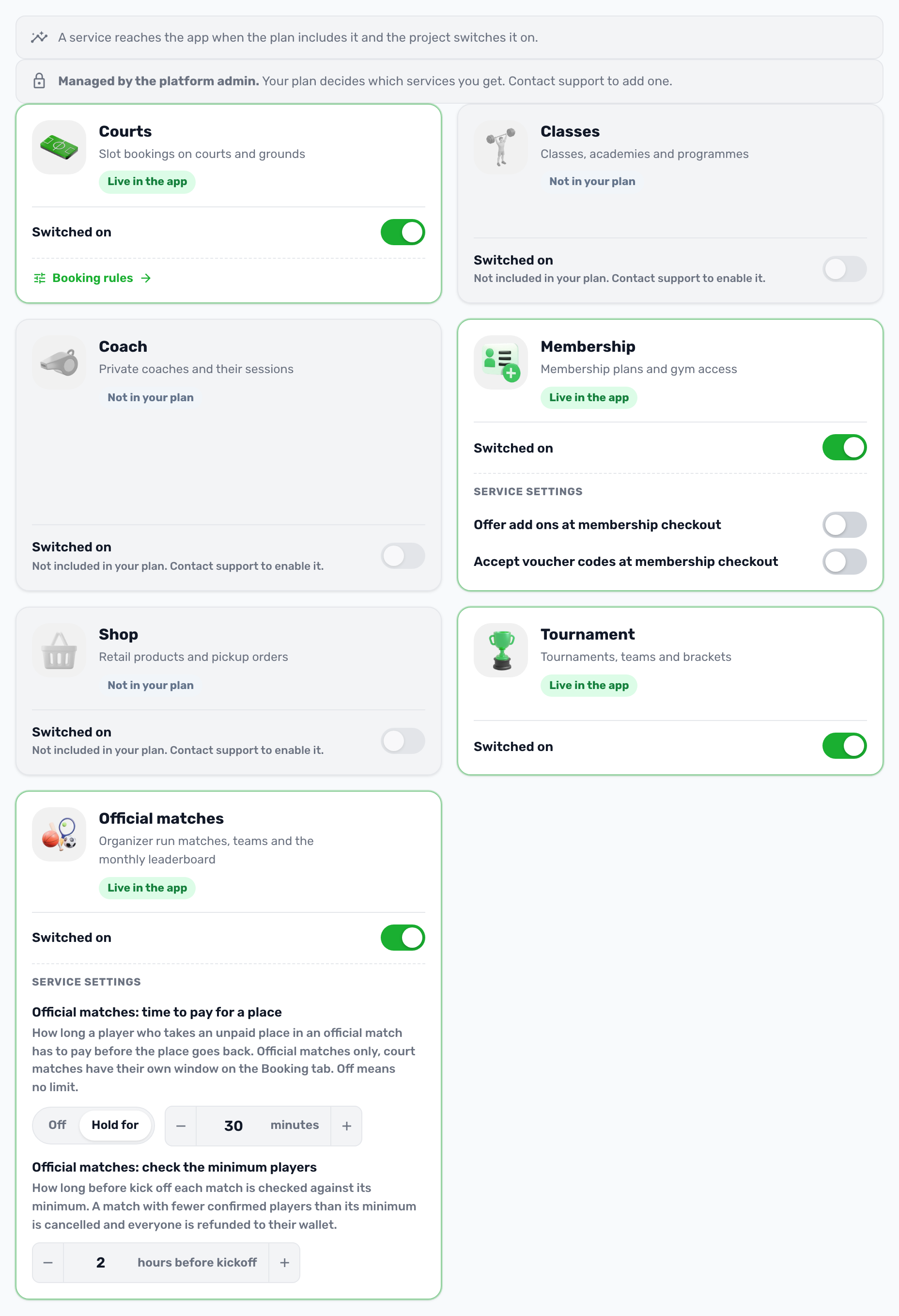
Official matches is a service like Courts or Classes. It reaches your app only when your plan includes it and your club switches it on. Everything below is in Settings, Project settings in the club portal.
Switch it on#
-
Open Project settings
In the portal sidebar, open Settings, then Project settings. -
Go to Services
Find Official matches, described as organizer run matches, teams and the monthly leaderboard. -
Turn the switch on
If the card says Not in your plan, the switch is locked. Contact support to add the service to your plan. -
Save settings
Review the change and save. If the portal asks for your PIN, enter it to save.
What changes when it is on#
- In the app, players see official matches on Home, the monthly leaderboard and the team features. People can apply to become organizers.
- In the portal, a new Official matches group appears in the sidebar with Matches, Organizer applications, Organizers and App content. Each page also depends on the admin's role.
Cash at the venue#
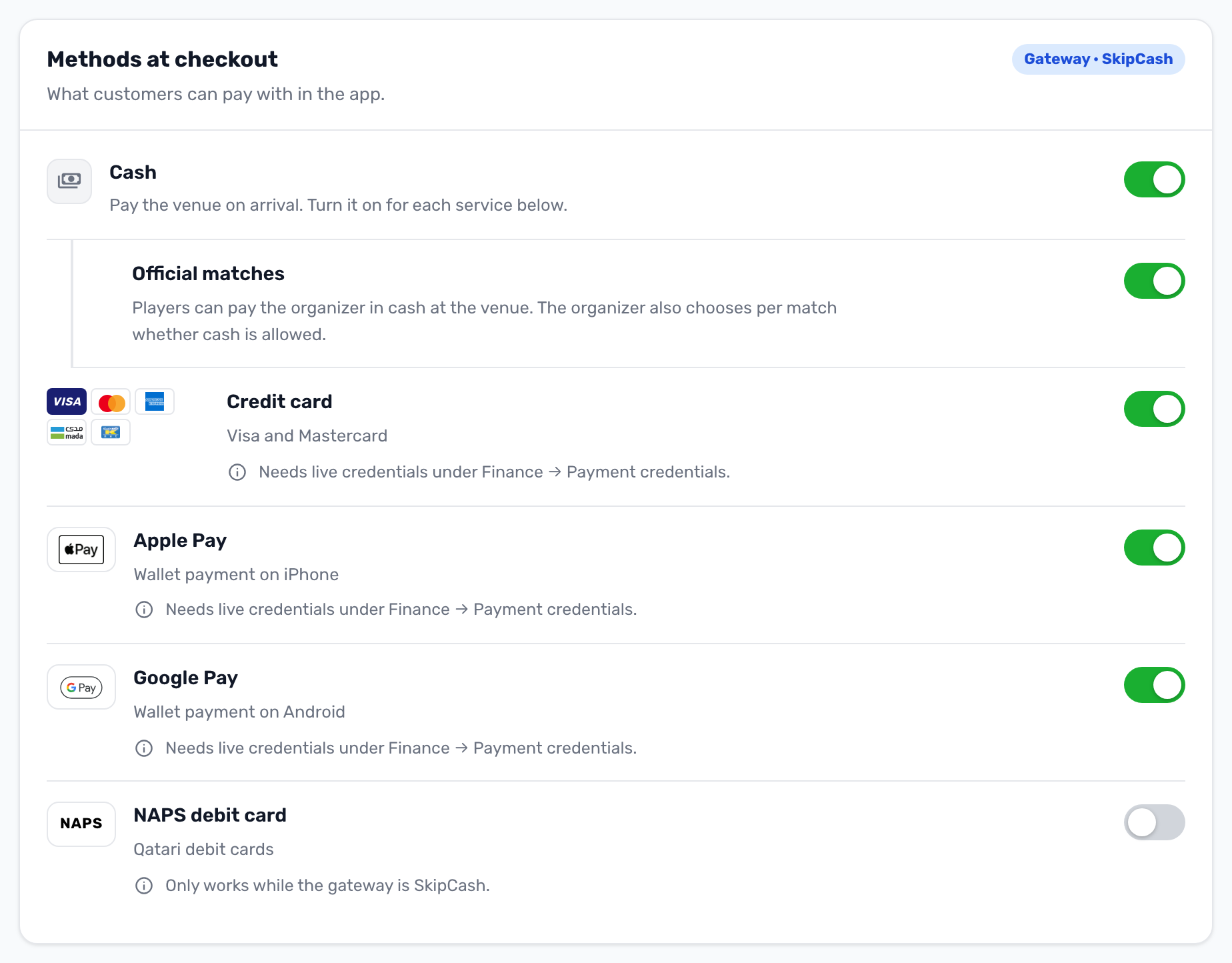
Cash is switched on per service. Turning on Cash alone does not offer it anywhere in the app.
- In Project settings, open the Payments tab.
- Turn on Cash. An Official matches option appears under it.
- Turn that option on. Players can then pay the organizer in cash at the venue, but only on matches where the organizer also ticked Accept cash at the venue.
Registration fee#
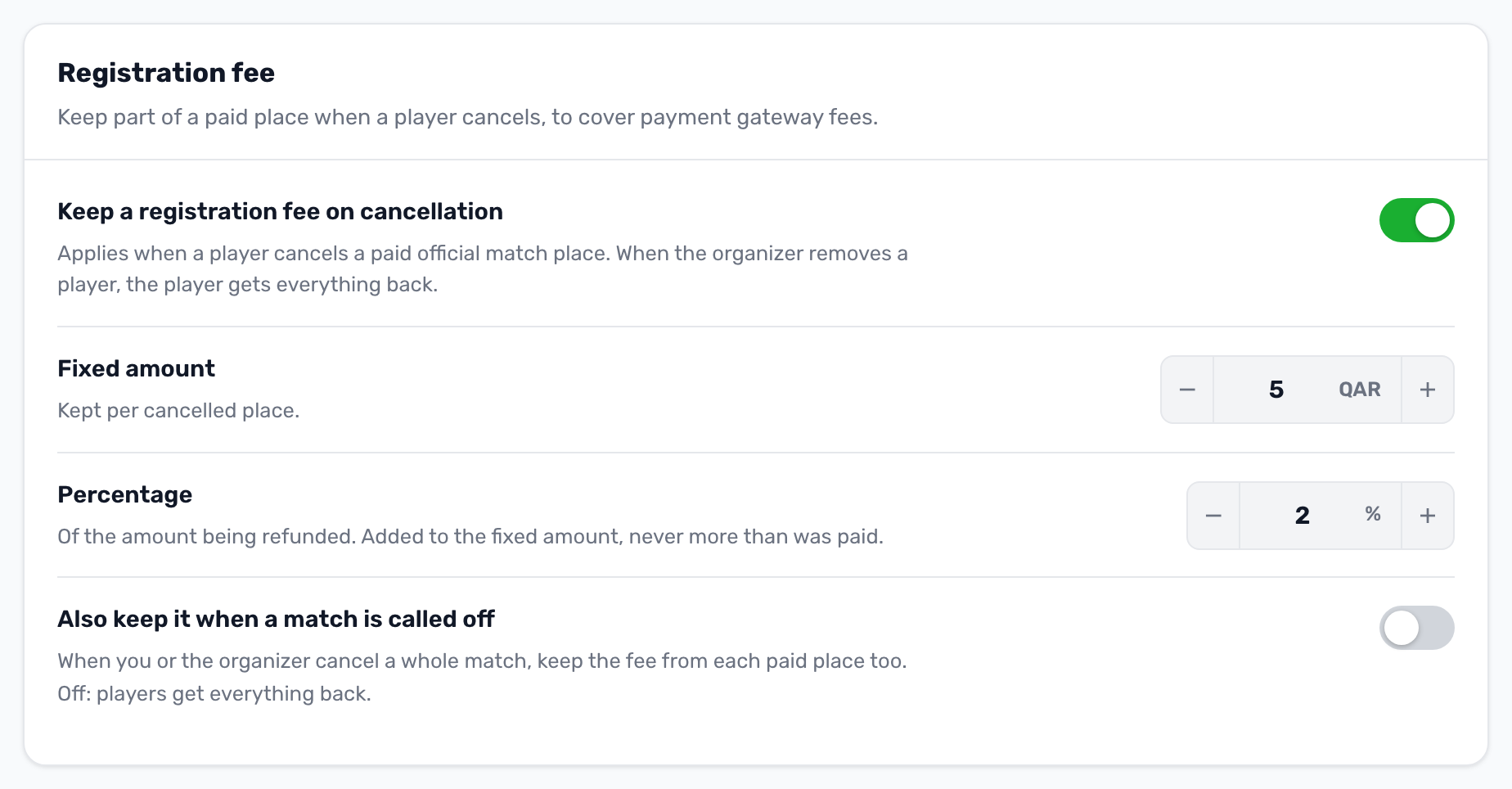
The Registration fee card on the same tab lets your club keep part of a paid place when a player cancels, to cover payment gateway costs. It is off by default. The full rules are in Fees, payments and refunds.
Payment window#
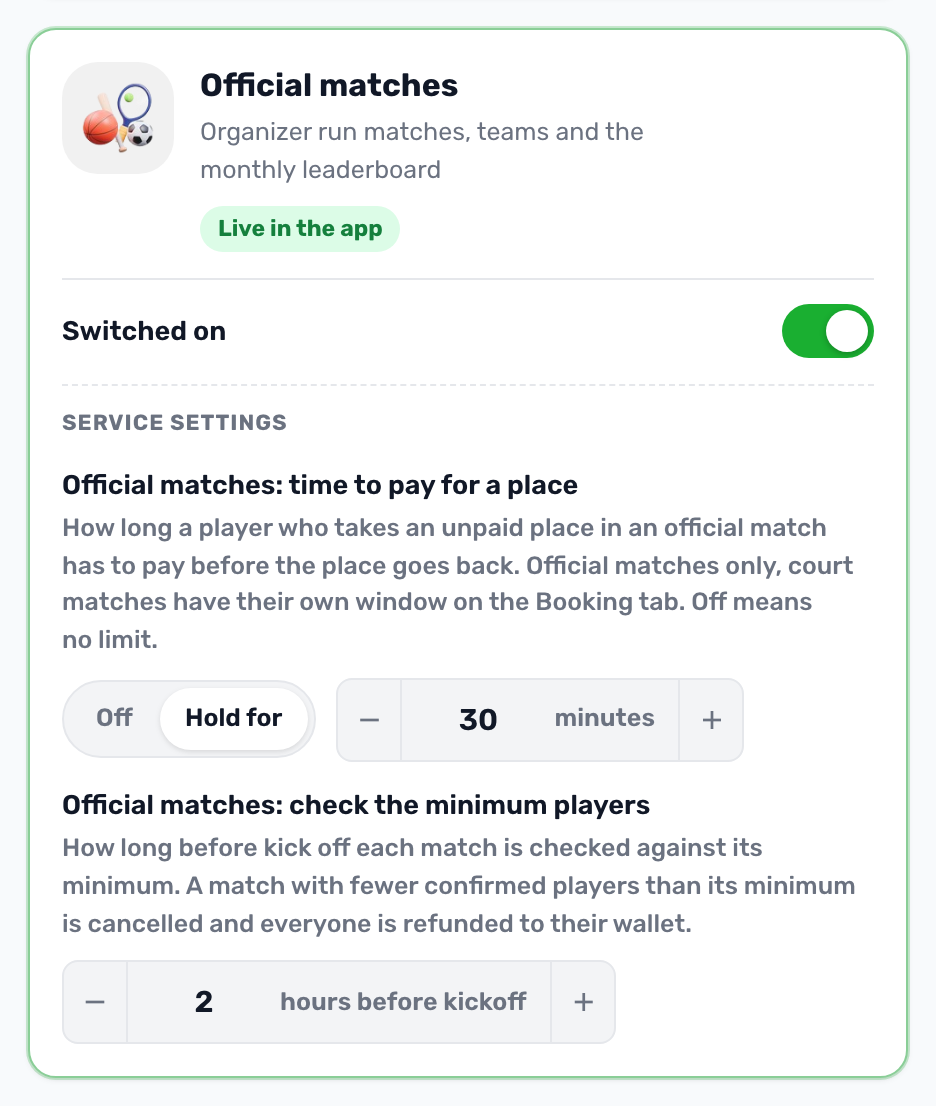
A player who joins a paid match has a limited time to pay before the place goes back. Set it in the Services tab: once Official matches is switched on, its card shows Service settings with Official matches: time to pay for a place. The default is 30 minutes, and Off means no limit. It applies to official matches only. Matches players organize on a court keep their own window on the Bookings and holds tab.
Minimum players check#
Every match has a Minimum to play, set by its organizer, of at least 1. At the check time before kick off, a match with fewer confirmed players than its minimum is cancelled automatically. Everyone gets back in full what they paid in the app, to their wallet, and players and the organizer are told why. The registration fee is never kept for this.
The check time is Official matches: check the minimum players on the same Official matches card, in hours before kick off. The default is 2 hours. Confirmed players are those who paid, or whose place has no payment deadline, such as players paying cash at the venue or added by the organizer. A minimum of 1 only calls off a match nobody is confirmed for.
Switching it off#
When you switch the service off, official matches disappear from the app, the portal menu and the API. Players can no longer join or pay, or apply to become an organizer, and your admins are not emailed about applications. Organizers can sign in but cannot run their matches.