

Esta página aún no está traducida al español, así que estás leyendo la versión en inglés.
Invite friends and who pays
Invite registered players into your match, hold a spot for them, and choose who pays for their place.
Once you have a place in a match, you can bring friends in with an invitation. Every invited person plays with their own account, and you decide who pays for their place.
Before you can invite#
- The organizer must allow invitations. The match shows Invite a player with how many invitations you have left.
- You need a place in the match. You cannot invite from the waiting list.
- There must be a free place. An invitation holds a place until it is answered.
Who you can invite#
- A member of this club who finished registering with their phone number.
- Someone you follow who follows you back. Anyone else only if they turned on Allow invitations from strangers under Settings, Match invitations.
- Not someone already in the match, someone the organizer removed from it, or someone who already has an invitation to it.
Send an invitation#
-
Start
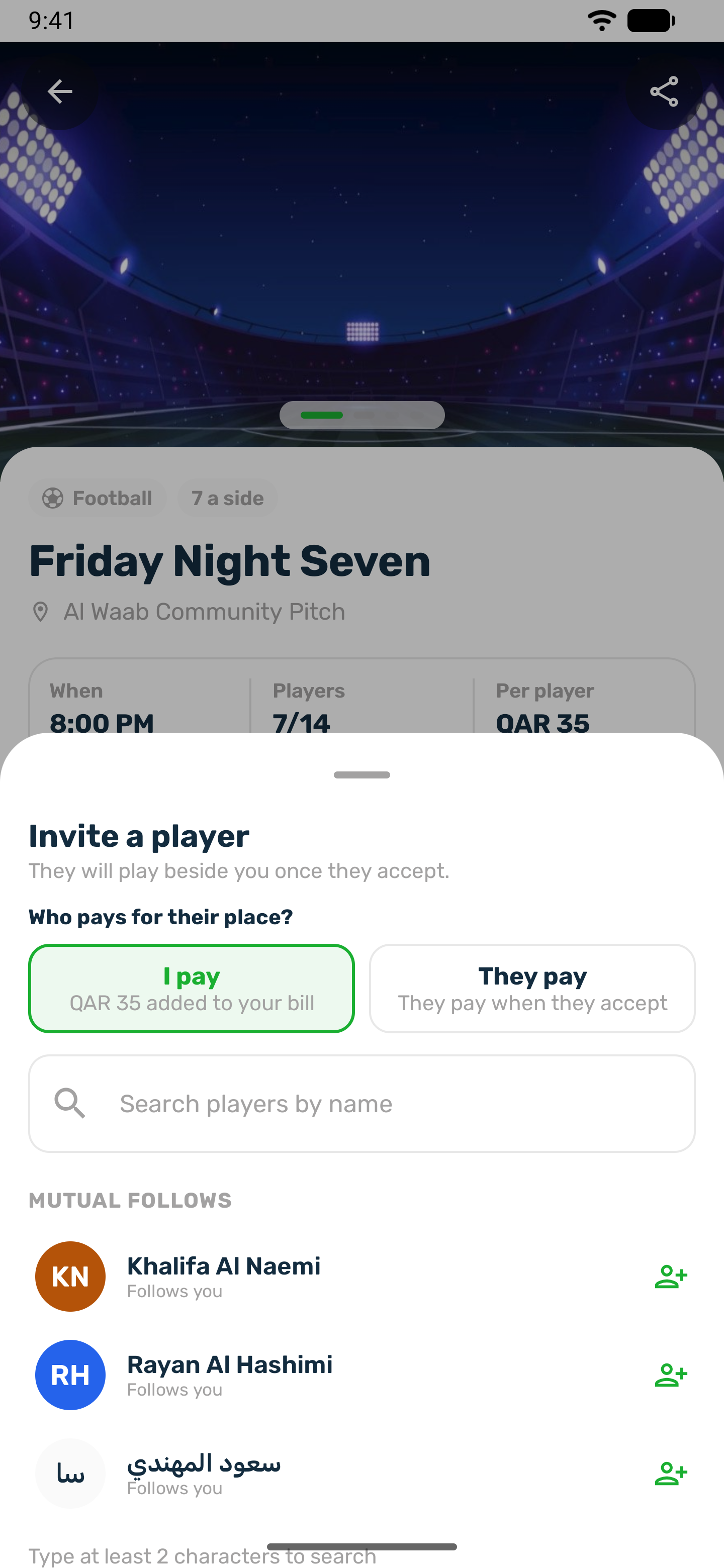
Tap Invite a player, or tap a free spot and choose Hold it for a friend to keep that spot for them. -
Pick the player
Search or choose from the list. -
Choose who pays
I pay adds their price to your bill. They pay means they pay when they accept. The price is the price of the spot held for them, so a goalkeeper spot can cost money even on a match where outfield places are free. On a spot that costs nothing nobody pays.
The player gets a Match invitation notification. You see them under Players you invited, marked Invited, then In the match once they accept.
Answering an invitation#
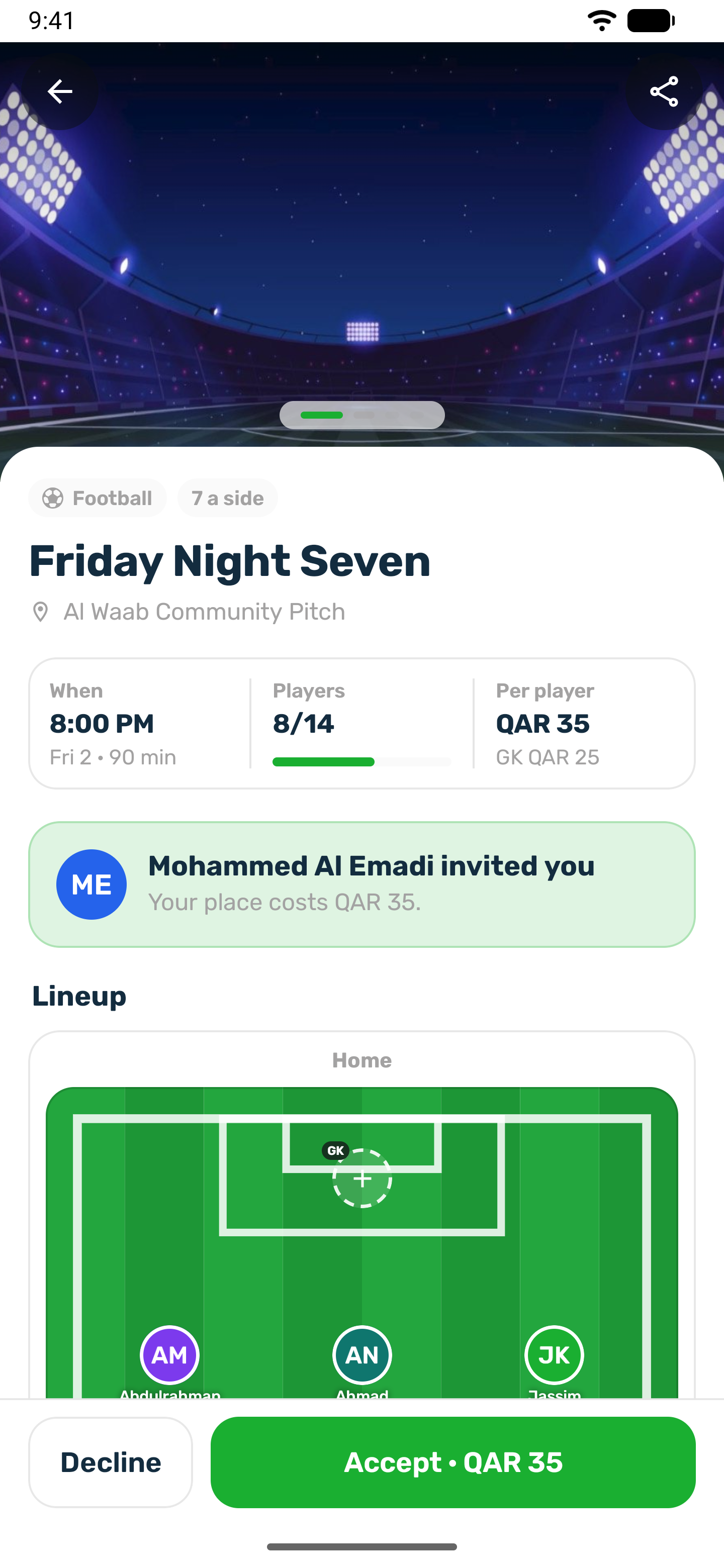
An invited player opens the match and sees who invited them and what their place costs, with Accept or Decline. You are told either way.
If the invited player follows you back and chose to accept match invitations automatically under Settings, Match invitations, the invitation is accepted for them, but only when it costs them nothing: you pay, or the spot held for them is free.
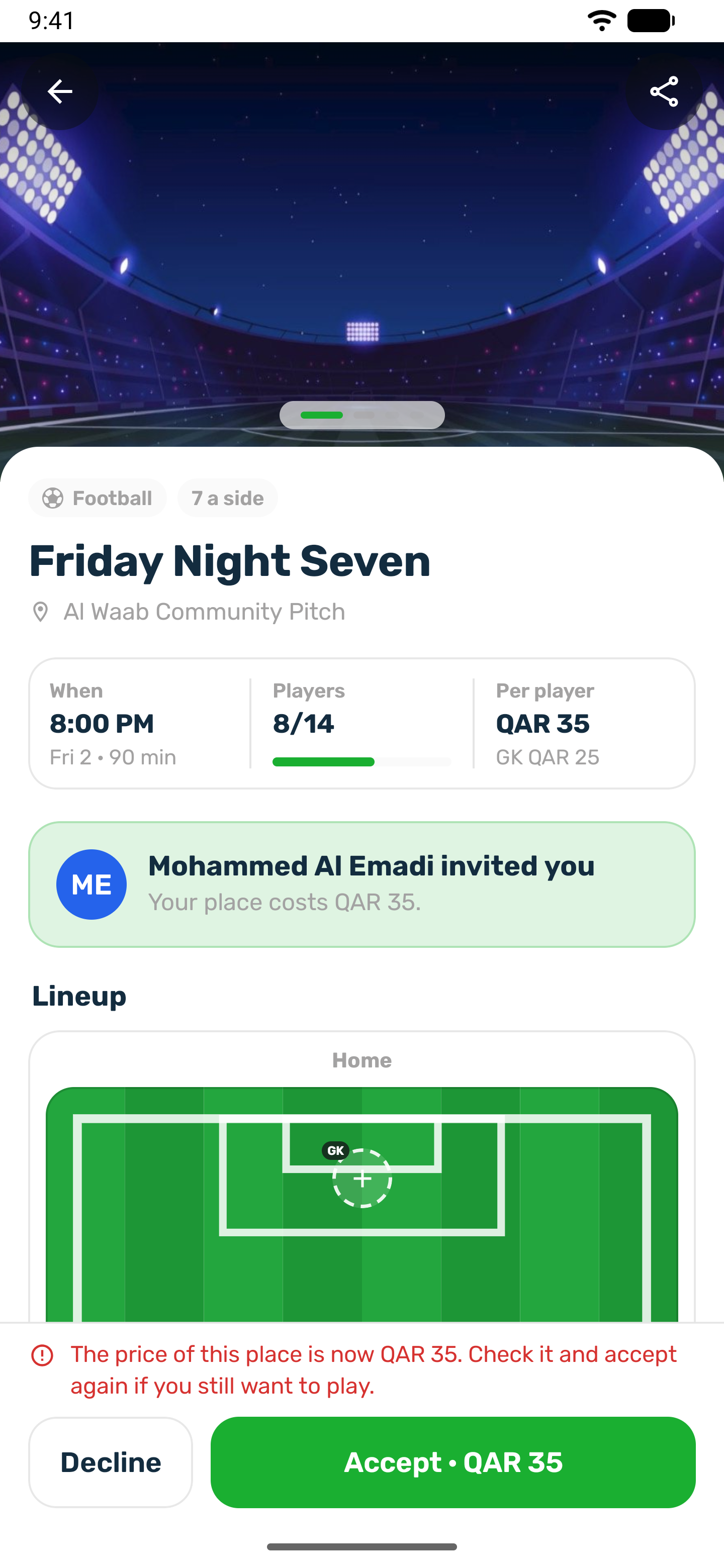
If the price of their place changes before they answer, for example the organizer changes the price, or you stop paying for them because you left, the first Accept shows the new price instead of accepting. They check it and accept again if they still want to play.
Tap Withdraw to take back an invitation nobody has answered. The place and spot are free again. Unanswered invitations expire at kick off.
When you pay for a friend#
| Situation | What happens |
|---|---|
| Your friend accepts | Their place is added to your bill. It is confirmed when your bill is paid. |
| You already paid for yourself | You pay only the friend's share, within a payment timer. |
| Your timer runs out before you pay the extra | If you paid for yourself, you keep your place. Your friend's place becomes theirs to pay, with its own timer, and they get Pay to keep your place. |
| You leave or are removed | Your friend keeps their place and pays for it themselves. |
| Your friend leaves after you paid | Their share goes back to your wallet, less the club's registration fee if it applies. |