

Esta página aún no está traducida al español, así que estás leyendo la versión en inglés.
Results, finalizing and the leaderboard
Record the score and ratings after kick off, finalize to put the match on the monthly leaderboard, and correct it within 72 hours.
The result is what turns a played match into statistics. Only you rate your players, and a match counts on the leaderboard only after you finalize it.
Enter the result#
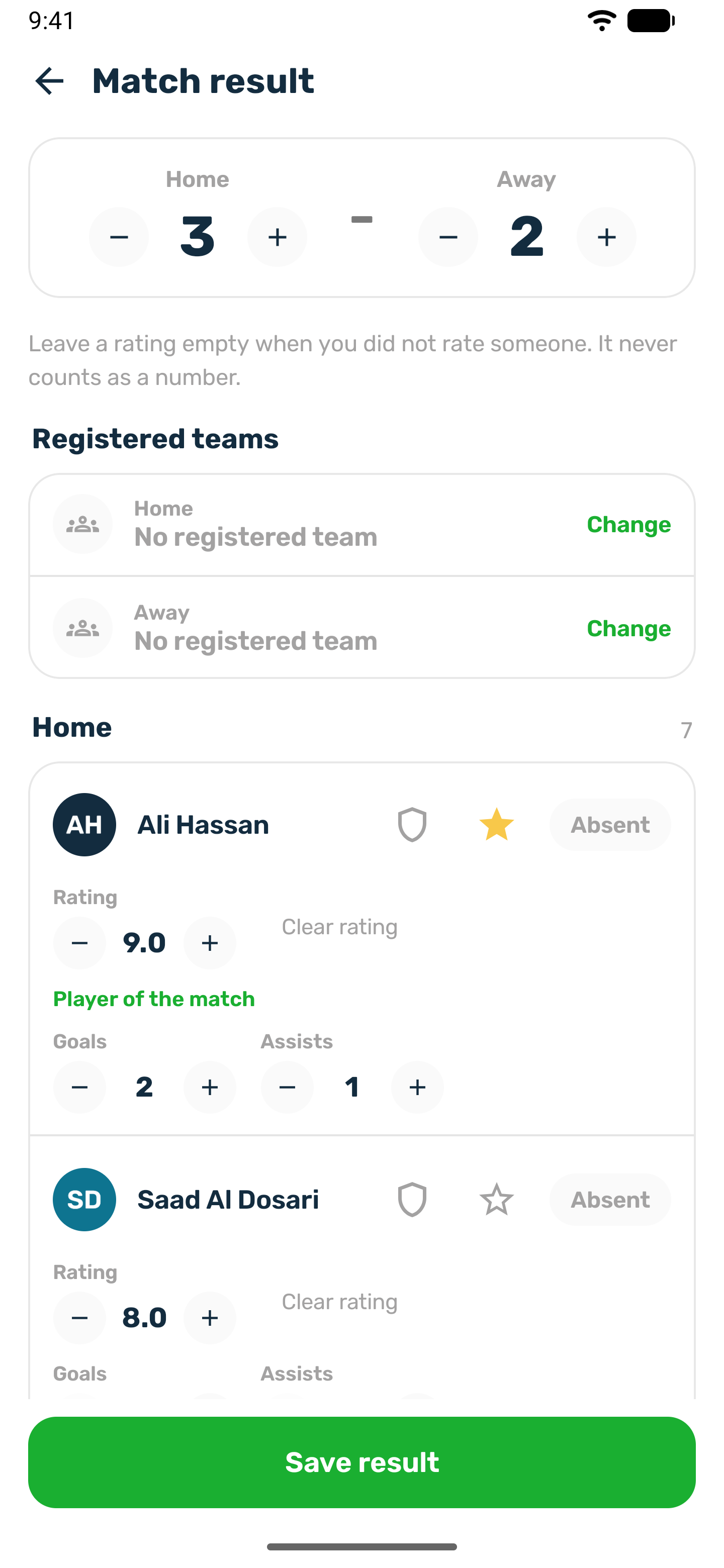
Once the match has started, the Match result card on the match page shows Enter result.
- Score for Home and Away.
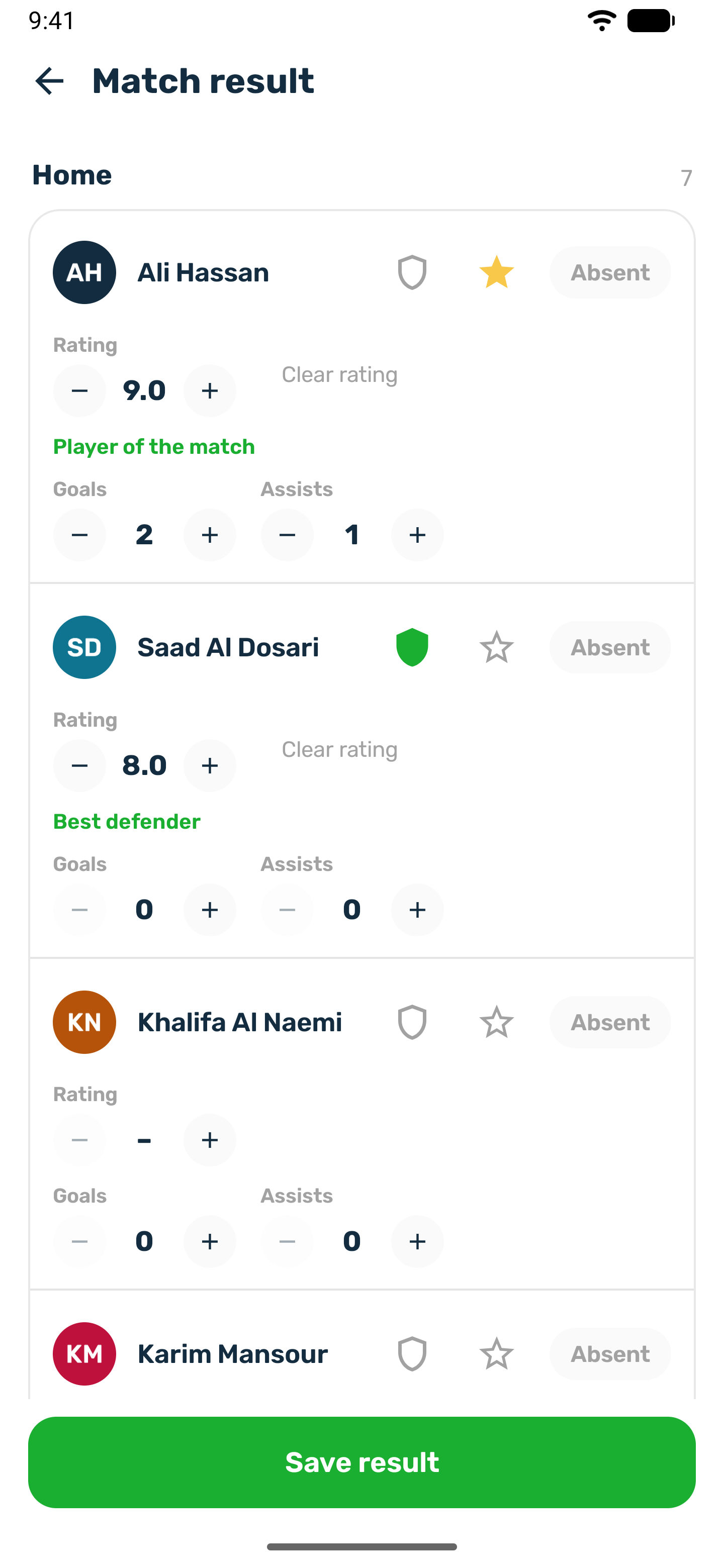
- Rating for each player, from 1 to 10. Leave it on No rating when you did not rate someone. It never counts as a number.
- Player of the match: one per match.
- Best defender on football and futsal: one per match.
- Absent for anyone who did not turn up. Absent players are left out of the statistics.
- Everyone who stood on the pitch is listed, including a player you took off to the bench during the match. Both players of a swap count as having played, and either can be rated or picked as player of the match or best defender.
- The counting stats the sport records, when it has any.
| Sport | Per player stats |
|---|---|
| Football, futsal, handball, hockey | Goals and assists |
| Water polo | Goals |
| Basketball, netball | Points |
| Other sports | Rating and player of the match only |
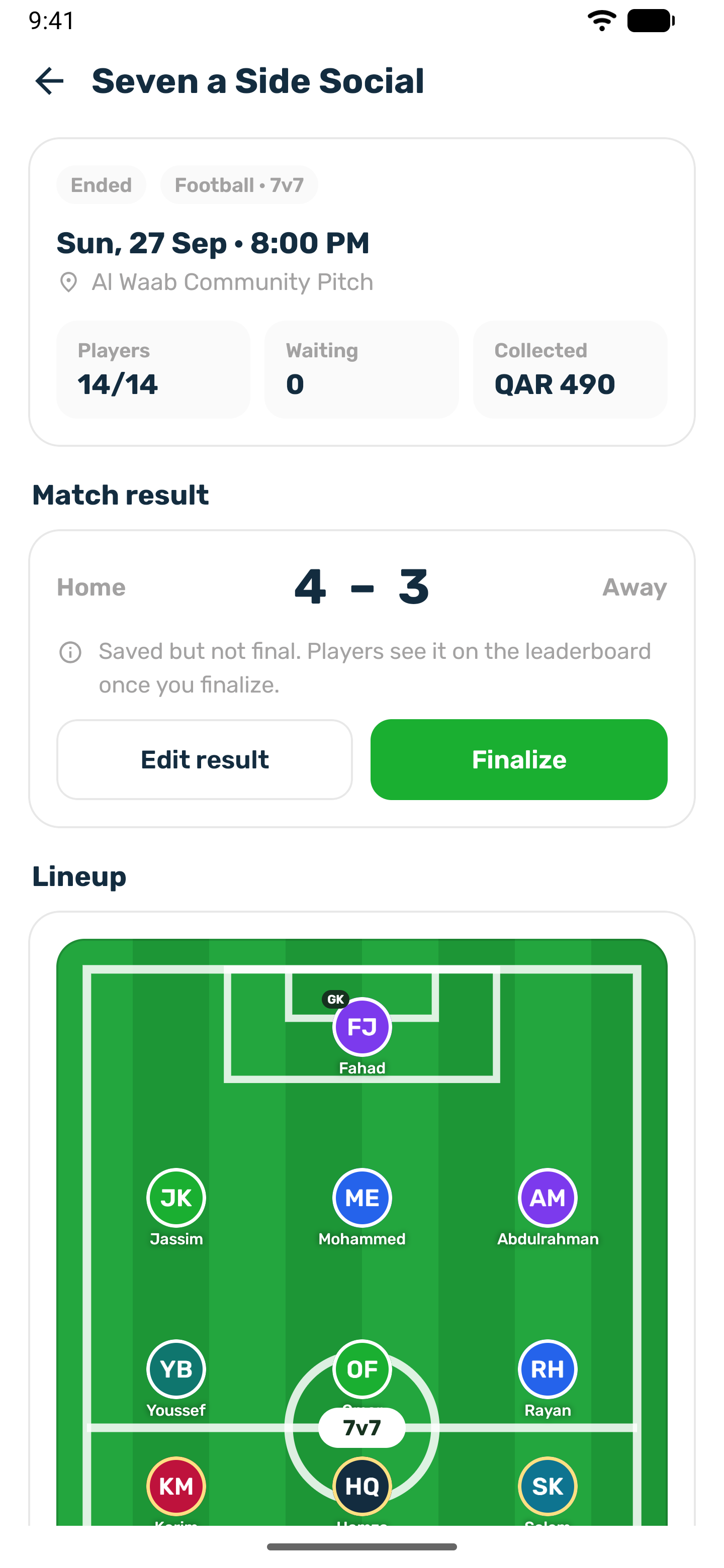
Tap Save result. The card reads Saved but not final. You can edit it as often as you need.
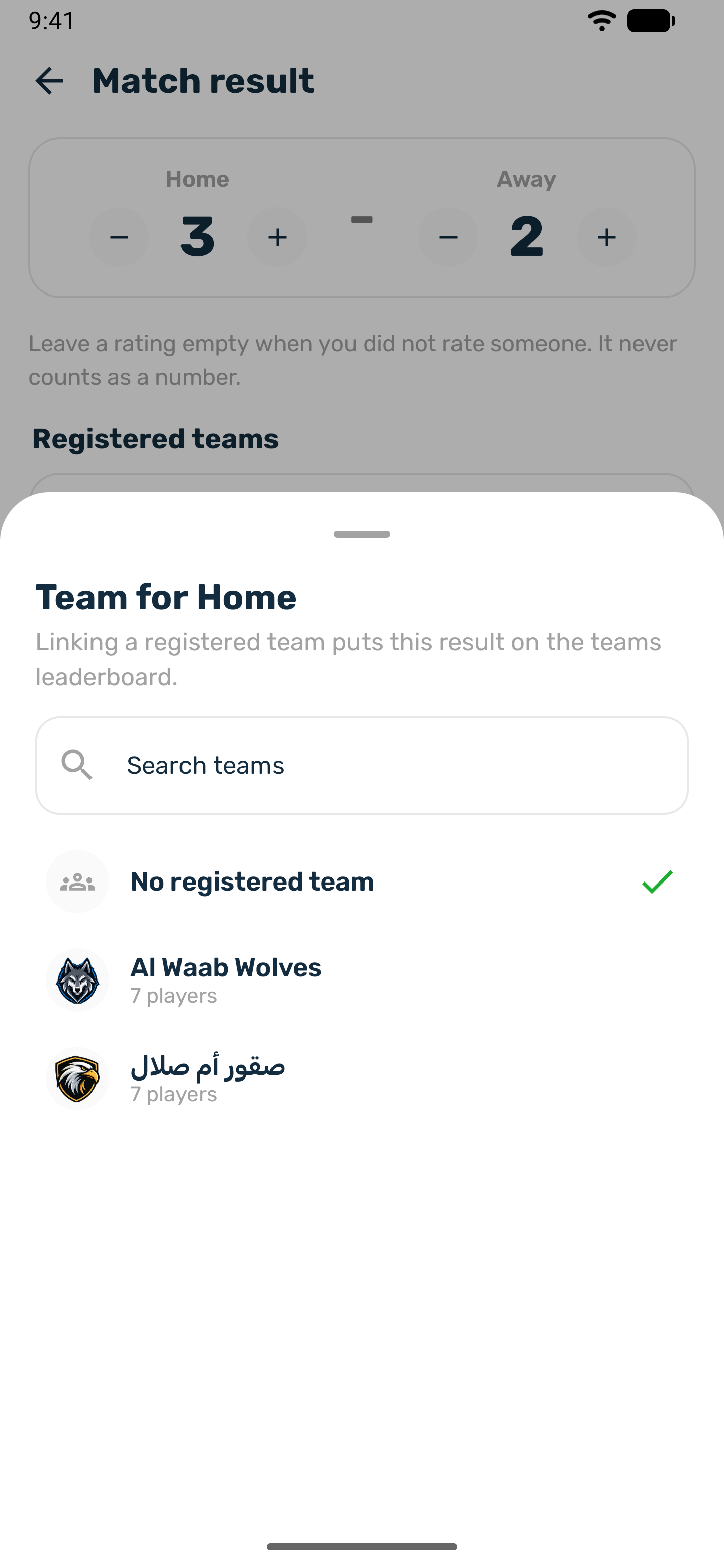
When every player who played on one side is a member of the same registered team, the side is linked to that team when you save or finalize, and the match counts for the team on the Teams board. A side already linked keeps its team. If the players belong to two teams together, or to none, the side stays unlinked.
Finalize#
-
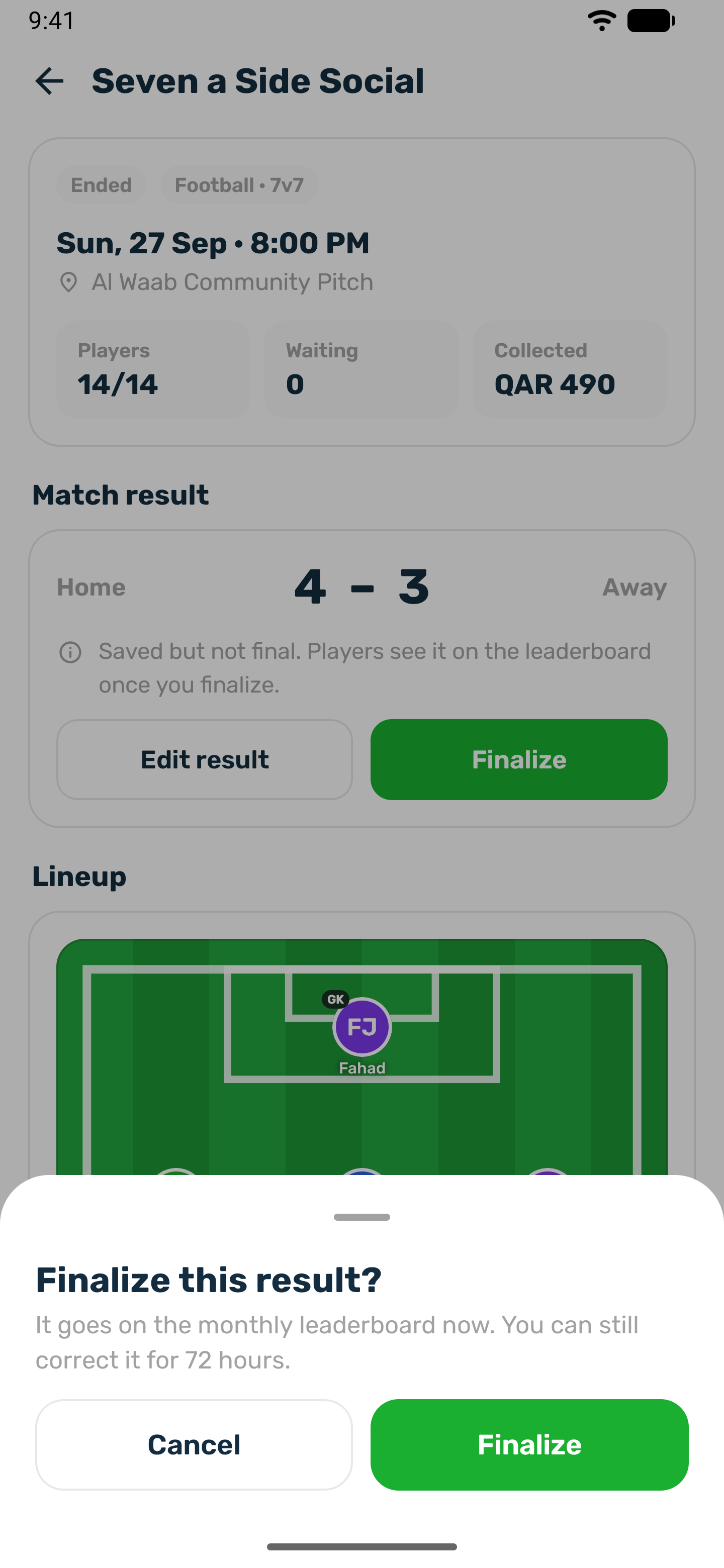
Tap Finalize
It appears once a result is saved. -
Confirm
It goes on the monthly leaderboard now. You can still correct it for 72 hours. The lineup is locked, and waiting list players who never played are refunded if you chose Refund them.
After 72 hours the card reads Final and locked and the result can no longer change. A finalized match cannot be cancelled.
How the leaderboard counts#
- A match counts in the month it was played, once finalized.
- Each sport has its own board. The metrics follow the sport: rating, goals, assists, points, player of the match awards, best defender awards and wins, as the sport records them.
- Rating is the average of the ratings organizers gave. Unrated matches are left out.
- The running month shows everyone who played. Once a month closes, players need 3 finalized matches and teams need 2 to stay ranked. The club can change both numbers.
- Equal scores share a place, and the next place is skipped.
Player of the month#
On the 5th of each month, the top rated player of the month before is named player of the month for each sport, among players with enough matches. They get a notification and the award shows on their profile. The club can turn this off.