

Esta página aún no está traducida al español, así que estás leyendo la versión en inglés.
Find and join a match
Browse open matches, open a private one with its code, pick your spot on the pitch and join.
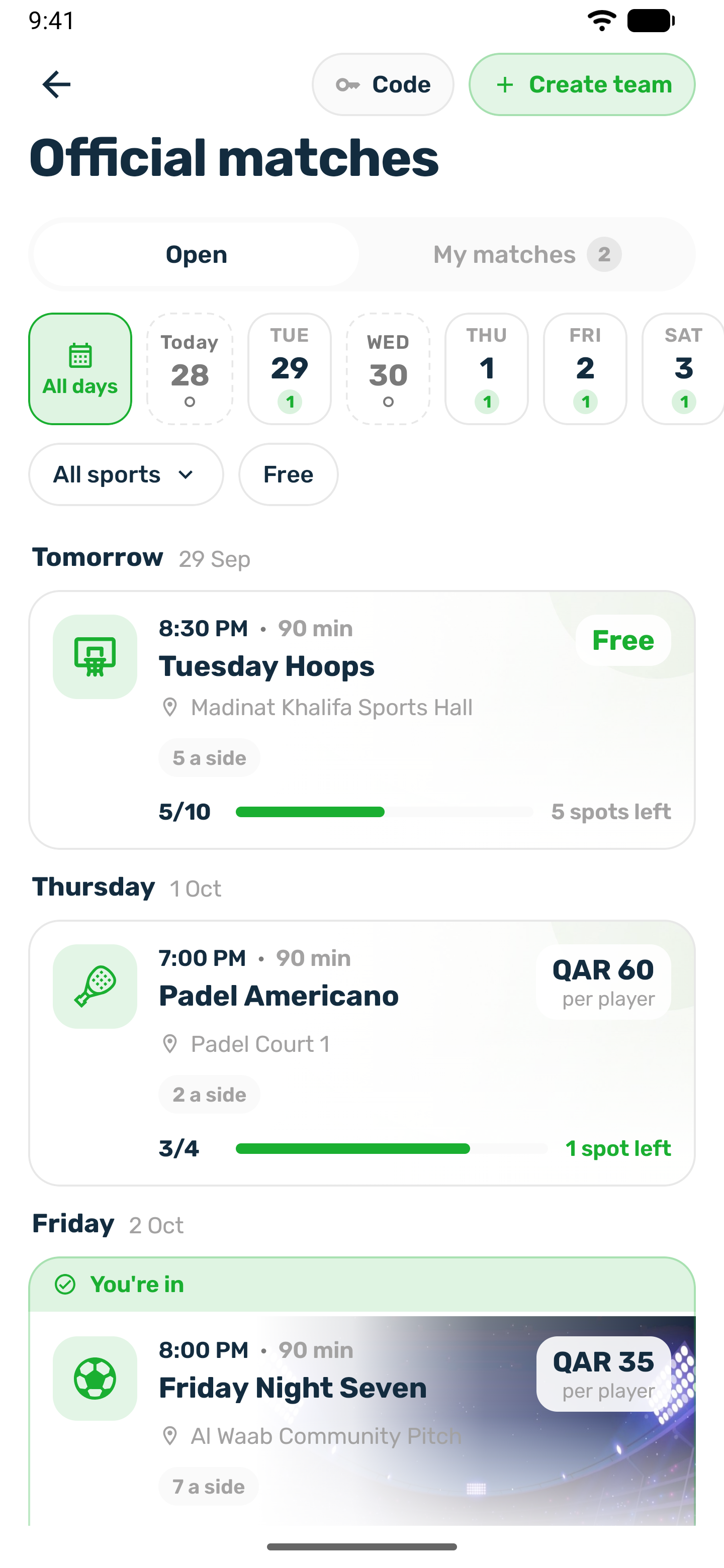
Open Official matches from Home, for example with the Join Match card. The screen has two tabs: Open for matches you can join and My matches for the ones you are in.
Browse#
- The day strip shows the next 7 days. A grey day has no matches.
- Filter by sport, or tap Free to see free matches only. Clear resets the filters.
- Each card shows the time, venue, price per player, how many spots are left, and a status such as Open, Filling up or Full.
Only published public matches that have not started appear here.
Private matches#
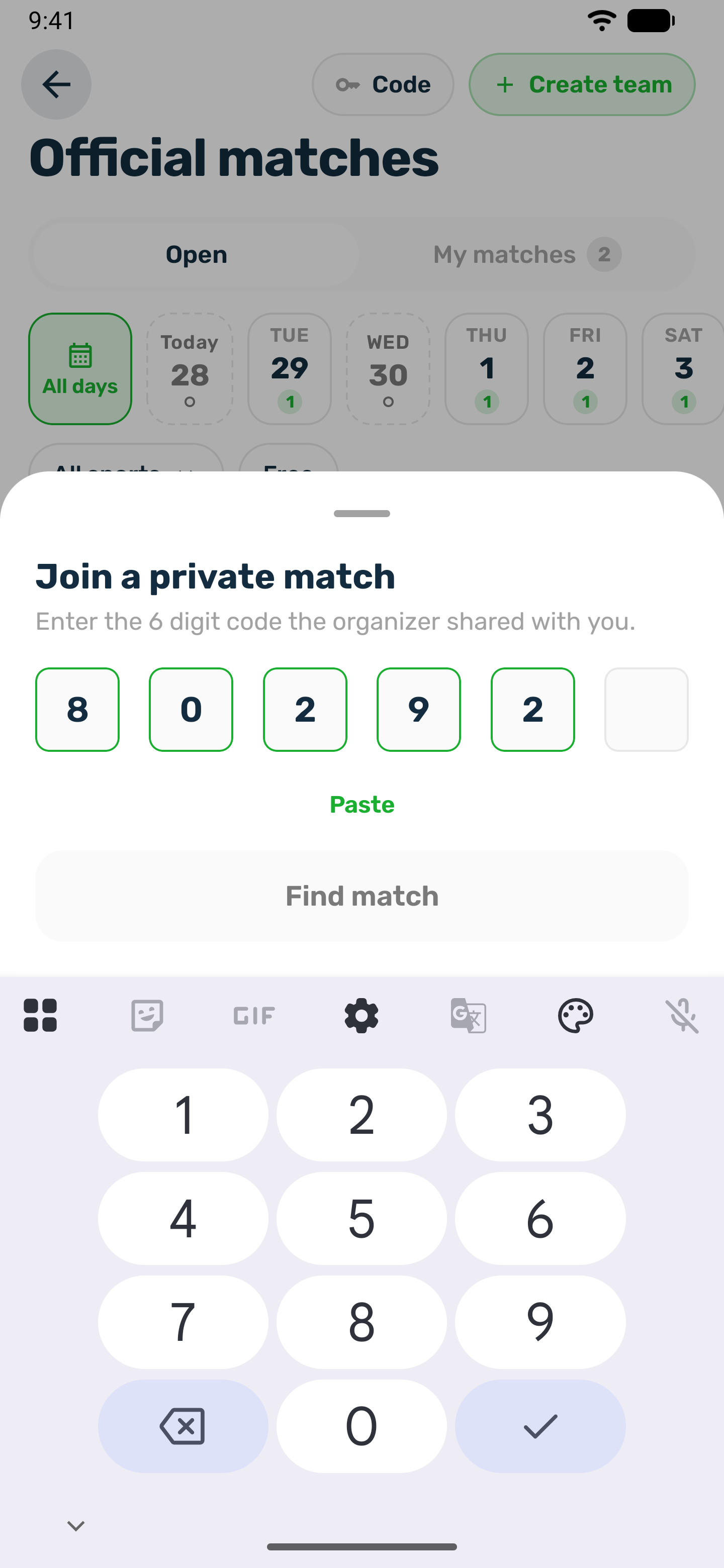
A private match is not listed. The organizer shares a 6 digit code. Tap Have a code?, enter it and tap Find match.
Before you join#
You need to be signed in with an account you finished registering with your phone number, as a member of this club. The match page shows when it is, the price per player and any goalkeeper price, the lineup, the venue with Directions, and the organizer with WhatsApp and Call.
On a paid match the page also shows the money before you commit:
- the price you pay for a place, and for a goalkeeper spot when it differs
- the club's registration fee, if it keeps one when a player withdraws
- what you would get back if you withdraw, for example 35 of 40 QAR
- until when you can withdraw
Once you are in, the same card shows what you get back if you withdraw now, or that withdrawing is closed. The amounts come from the club's own refund rules, so they are exactly what a withdrawal gives back.
Pick your spot on the pitch#
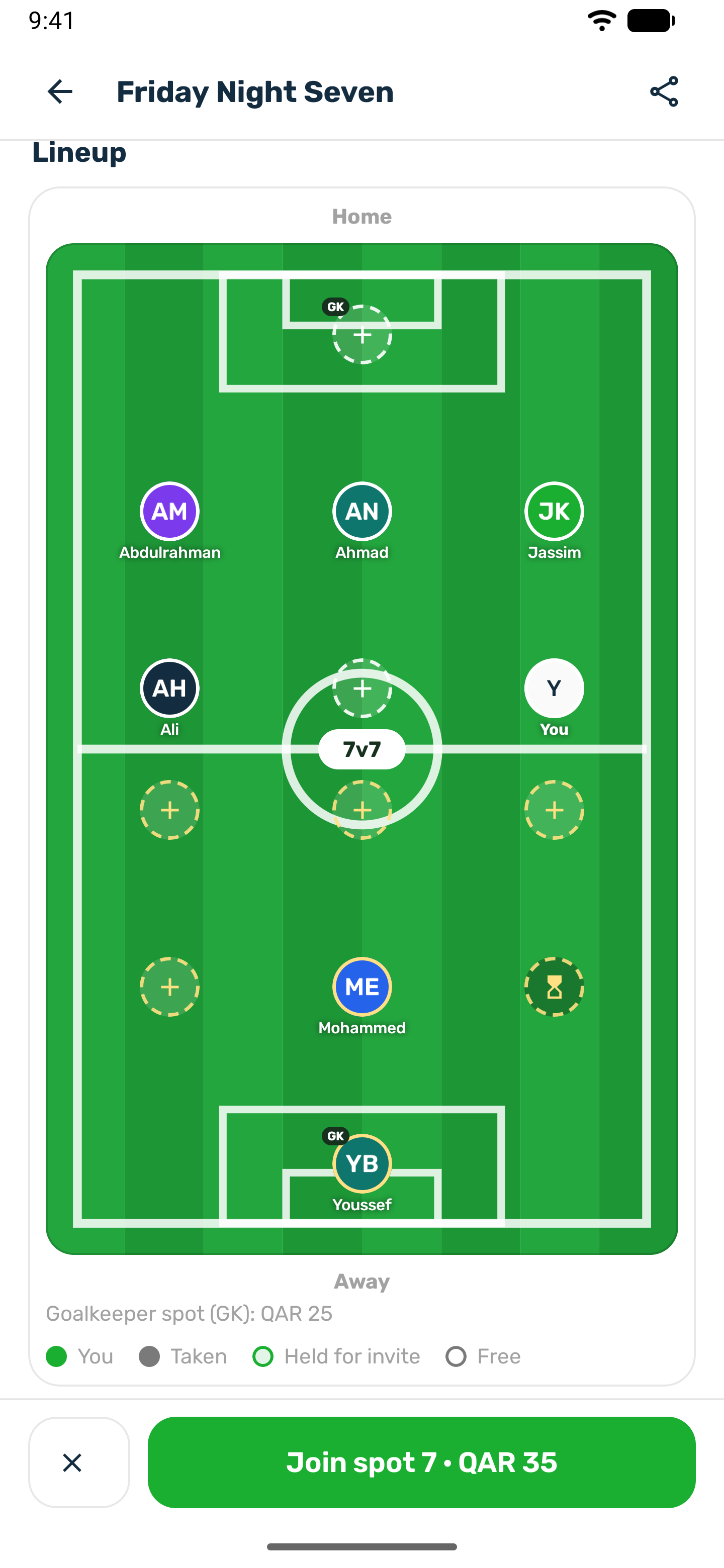
On a sport with a pitch, every place is a spot on the Lineup. The legend shows You, Taken, Held for invite and Free.
- Tap a free spot to choose it. The button changes to Join spot and its number, or Join as goalkeeper on a goalkeeper spot. Clear pick undoes it.
- Or just tap Join and the app places you on the emptier side.
- If someone takes your spot at the same moment, you get the nearest free spot and a message tells you which one.
Join#
- On a free match, you are in straight away and see You're in.
- On a paid match, your place is held while you pay. See Pay for your place.
- On a full match with a waiting list, the button reads Join the waitlist. On a paid match you pay for it like a place. See Waiting list and leaving.
Joining is open until kick off. You get a notification confirming what happened.
Move to another spot#
Until kick off, tap a free spot and choose Move here. You keep your place and friends stay where they are. Once you have paid, you can only move to a spot with the same price.
Match day#
- You get a reminder the day before and an hour before kick off.
- At kick off the match shows Playing now and places close.
- After the organizer finalizes the result, it counts on the leaderboard and your stats.