

Cette page n’est pas encore traduite en français. Vous lisez la version anglaise.
Offers
Automatic discounts on membership plans: a sale everyone sees, or a save shown only to a member who taps Cancel.
Open Offers in the Membership group. An offer is a discount the server applies on its own. Members never type anything for it.
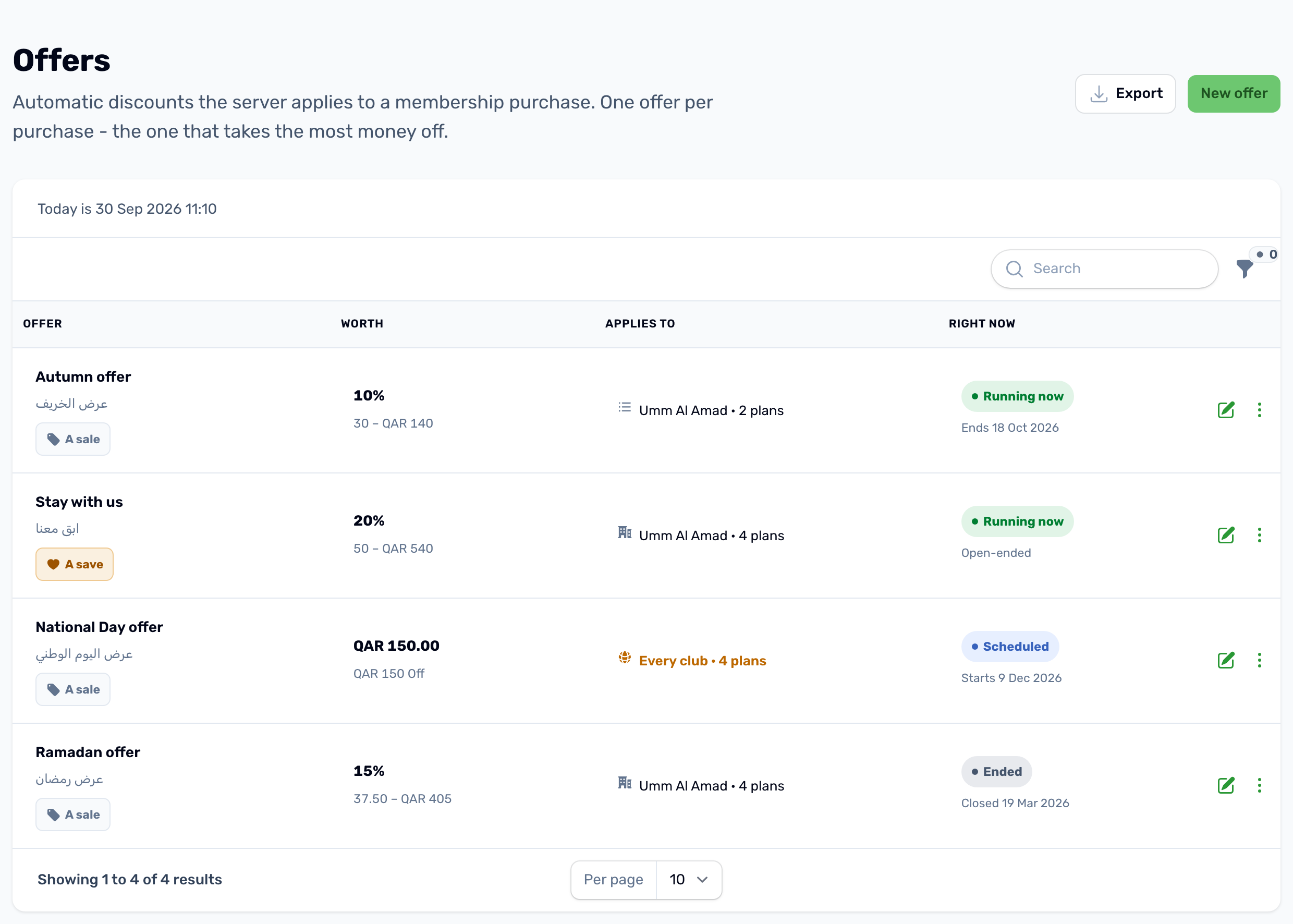
The list shows each offer's kind, what it is worth, which club and plans it applies to, and its state right now: Running now, Scheduled, Ended or Off. Filter by state, kind or club.
Create an offer#
Click New offer.
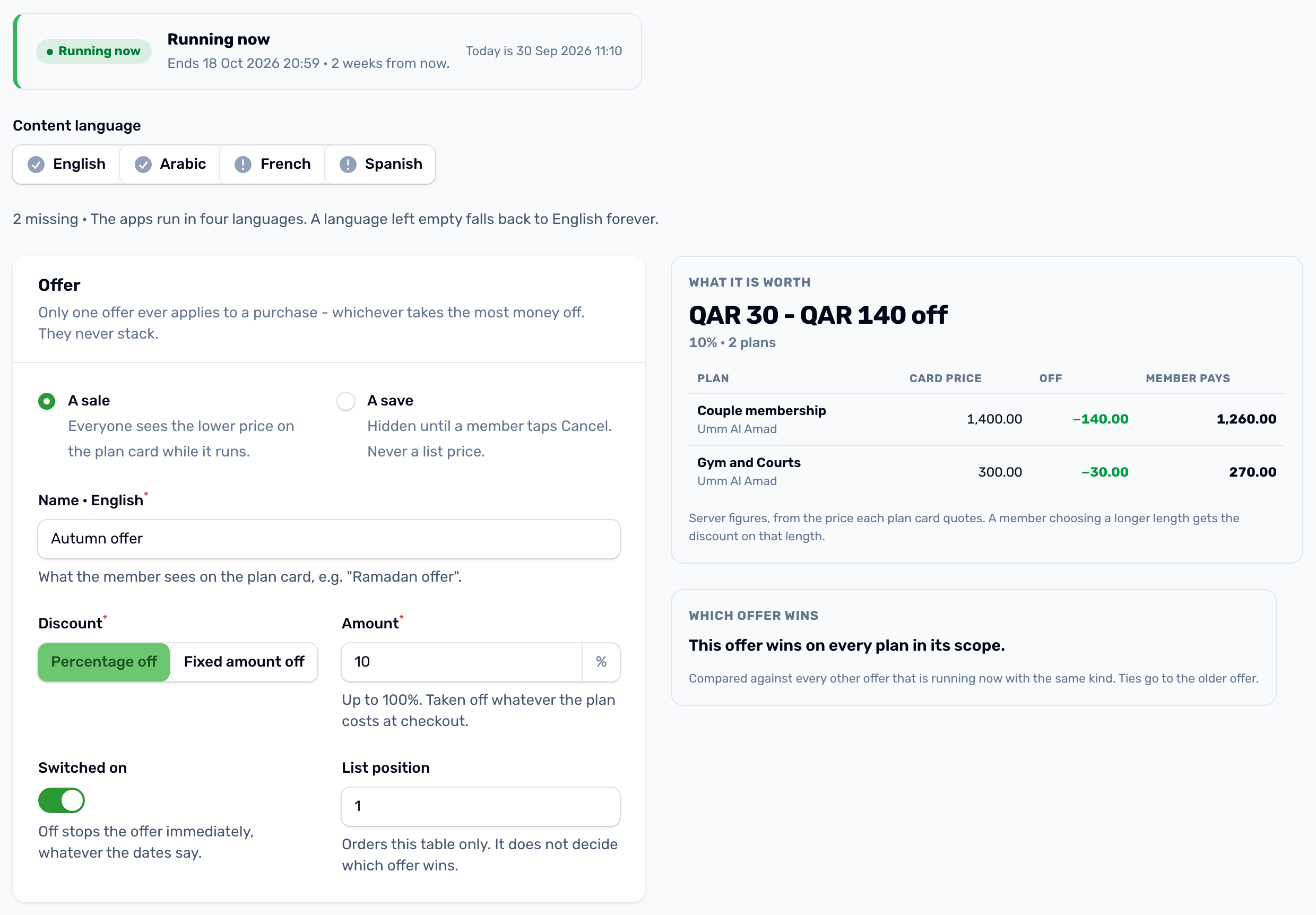
- A sale: everyone sees the lower price on the plan card while it runs, with the offer's name.
- A save: hidden until a member taps Cancel on their membership. They see it in the cancel sheet and can take it by extending instead, see Cancel and refunds. It is never a list price.
- Name in each language, what members see.
- Discount: Percentage off, up to 100%, or Fixed amount off in QAR. It never takes a price below zero.
- Switched on: off stops the offer at once, whatever the dates say.
- List position only orders the list. It does not decide which offer wins.
When it runs and who gets it#
Set Starts and Ends, or leave either empty for open ended. An offer with no dates runs until you switch it off. The quick buttons set one week, one month or no dates.
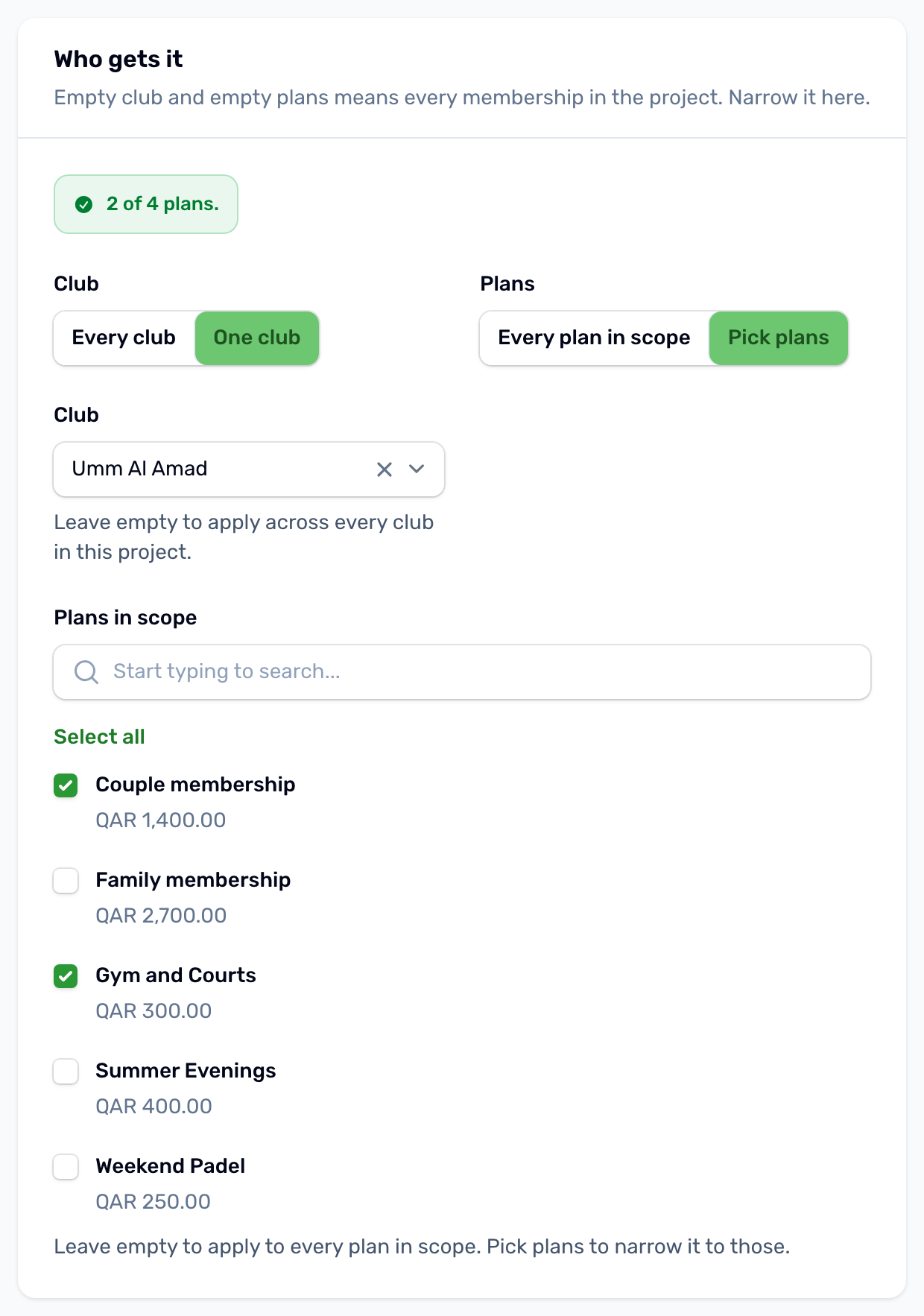
Under Who gets it, choose Every club or One club, and Every plan in scope or Pick plans. Empty means every membership in the project.
Which offer wins#
Only one offer applies to a purchase: the one that takes the most money off that price. Offers never stack. The What it is worth panel shows the card price, the discount and what the member pays on each plan, and Which offer wins tells you where another running offer of the same kind takes more off.
- A sale also applies to extensions, on the length the member extends by.
- A save only applies when the member reaches Extend from the cancel sheet.
- Memberships already bought keep the price they were sold at when you change or delete an offer.
From the three dots on a row you can Duplicate an offer (the copy is switched off) or delete it.