

Cette page n’est pas encore traduite en français. Vous lisez la version anglaise.
Choose a plan
Compare the plans and lengths a club sells, read what is included and the cancelling terms, and pick one.
Open the Membership tab of a club. If the club sells plans for more than one kind of buyer, choose Individual, Couple or Family at the top.
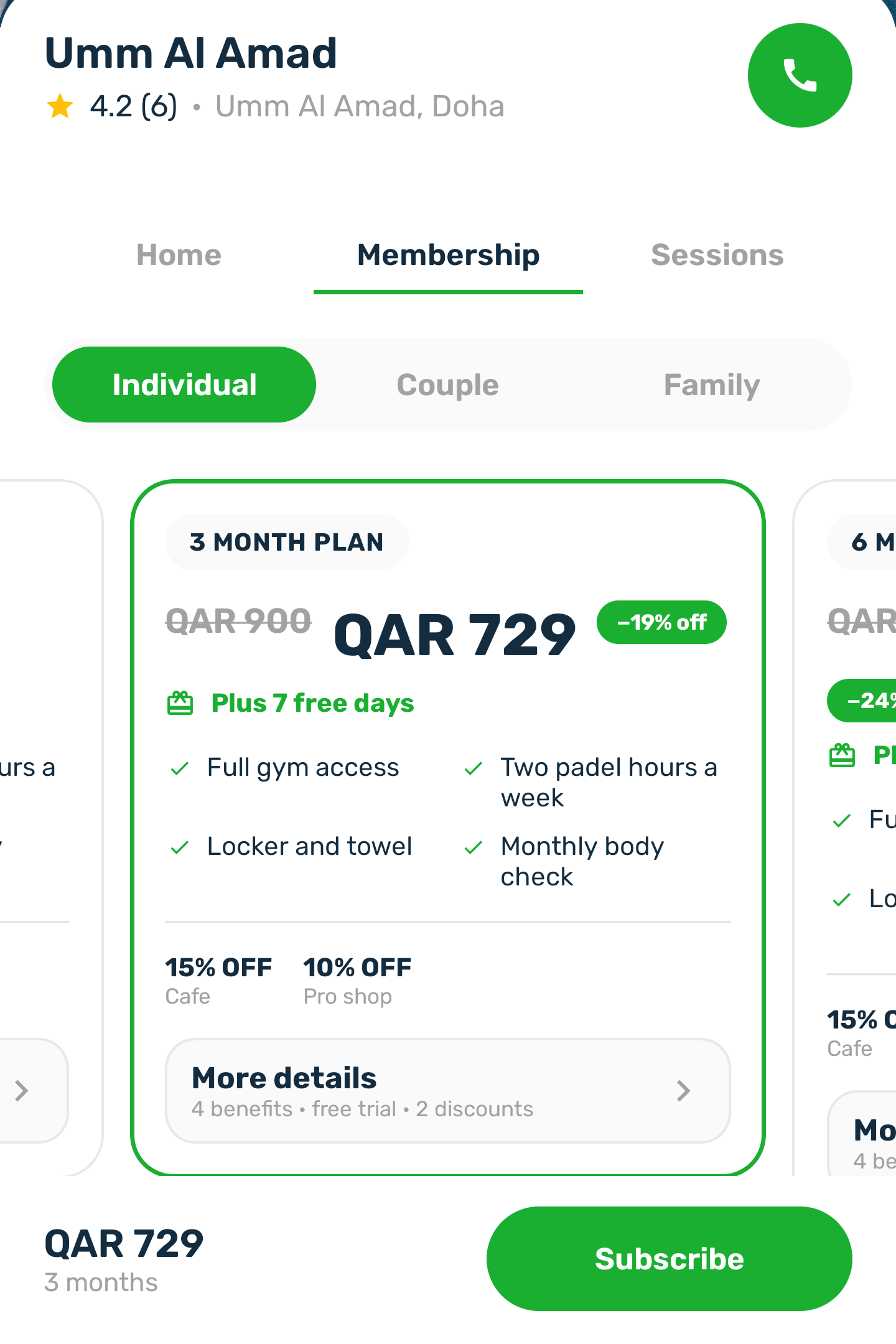
Each length of each plan is its own card, each plan's lengths shortest first. Swipe to compare them. A card shows:
- the length, and the price you pay with any running offer already taken off, with the old price struck through and the saving
- Plus 7 free days, when the plan adds free days to a first membership at this club
- the first features, the member discounts, and More details
- Most popular on the length the club recommends
Tap a card to choose it. The bar at the bottom shows its price and length and the Subscribe button.
More details#
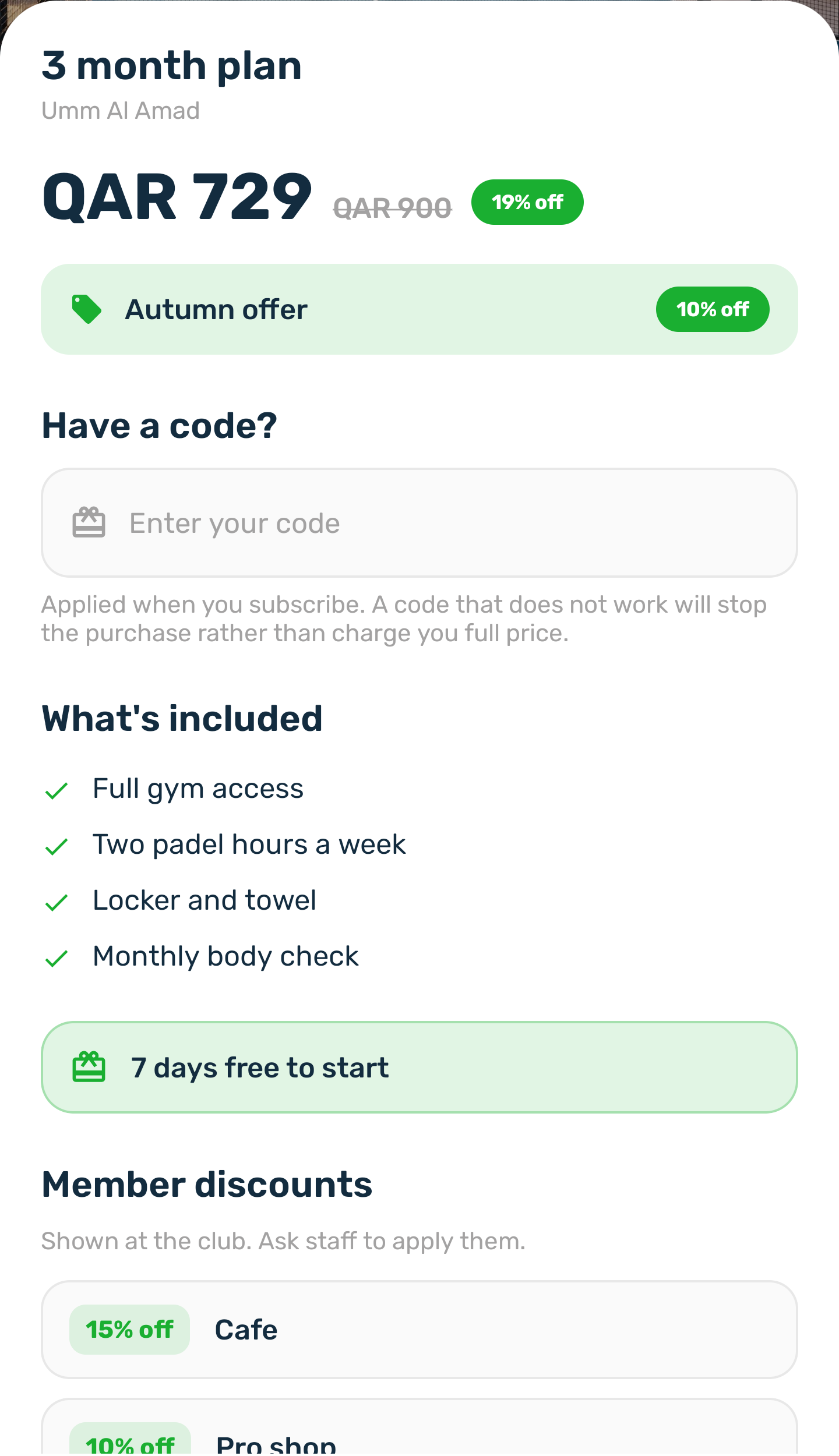
The details show the price, the offer that is running, the Have a code? field if the club accepts voucher codes, everything included, the free days and the member discounts, which you ask the club staff to apply. At the end is what happens if you cancel.
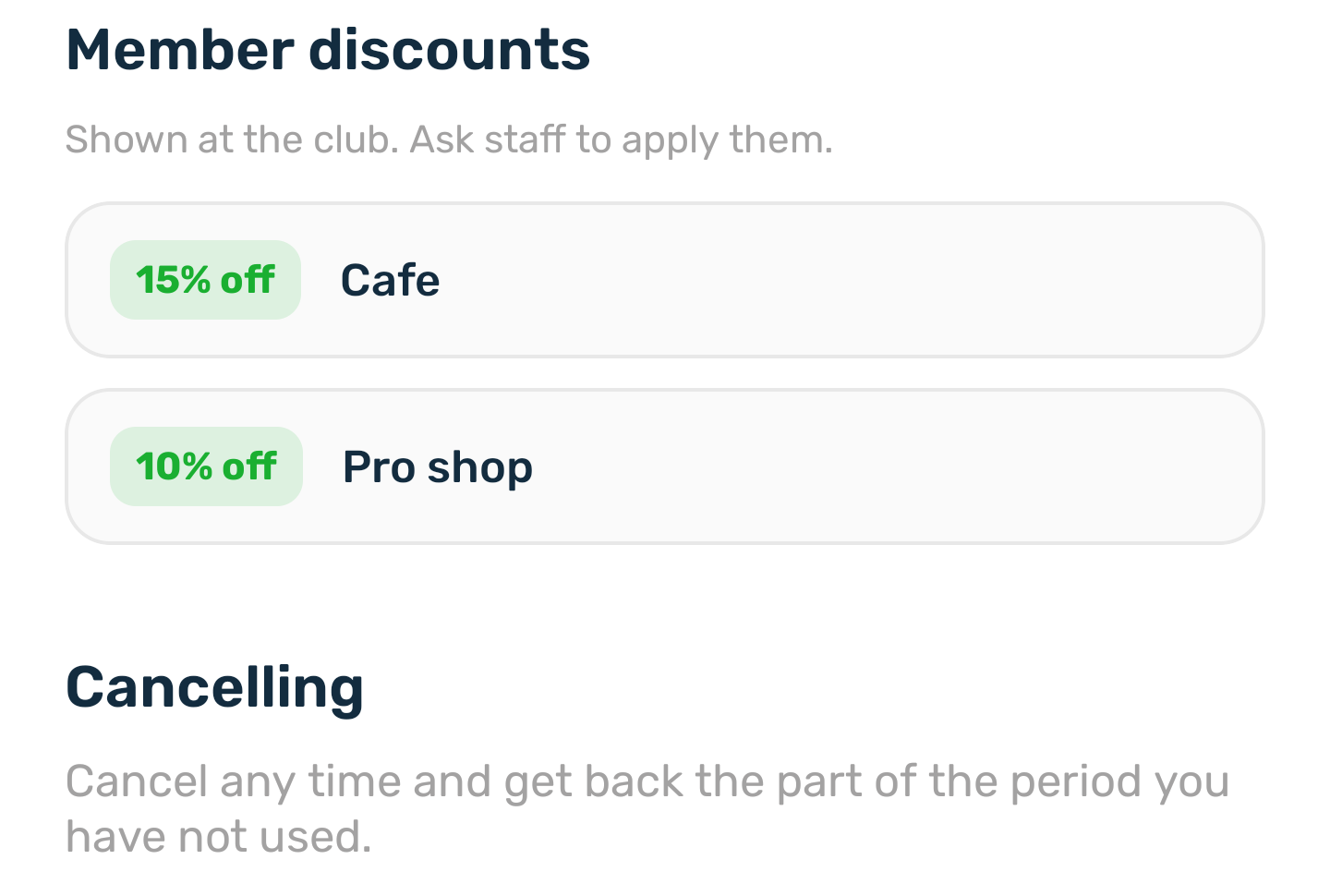
The terms are one of: no refund, a share of what you paid, the part of the period you have not used, a refund that depends on how early you cancel, or no cancelling at all.
When a plan is full#
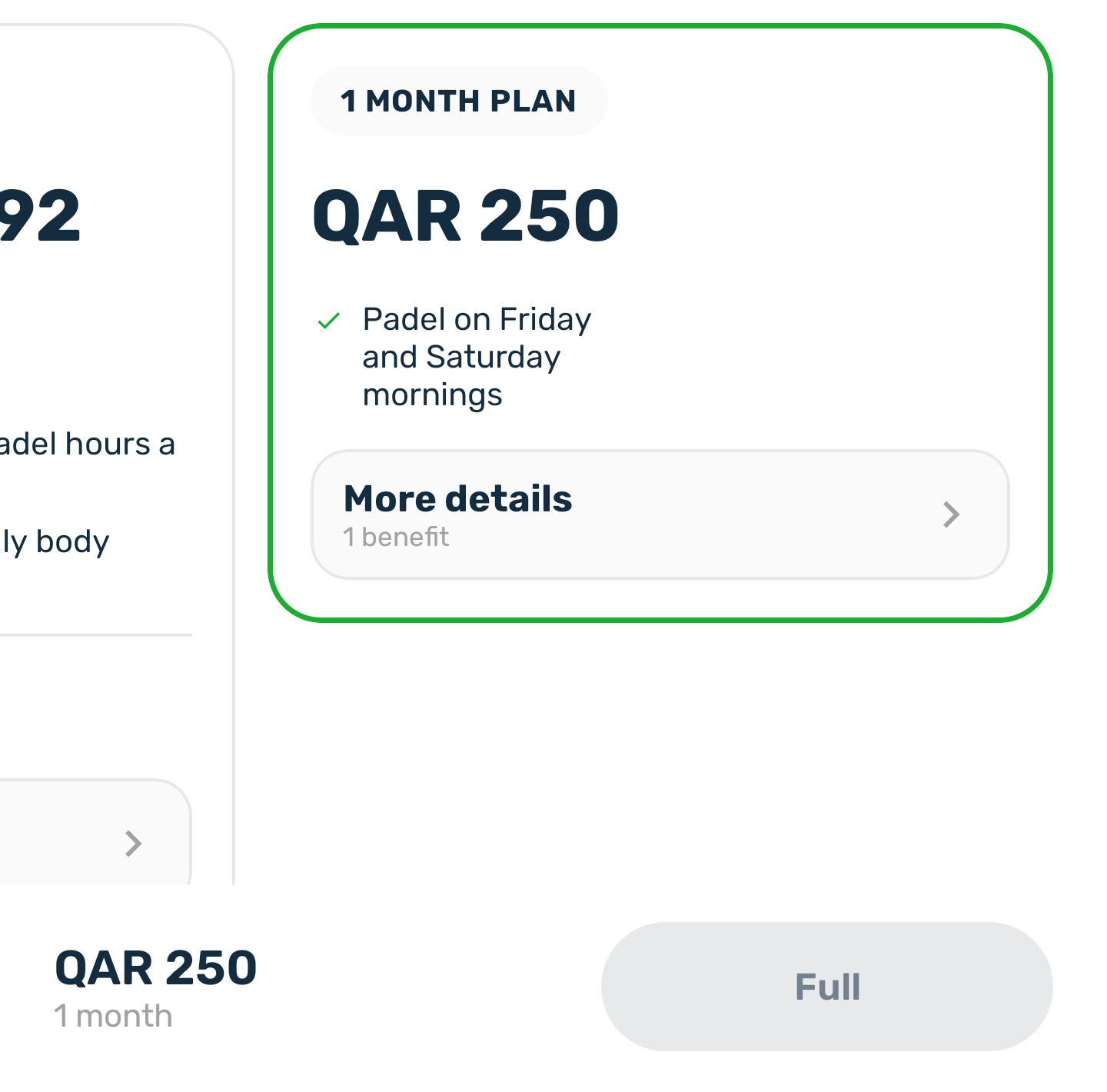
A plan with a limited number of seats shows how many seats are left when it is nearly full, and the button says Full when there are none. A seat frees up when someone's membership ends or is cancelled.