

Cette page n’est pas encore traduite en français. Vous lisez la version anglaise.
Create a plan
The Membership plans page, the Plan tab of the editor, and what pausing, duplicating and deleting a plan do.
Open Membership plans in the Membership group of the portal menu. The list shows every plan your clubs sell, the lengths each one is sold at, the price it starts from and how many seats are taken.
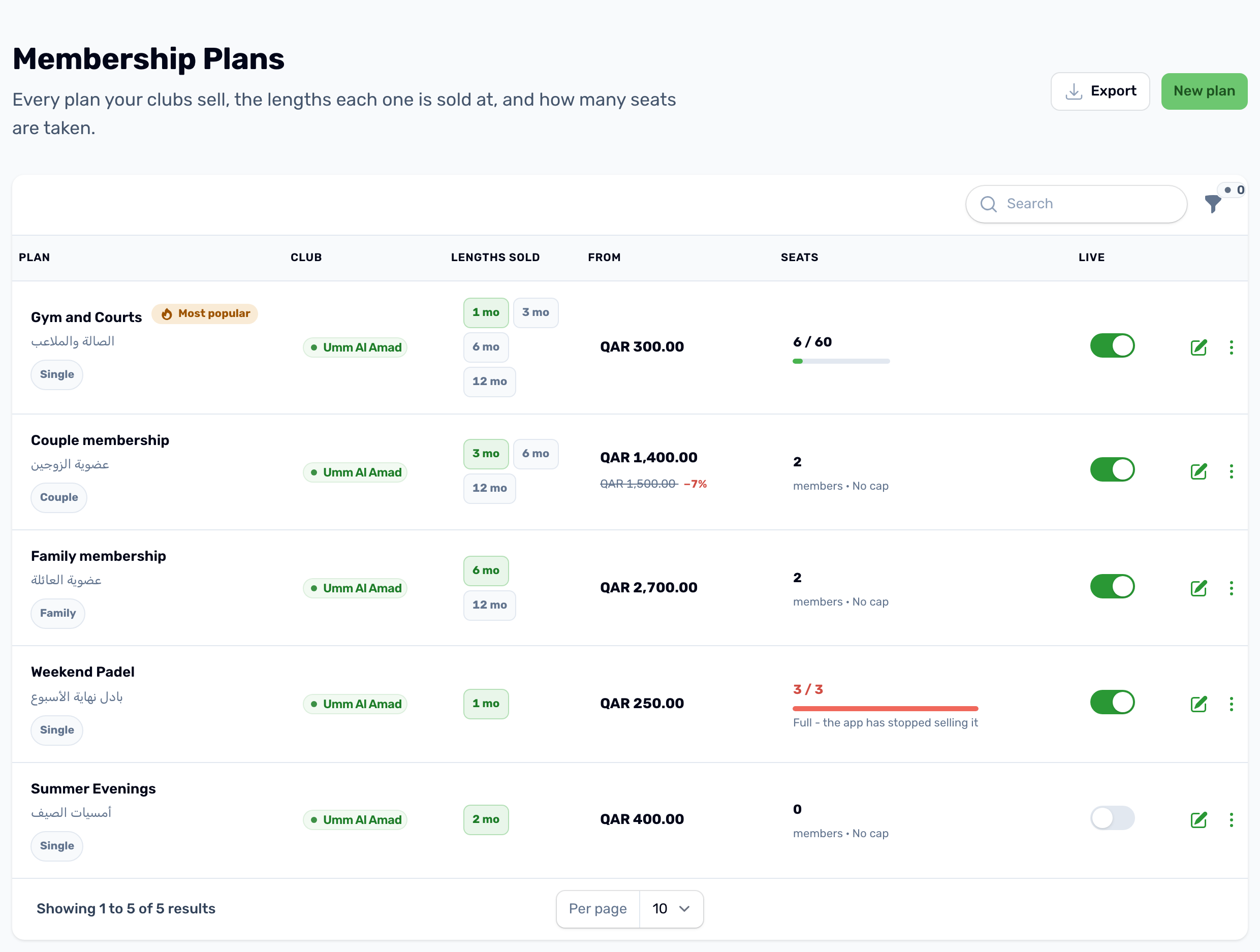
- Lengths sold shows each length. The one in green is the default.
- From is the price of the default length, with the struck price when it has one.
- Seats shows taken against the cap, or the number of members and No cap. A full plan turns red and says the app has stopped selling it.
- Live pauses or resumes sales straight from the list.
You can search, and filter by club, by who the plan is sold to, and by Live and paused, Live only, Paused only or Full.
The Plan tab#
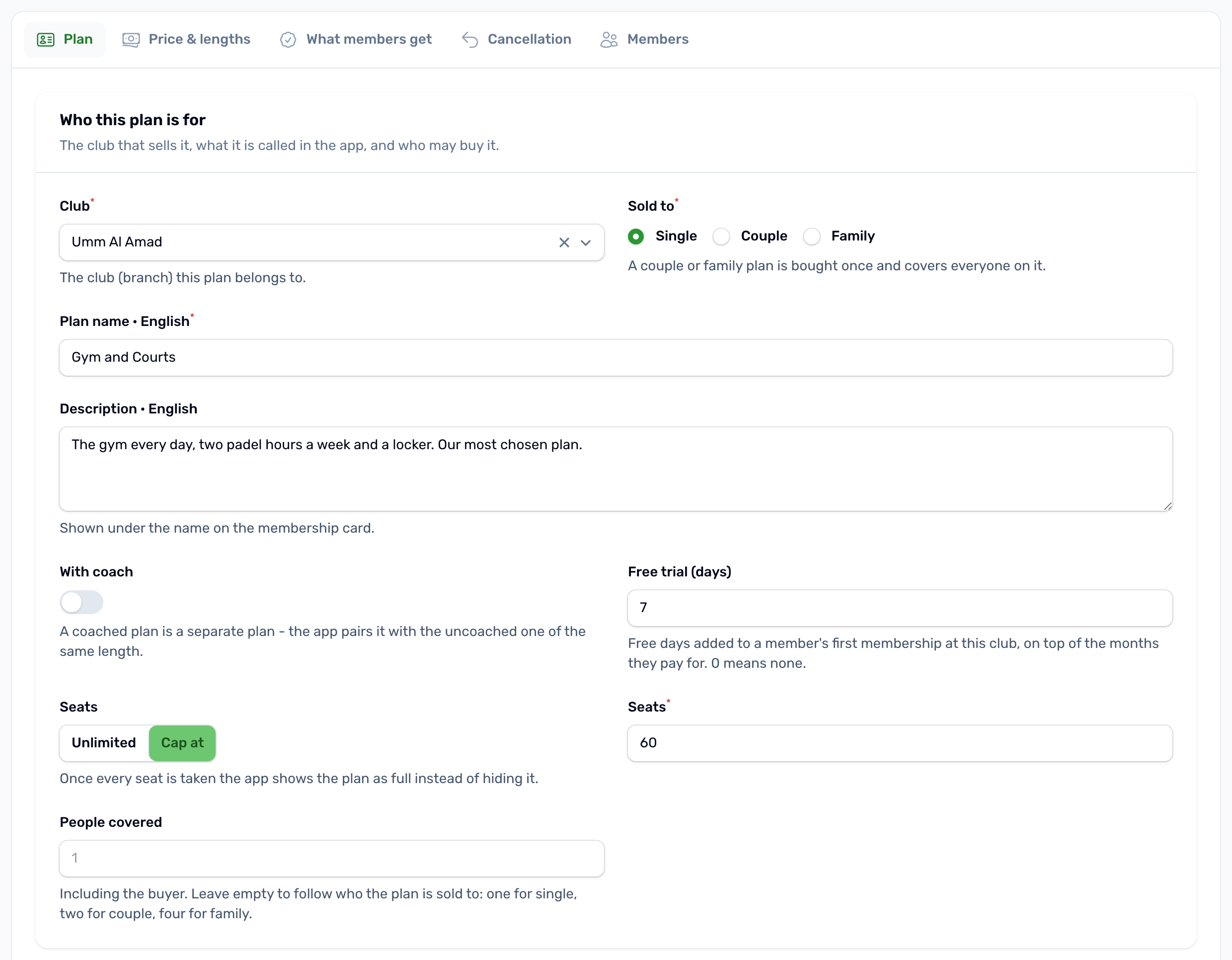
Click New plan, or the pencil on a plan. The editor has five tabs: Plan, Price and lengths, What members get, Cancellation and Members. Next to them is a live preview of the plan card as members see it.
| Field | What it does |
|---|---|
| Content language | Above the tabs. Pick English, Arabic, French or Spanish and type the name, description, features and perks in that language. A language left empty falls back to English in the app. |
| Club | The venue that sells the plan. |
| Sold to | Single, Couple or Family. This decides which tab of the club page the plan shows under. |
| Plan name and Description | Shown on the plan card and in its details. |
| Free trial (days) | Free days added on top of the months paid, for a member's first membership at this club only. 0 means none. |
| Seats | Unlimited, or Cap at a number. A seat is held by every paid membership that has not ended, frozen ones included. When all are taken the app shows the plan as Full and no one can subscribe. |
| People covered | How many people one purchase covers, the buyer included. Left empty it follows Sold to: one, two or four. |
| Live in the app | Off keeps the plan and its members but stops new purchases and hides the plan in the app. |
| Badge it Most popular | Puts a Most popular badge on the plan's default length. |
| Position in the list | Lower numbers come first. |
Click Save changes when you are done. The other tabs are covered in Prices and lengths, What members get and Cancellation and freeze rules.
Duplicate, pause and delete#
- Duplicate copies the plan with its lengths, features and perks. The copy is switched off until you turn on Live in the app.
- Turning off Live is the way to stop selling a plan. Members who hold it keep it.
- Delete plan asks for your password or PIN and tells you how many members hold the plan. The plan disappears from the app. Members who already hold it keep their remaining days.