

Esta página aún no está traducida al español, así que estás leyendo la versión en inglés.
Play as a team
Register a team, invite players, split the fee, answer an invitation, and change the roster before the start.
Register your team#
In a team tournament the person who registers is the captain. After the category step:
- Select your team: pick one of your teams, or tap Create a new team and give it a name.
- Invite players, for a new team: pick players from your mutual followers or search for them by name. They join only when they accept.
- How will you pay?, for a paid tournament: pay for the whole team, or split the fee equally so each player pays a share.
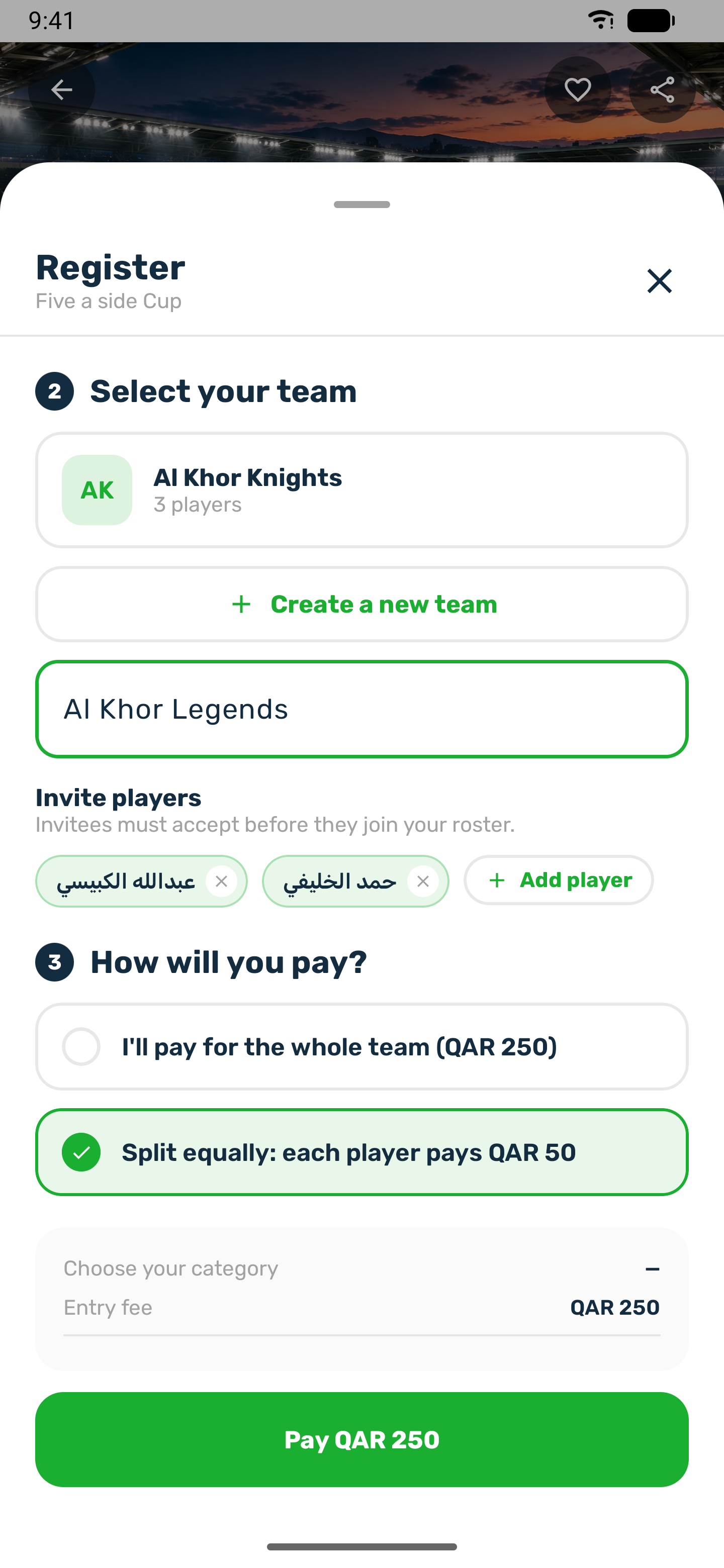
You can invite a player who follows you and whom you follow, or anyone who accepts invitations from people they do not follow. If you split the fee, every player already on your team gets a share when you register, and each invited player gets one when they accept.
When you are invited#
You get a Team invitation notification. In Notifications the invitation card shows the team, the tournament and who invited you, with Accept and Decline. If you turned on automatic acceptance of invitations and you follow each other, you are added straight away.
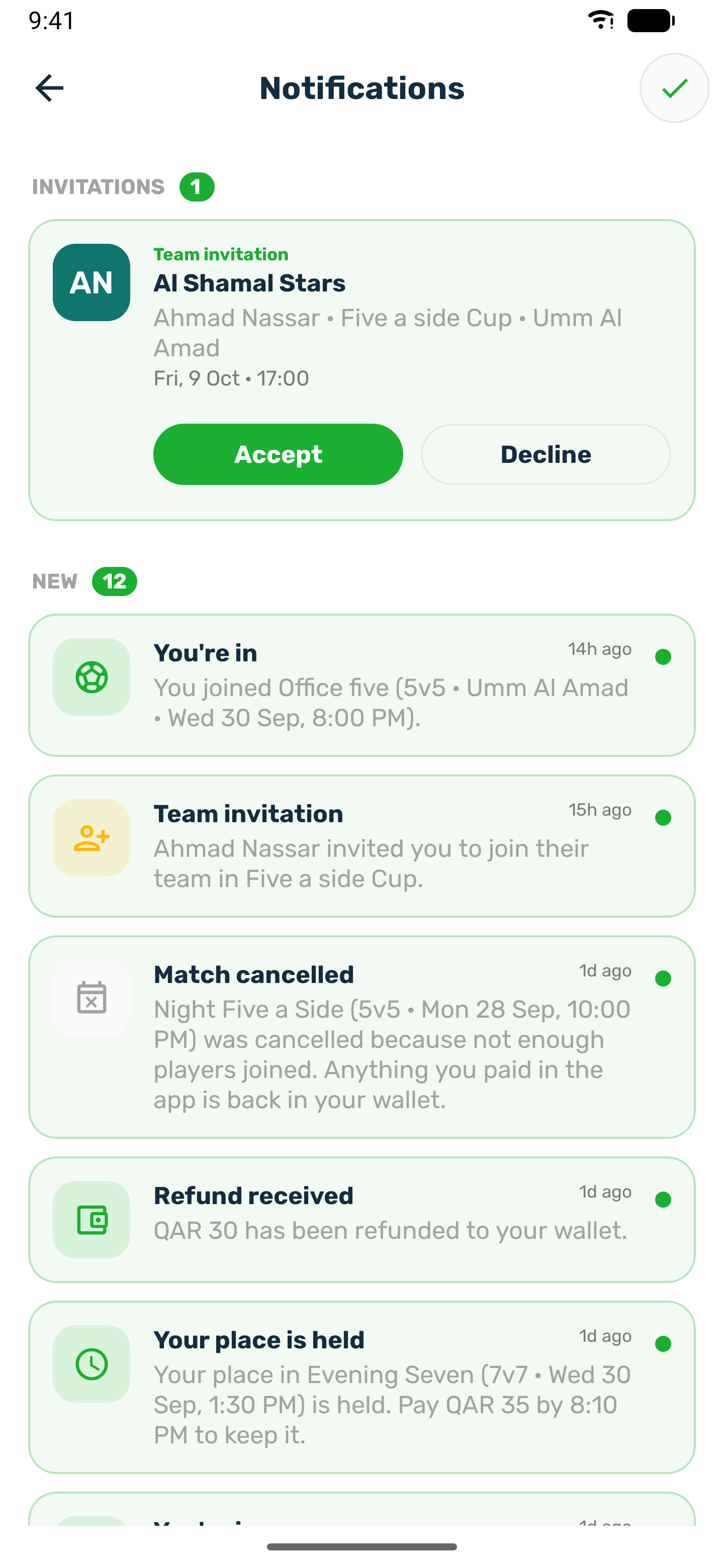
If the fee is split, accepting creates your share. Pay it from My registration with Pay my share. The team is confirmed when every share is paid.
Your team card#
On the tournament page, tap View pass and team. My Team shows the players with the captain marked, the players still invited as Pending, and Incomplete while the team is short.
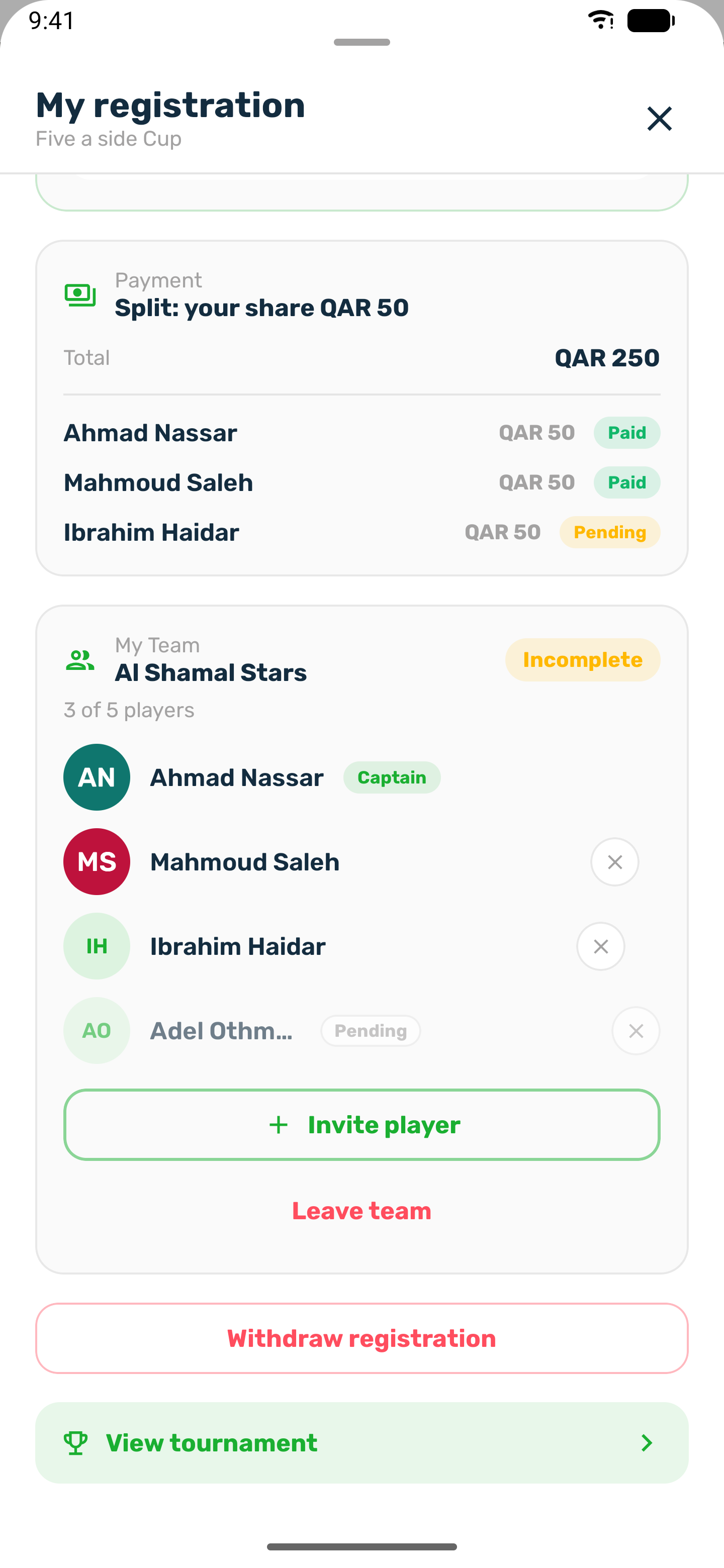
- The captain can Invite player while there is a free seat, withdraw an invitation and remove a player.
- A player can Leave team. On iPhone the captain can leave too, and another player becomes captain.
- If the club refunds shares when a player leaves, the app asks what to do with a paid share: refund it to your wallet or leave it for the team.
- Nothing can change once the tournament starts, and leaving or removing stops when registration ends.