

Esta página aún no está traducida al español, así que estás leyendo la versión en inglés.
Create and publish a match
Fill in the match editor, save a draft, publish at least 3 hours before kick off, then change or cancel it if you need to.
A new match is always saved as a draft first. Nobody sees a draft, and it holds nothing. Publishing is what makes it visible and joinable.
Fill in the editor#
From My matches, tap New match.
| Field | What to know |
|---|---|
| Venue | One of your venues, New venue, or one of the club's courts. |
| Sport | One of the sports played at that venue. |
| When | Day and Kick off, on the venue's local time. |
| Duration | 60, 90, 120, 150 or 180 minutes. |
| Places | How many players the match takes. On a sport with a pitch the places split evenly into two sides, so the number must be even. A sport played with a fixed side size, such as padel, takes exactly twice that number. |
| Minimum to play | How many confirmed players the match needs. It cannot be more than Places. If fewer are confirmed at the club's check time before kick off (2 hours unless the club changed it), the match is cancelled automatically and everyone is refunded to their wallet. It is at least 1, so a minimum of 1 only calls off a match nobody is confirmed for. |
| Waiting list | On by default. Players can queue when the match is full. On a paid match they pay for the waiting list like a place. |
| If a waiting list player doesn't play | Refund them, the default, gives their money back to their wallet when the match ends. Keep the payment leaves it with you. Players see your choice before they join the waiting list. |
| Friends each player may invite | 0 by default, which turns invitations off. Up to 20. |
| Formation | On a sport with a pitch. Tap the pitch to move spots or pick a formation. |
| Price per player | 0 makes the match free. |
| Goalkeeper price | Optional, on football, futsal, handball and hockey. Applies to the goalkeeper spot on each side. |
| Accept cash at the venue | Only works when the club takes cash for official matches. |
| Match name, Notes for players | Both optional. |
| Private match | Only players with the code can join. |
| Cover image | A cover the club offers, your own photo with Upload, or None. Landscape photos work best. |
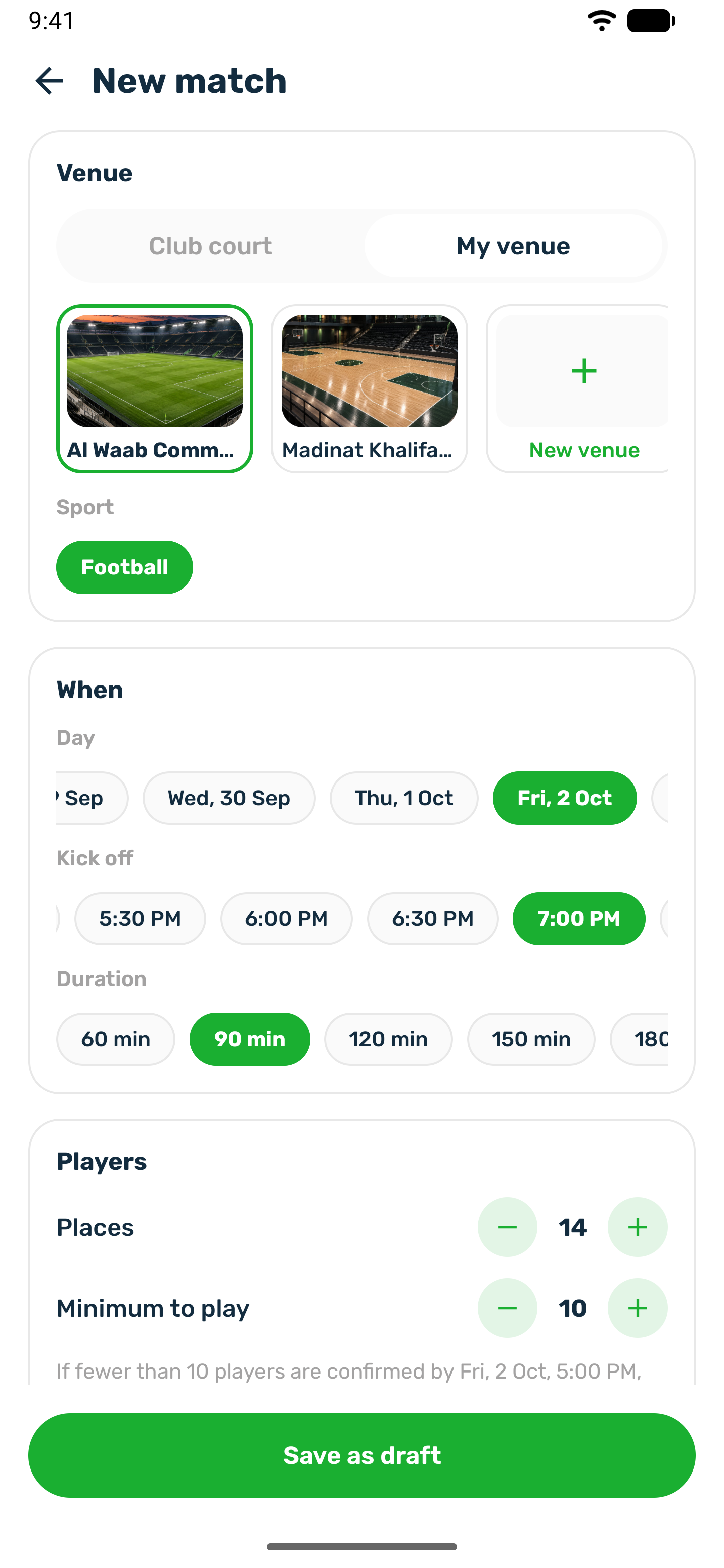
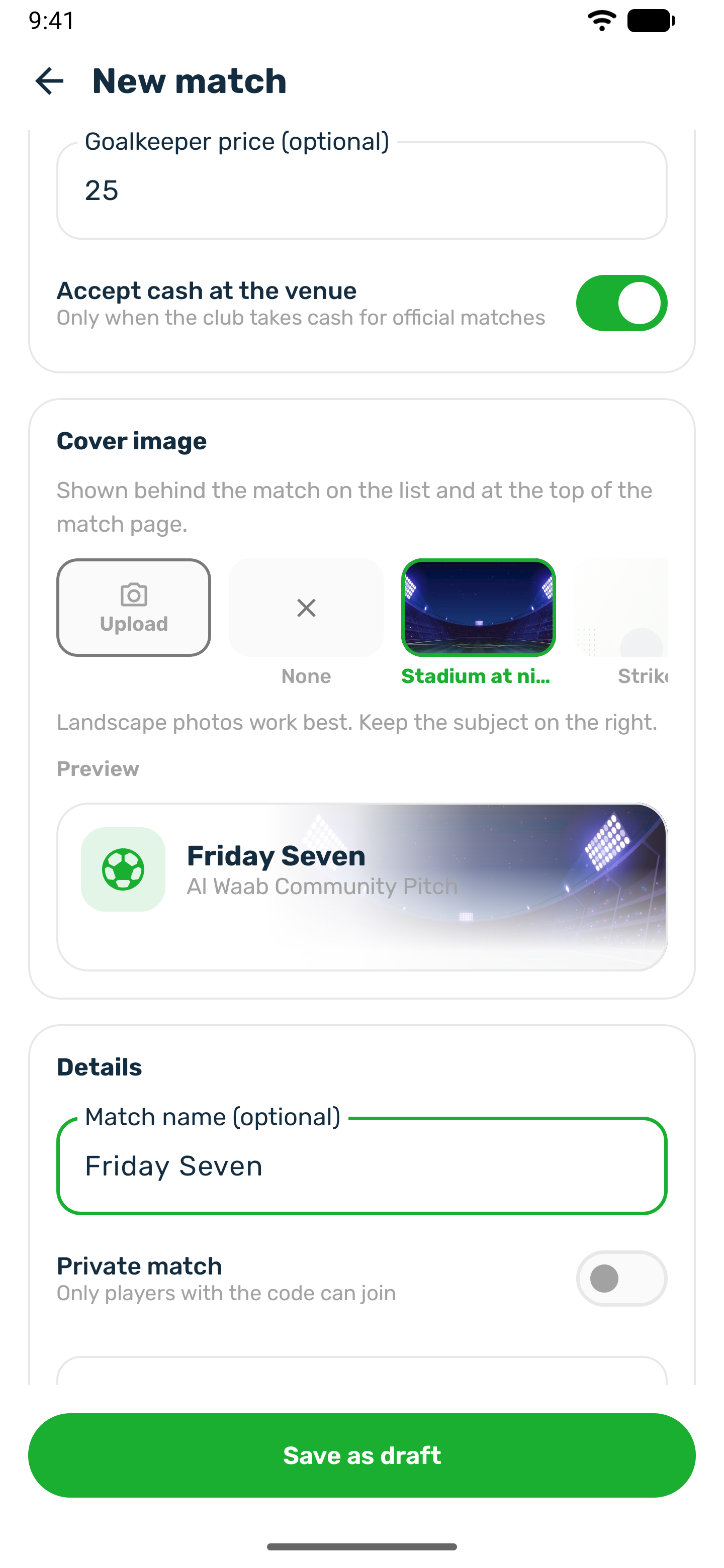
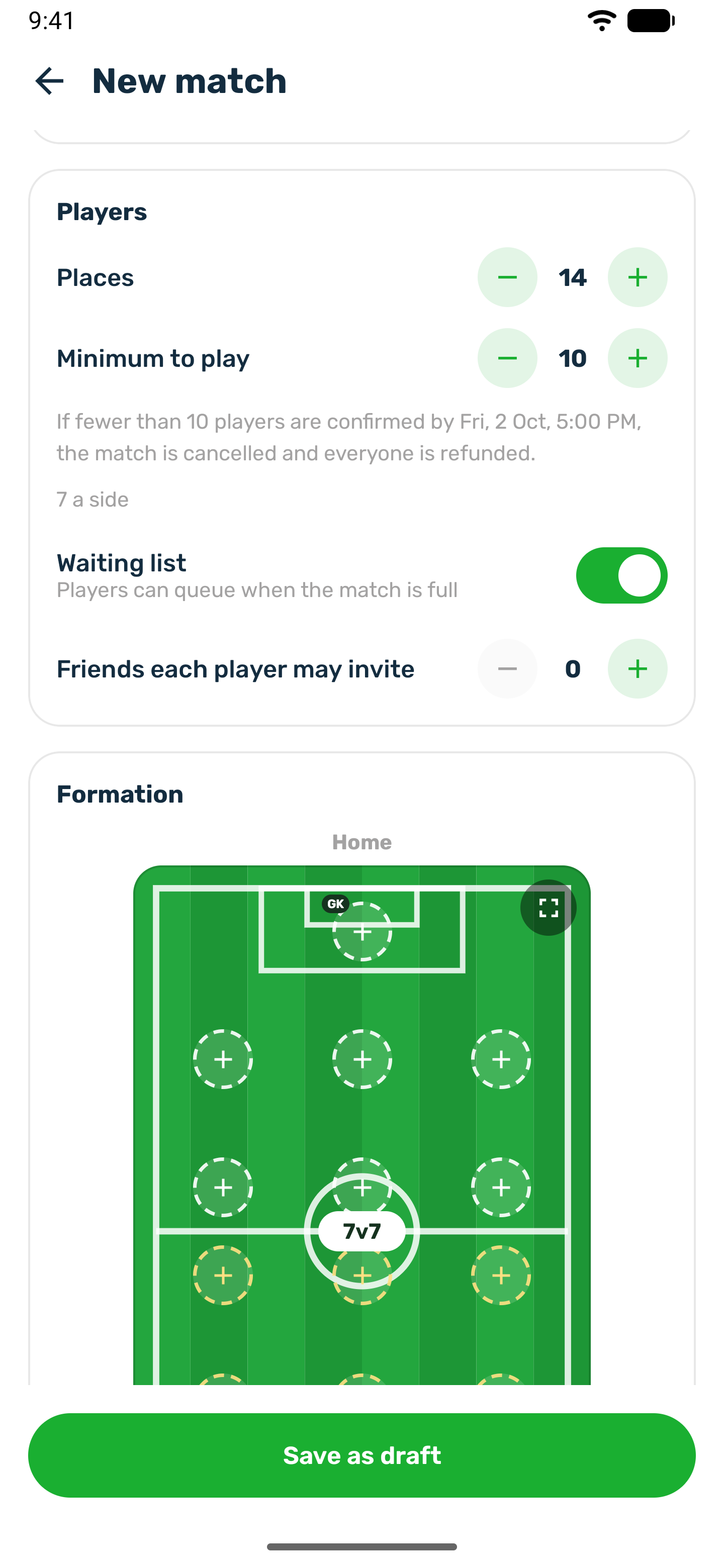
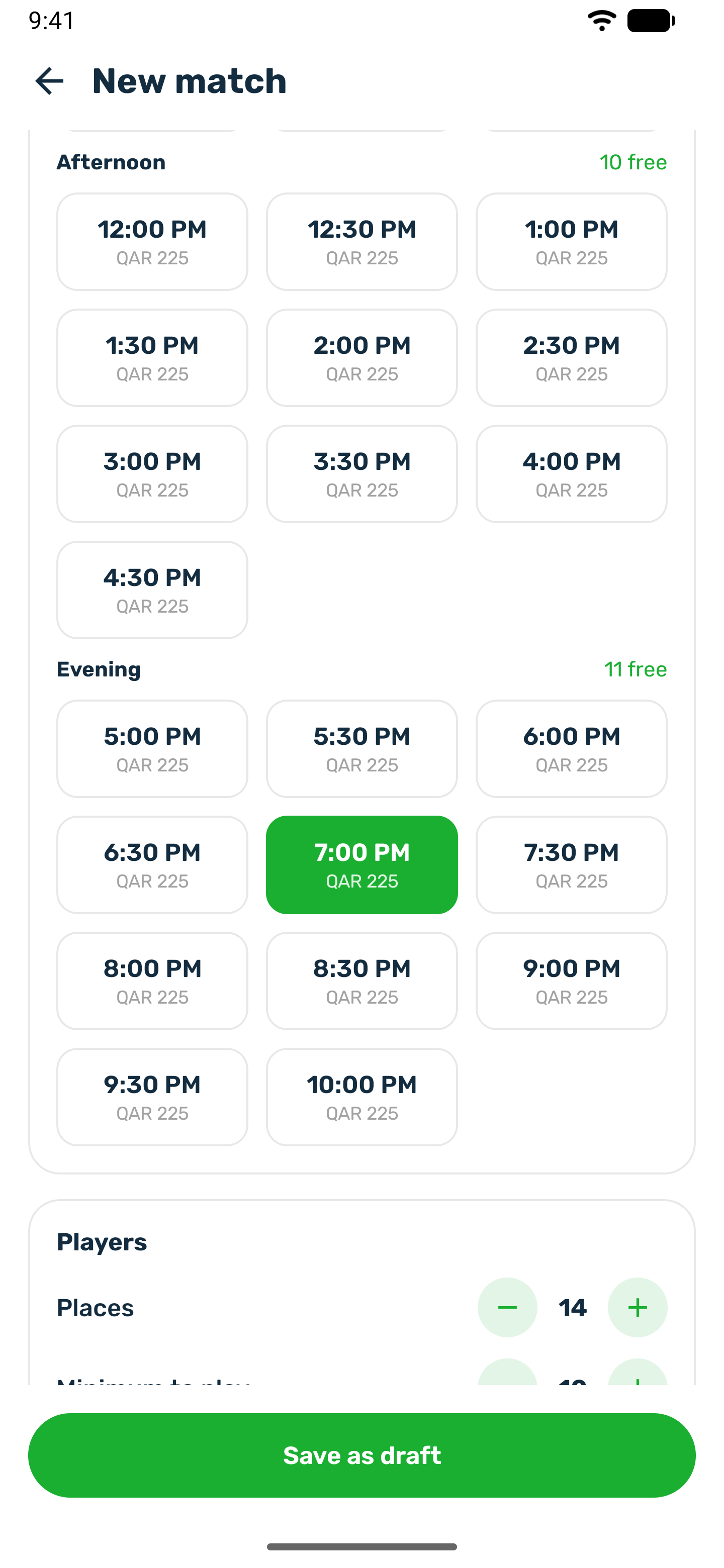
Tap Save as draft. The match appears under Drafts, marked Not visible to players yet.
On one of the club's courts#
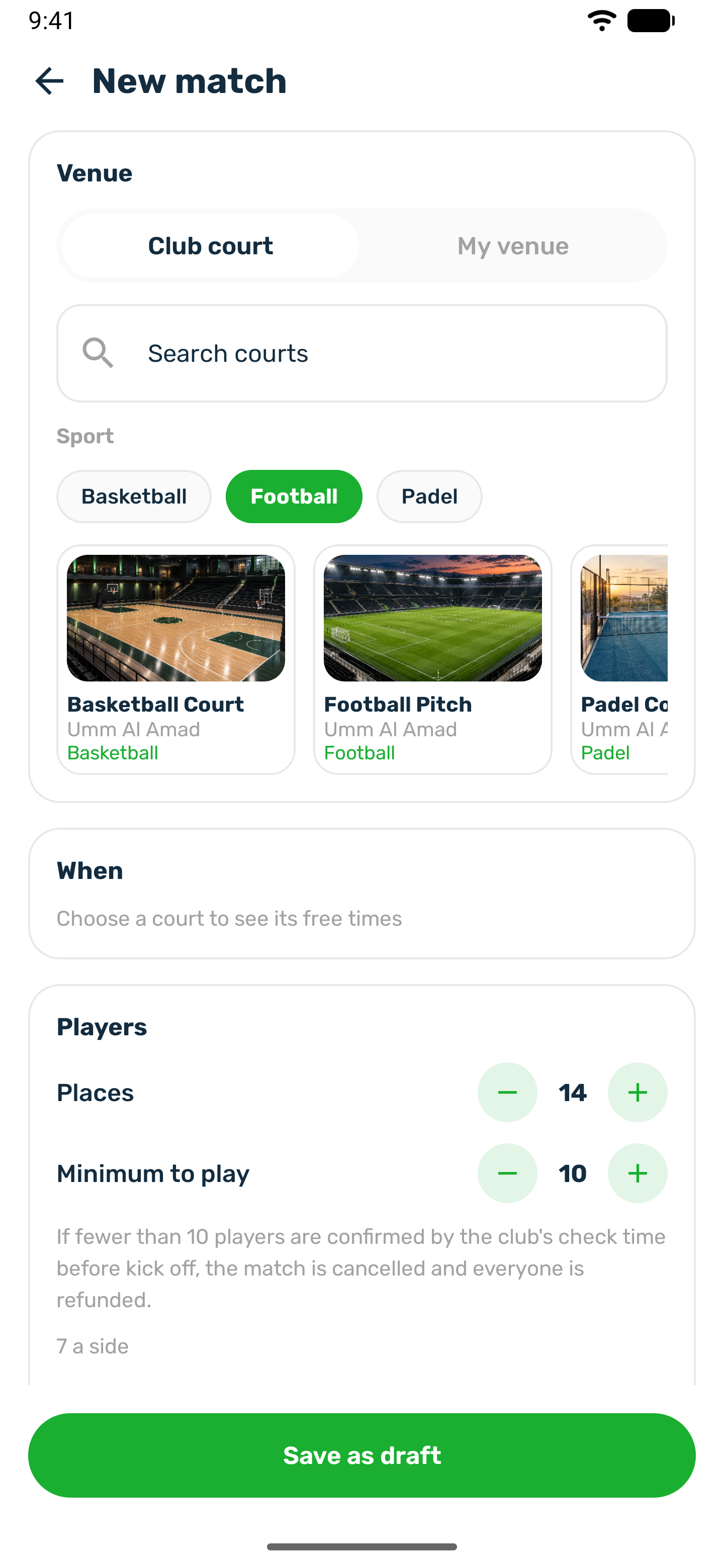
The club's own courts can host your match too. You see the courts that offer a sport that can be a match, with their photos, branch and prices, and for each day the free times players could book. Pick a free time and a sport the court offers. The draft holds nothing. Publishing books the court for the match, so the time is no longer free for players, and cancelling the match frees it again.
Publish#
-
Open the draft
From Drafts, open the match and check it. -
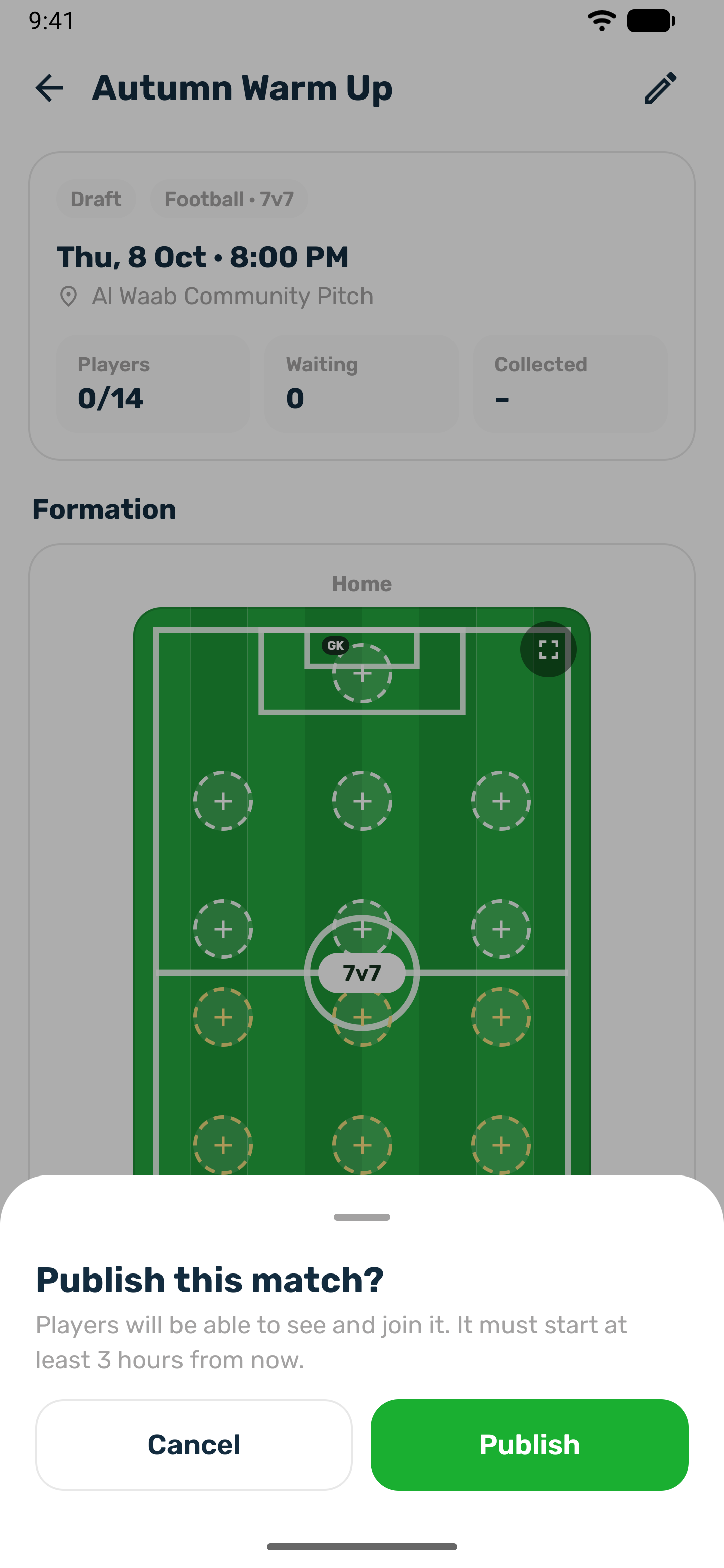
Tap Publish
The sheet reads Players will be able to see and join it. It must start at least 3 hours from now. -
Share it
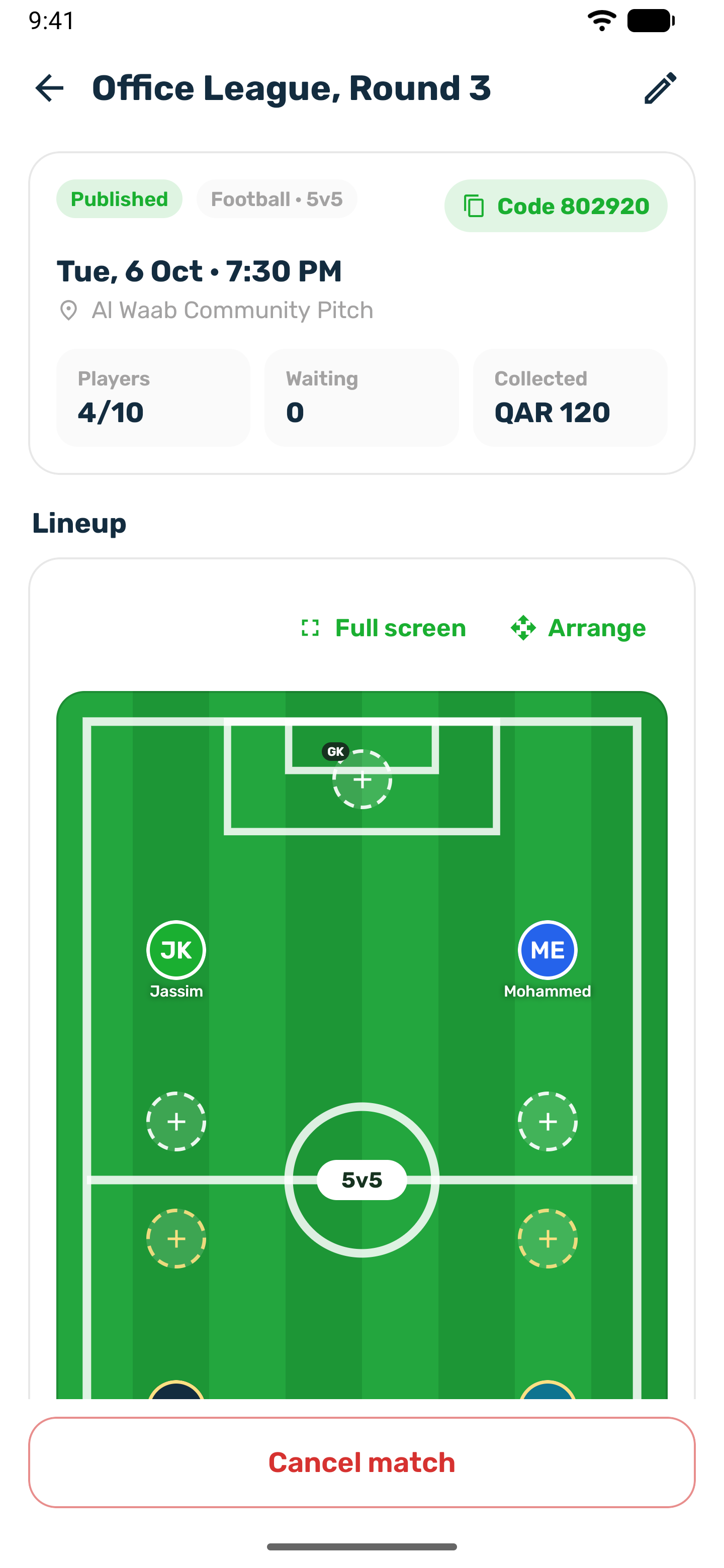
A public match shows in the club's list at once. A private match gets a 6 digit code. Tap Copy code on the match page and send it to your players.
Change a published match#
Tap the edit icon on the match page, make your changes and tap Save changes.
- You cannot lower Places below the number of players who already have a place. Remove players first if you want fewer.
- Raising Places moves players up from the waiting list straight away.
- A new size or sport can move players whose spot no longer exists to a free spot. Nobody loses their place.
- Once players stand on the pitch, the formation can no longer be changed in the editor. Move players with Arrange instead.
- A player who already paid keeps the price they paid.
- Turning Private match off retires the code.
- Moving a published match to one of your venues needs a photo of that venue too.
- A cancelled or ended match can no longer be changed.
Delete a draft#
Only a draft can be deleted. Tap Delete draft. Nobody has seen it yet, so it is removed for good. A published match is cancelled instead, so the players in it are told.
Cancel a match#
-
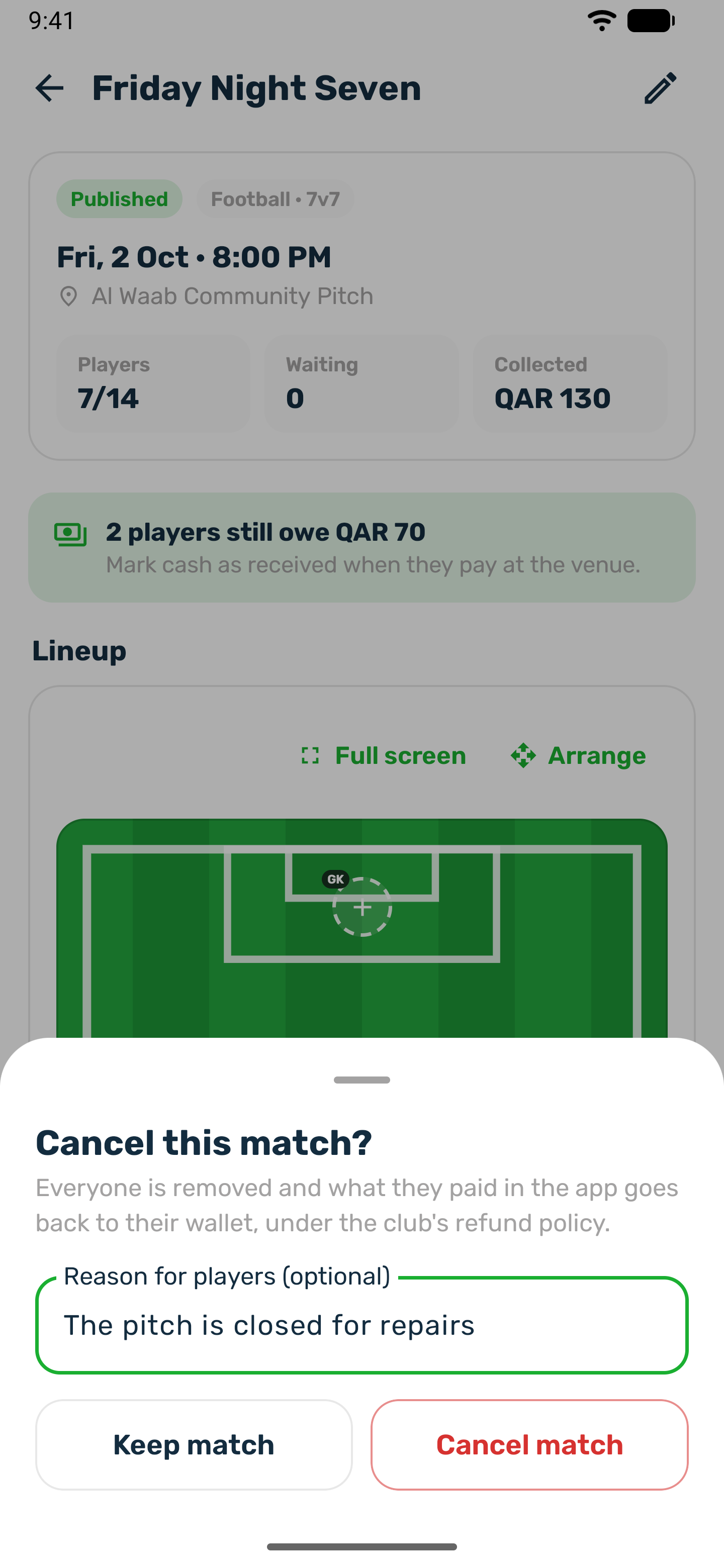
Tap Cancel match
It is at the bottom of the match page, until kick off. Once the match has started it can no longer be cancelled. -
Give a reason
Pick a reason, such as Bad weather or The venue is not available, write your own, or both. When players are in the match a reason is required, and the app does not let you cancel without one. Players read it in their notification, and a picked reason reaches each of them in their own language. A match nobody joined can be cancelled without a reason. -
Confirm
Everyone is removed. What they paid in the app goes back to their wallet under the club's refund policy.
Cash players handed you is not refunded by the app. Give it back yourself. A match whose result you finalized cannot be cancelled. The club can also cancel any of your matches from its portal.