

Esta página aún no está traducida al español, así que estás leyendo la versión en inglés.
Your bookings, reminders and cancelling
Where your bookings are, the reminders before you play, and how cancelling and refunds work.
Where your bookings are#
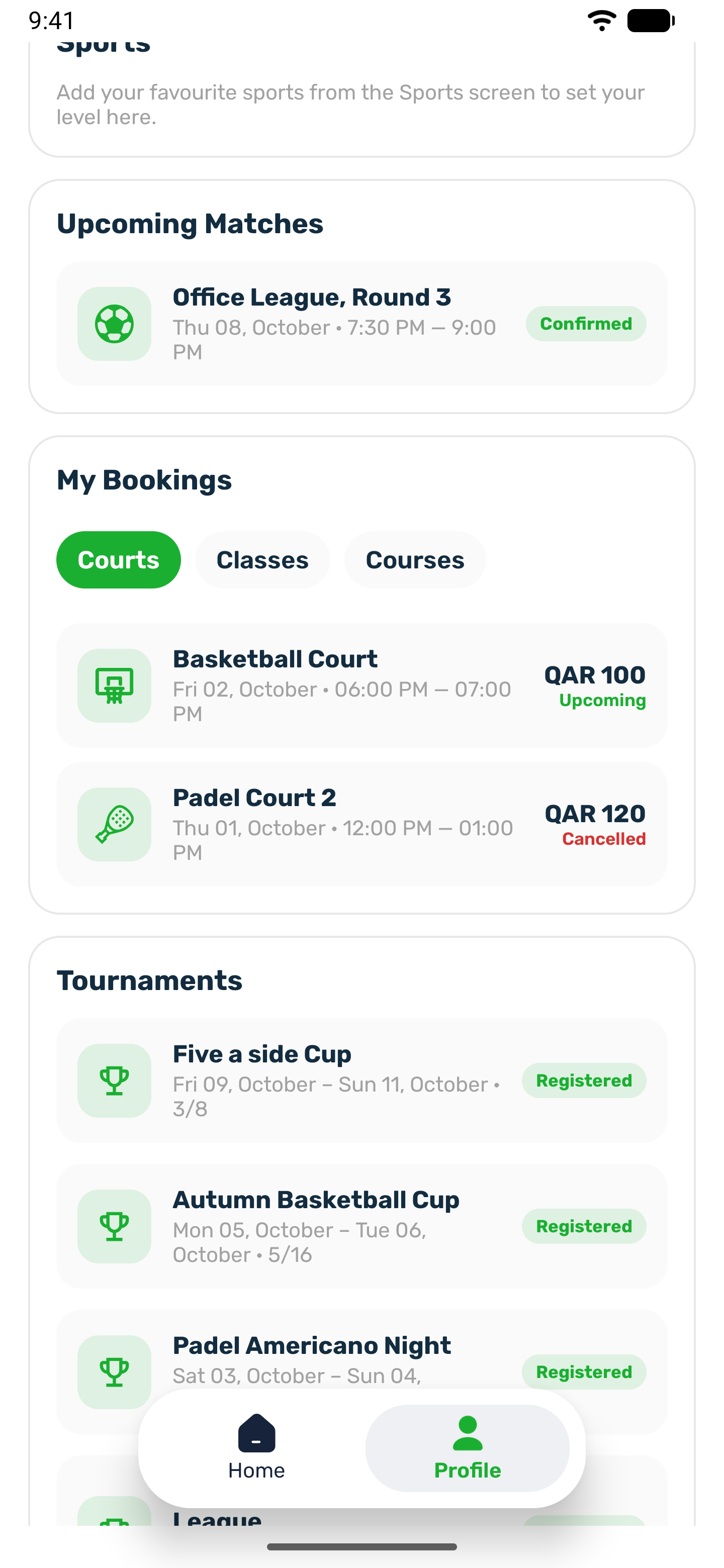
Open your profile. The My Bookings card has a Courts tab with your upcoming bookings, soonest first, and your most recent cancelled ones after them.
| Label | Meaning |
|---|---|
| Upcoming | Confirmed and still to come. |
| Awaiting payment | Created but not paid. It is cancelled if it stays unpaid past the hold time. |
| Completed | Marked as played by the club. |
| Cancelled | Cancelled by you, by the club or automatically. |
Tap a booking to see its details: the venue, court, sport, date, time, length and booking ID, the payment with the court price, each add on and any voucher discount, and the total. A cancelled booking also shows how much was refunded. When the booking is a match place, it shows your own match fee. A booking that is Awaiting payment can be paid from here, see Pay for your booking.
Reminders#
A paid booking gets up to three reminders: Booking reminder about 24 hours before, then 6 hours before and 1 hour before the start. On iPhone, with Sport Pulse on in Settings, the app can also show a live countdown on the lock screen in the last hour when it is open.
Cancel a booking#
Open the booking from My Bookings. While you can still cancel, Cancel booking is at the bottom of Booking details.
-
Cancel booking
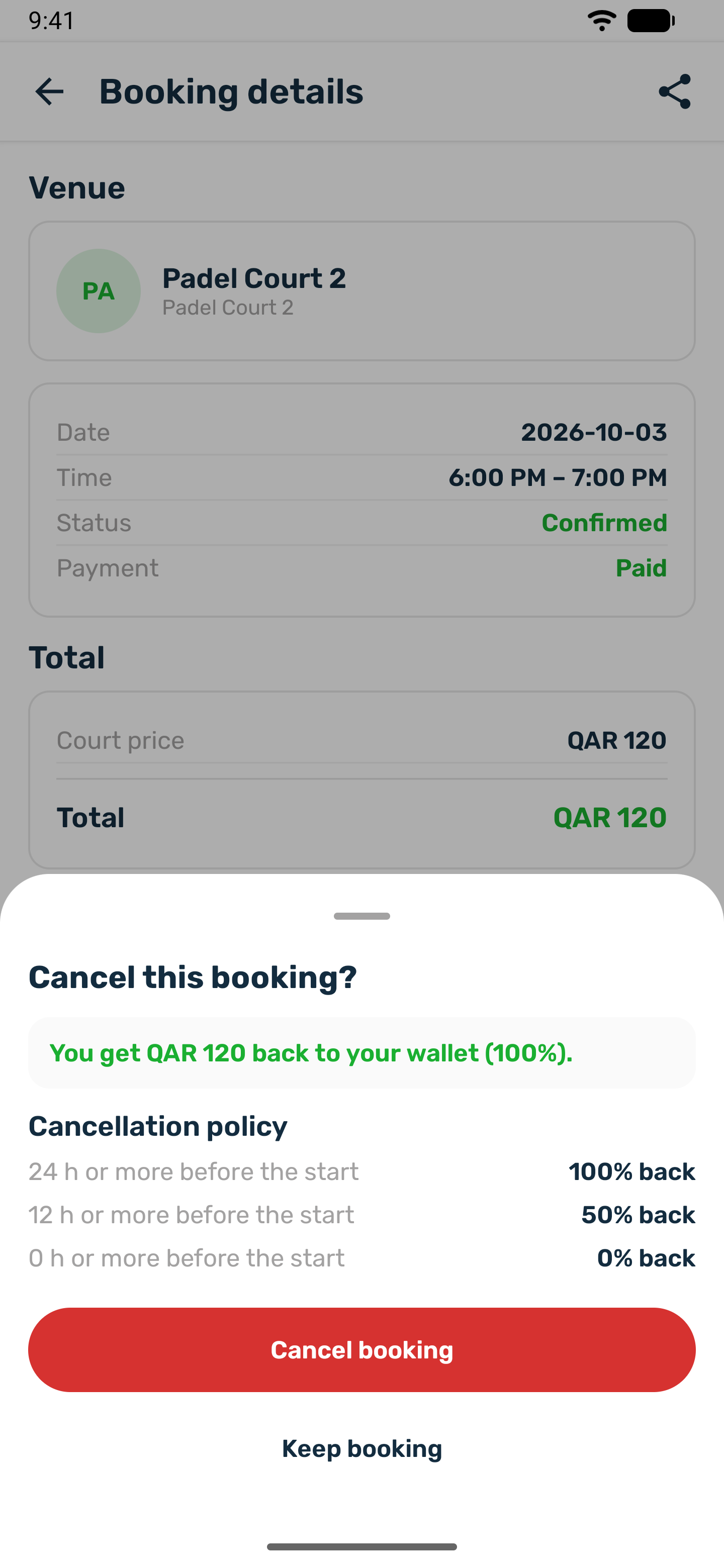
Tap Cancel booking. The Cancel this booking? sheet opens. -
Read the refund
The sheet states what you get back if you cancel now, for example You get QAR 60 back to your wallet (50%), or Cancelling now gives no refund. For a booking you have not paid, it says nothing is charged or refunded. Under it, Cancellation policy lists the refund for each time before the start, and the cutoff if the club set one. -
Confirm
Tap Cancel booking to confirm, or Keep booking to go back.
The refund is worked out at that moment on the venue's clock, so the amount in the sheet is the amount you get. The booking then shows as cancelled with the refund, for example QAR 60 was refunded to your wallet. You also get a Booking cancelled notification that repeats the refund, and a Refund received notification when the money reaches your wallet.
When there is no Cancel booking button, one line on the booking says why:
- This booking has started, so it can no longer be cancelled.
- Cancelling closes 6 h before the start. This shows when the court has a cutoff and less time is left.
- This time is held for a match. The organizer cancels the match instead.
If the cutoff passes while the sheet is open, the sheet says it is too close to the start and nothing is cancelled. The club can still cancel a booking for you from its portal and choose the refund.
What you get back#
Each court has its own cancellation policy. Most use the default:
| You cancel | You get back |
|---|---|
| 24 hours or more before the start | Everything |
| Between 12 and 24 hours before | Half |
| Less than 12 hours before | Nothing |
- The refund includes the add ons, and always goes to your wallet in the app, not back to your card.
- Some courts stop cancelling a number of hours before the start. After that, and once the booking has started, the Cancel booking button is gone and the booking says why.
- Cancelling one time from a multi slot order cancels only that time.
- A match place is cancelled through the match, not here. See Join a match.