

Create a tournament
The tournaments list and the five step wizard that creates a new tournament as a draft.
Open Tournaments in the sidebar. The list shows every tournament with its cover, venue, sport, format, status, places taken, start date and fee. A star marks a featured tournament.
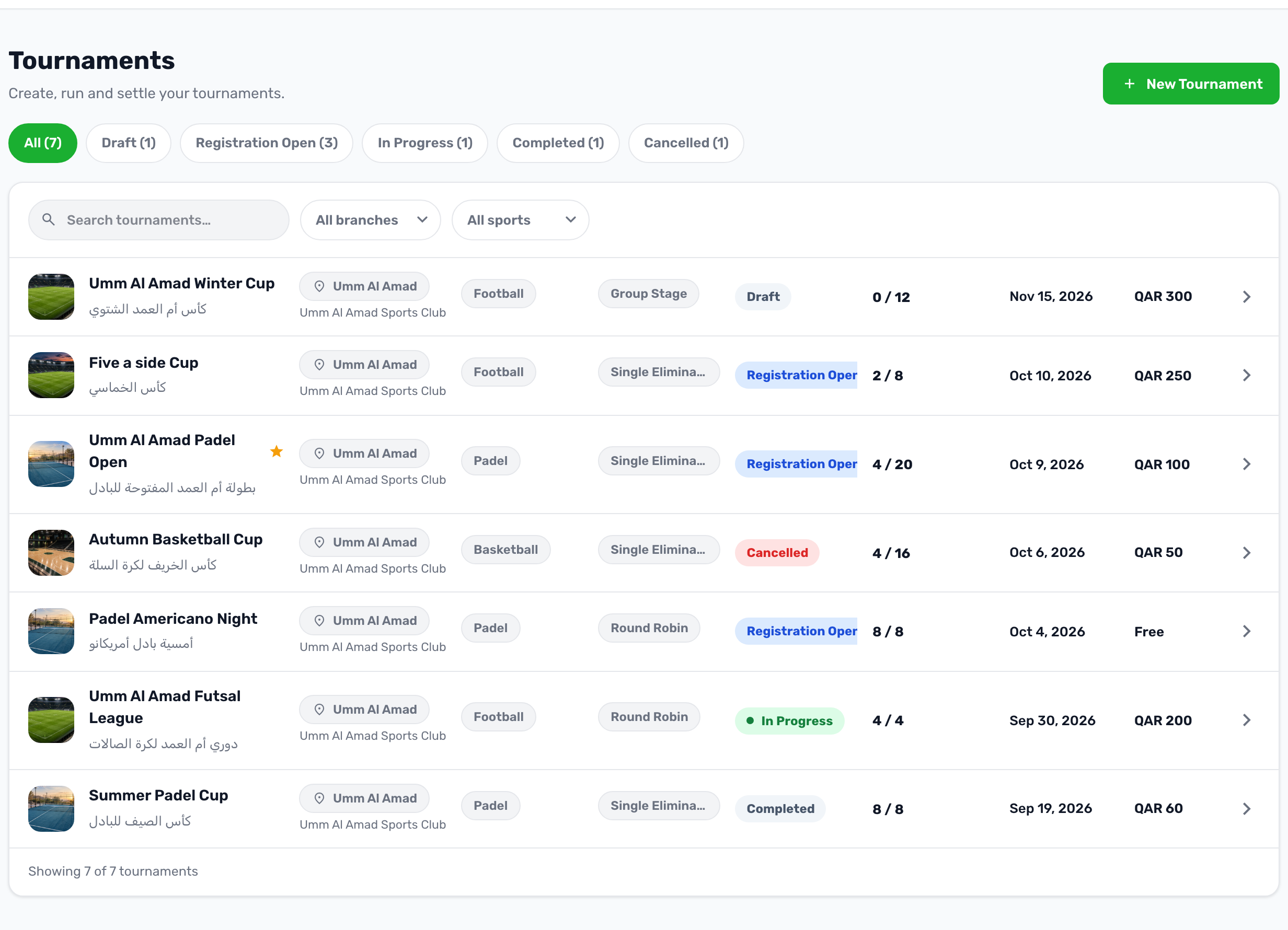
- The chips at the top filter by status and show how many tournaments each has. Show deleted lists the ones in the trash, each with a Restore button.
- Search by name, or filter by branch and by sport.
- Click a row to open the tournament's workspace.
The wizard#
Press New Tournament. The wizard has five steps and always creates the tournament as a Draft, so nothing reaches the app until you open registration.
-
Basics
Host branch, sport, gender, the name in English and Arabic, level, contact phone and Featured. -
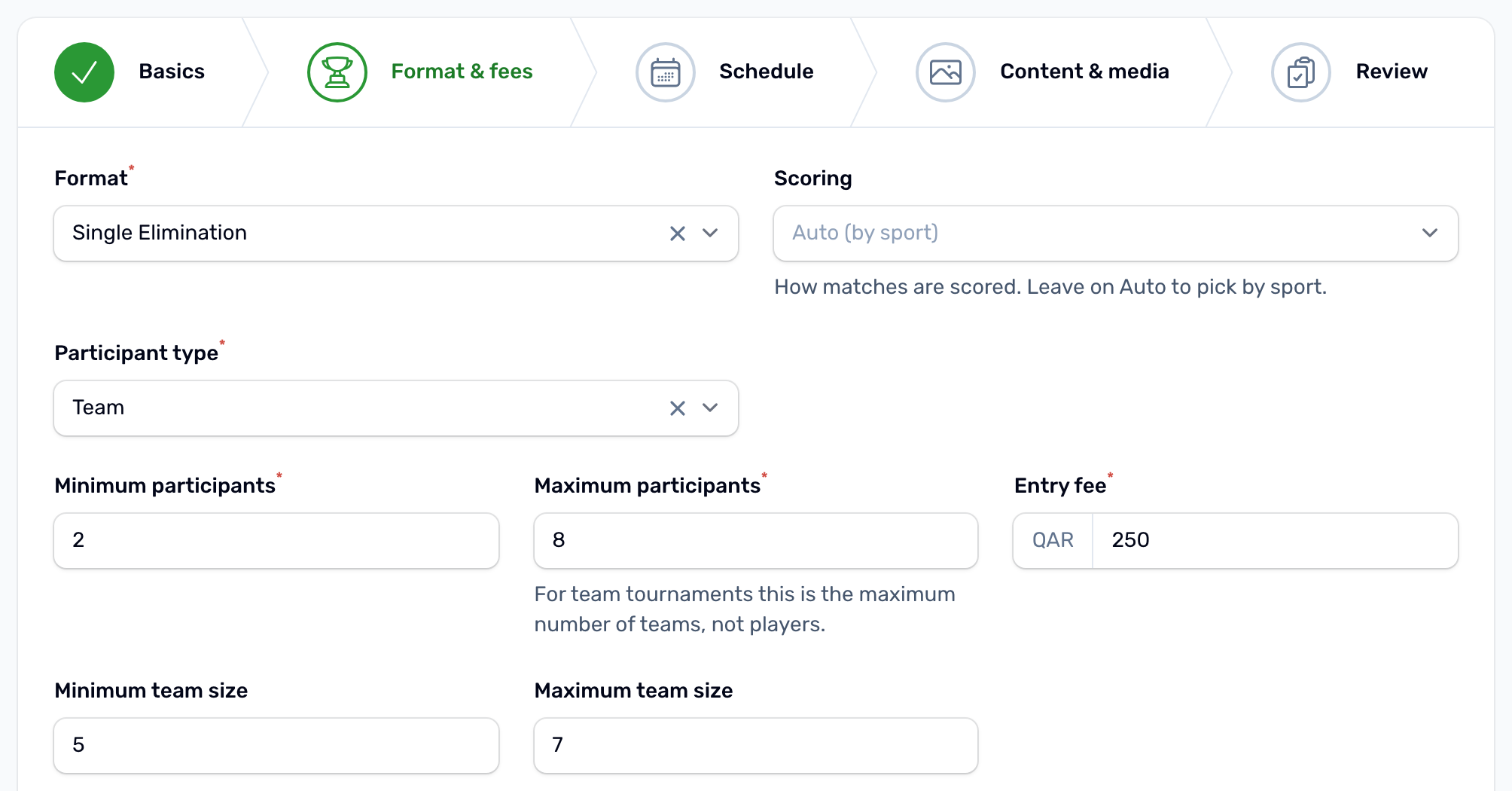
Format and fees
Format, scoring, participant type, the minimum and maximum number of participants, the entry fee, team sizes for a team tournament, price details, refund policy and the rules for unpaid registrations and refunds. -
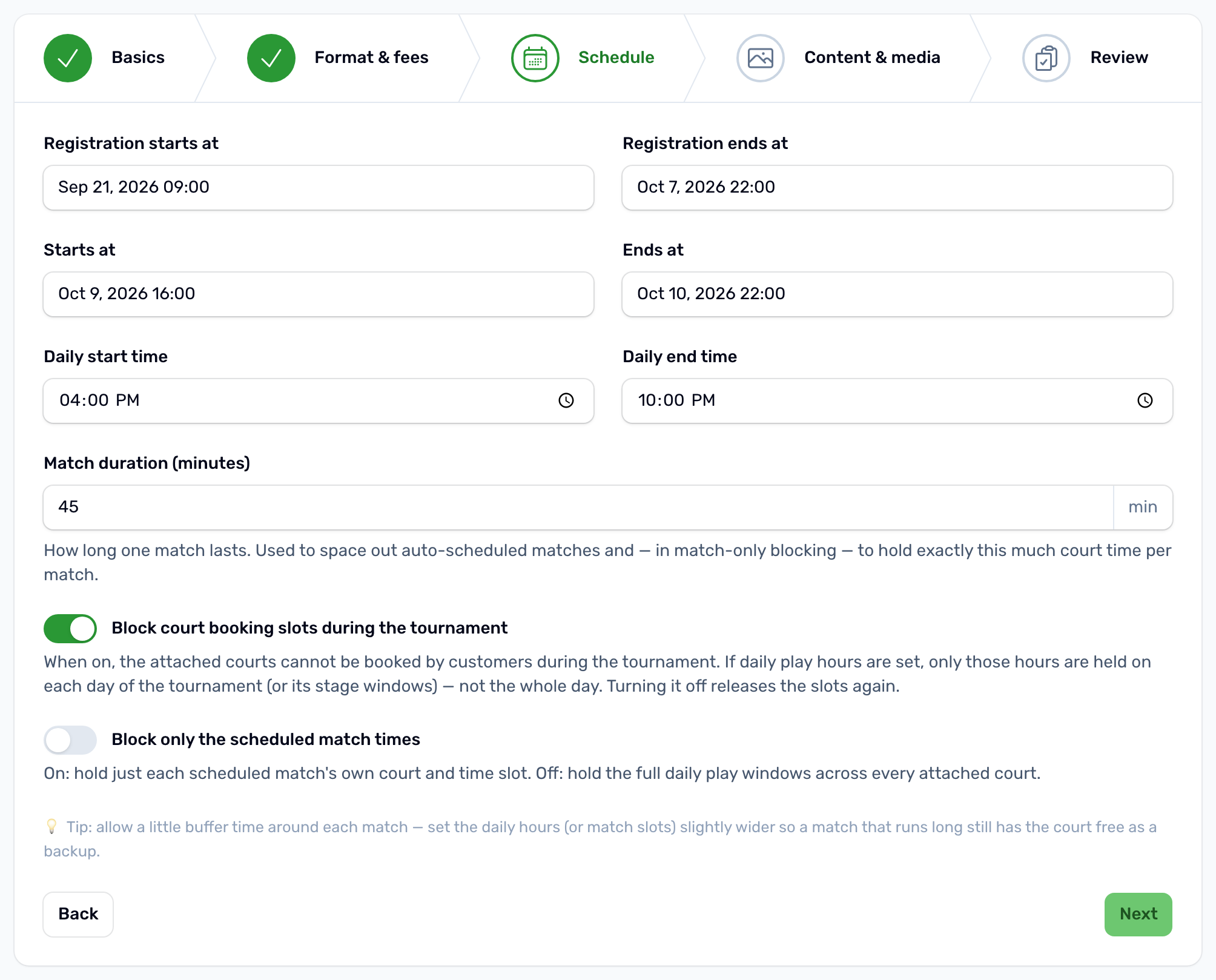
Schedule
Registration start and end, tournament start and end, daily hours, match length and court blocking. -
Content and media
Description, rules, what is included, organizer name and logo, cover image, background image and a rulebook PDF. -
Review
Check everything, then press Create Tournament. The workspace opens.
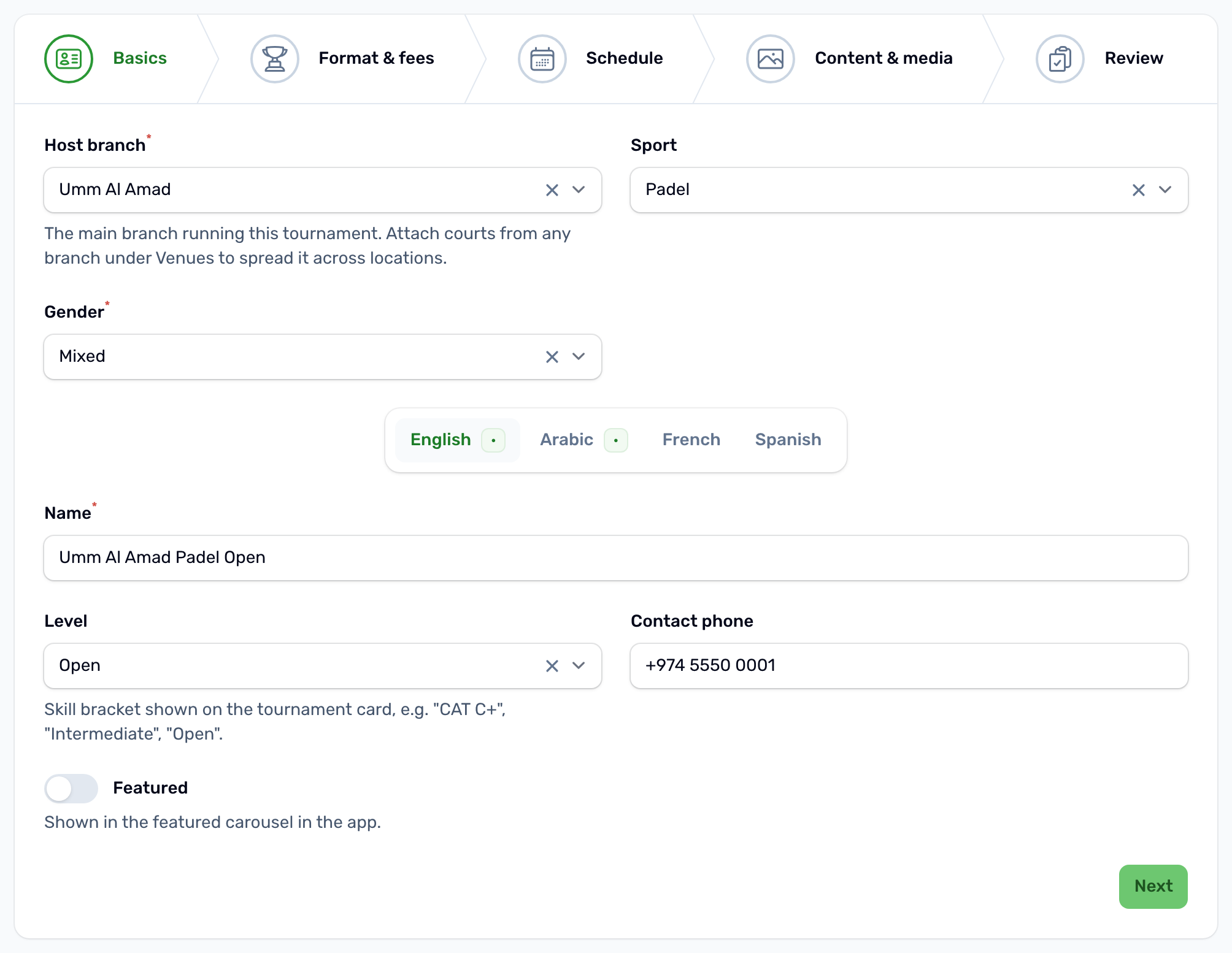
- Host branch is the venue running the tournament. You can add courts from other branches later in Venues.
- Level lists the levels of the chosen sport from your Sports catalog, and shows on the tournament card in the app. Pick the sport first.
- Contact phone gives players a call button on the tournament page.
- Featured puts the tournament in the banner carousel on the app's Home screen, as long as it has a cover image.
Save as draft#
You can leave the wizard at any step with Save as draft. It needs only the host branch and both names. Anything you have not filled in takes a default: Single Elimination, individual players, Mixed, 2 to 16 participants, free entry and court blocking on. Finish the rest later in the workspace.
Format and entry rules Formats, scoring, teams and gender The tournament workspace Where you run the tournament after creating it